

Mysterious black lines at bottom of HD footage
This is a strange issue and despite doing all the regular setting changes I can't fix it.
I have a 1080 HD project with various types of HD footage, a Canon 5D, a drone and a gopro. Recently I updated the project to a newer version of premier.
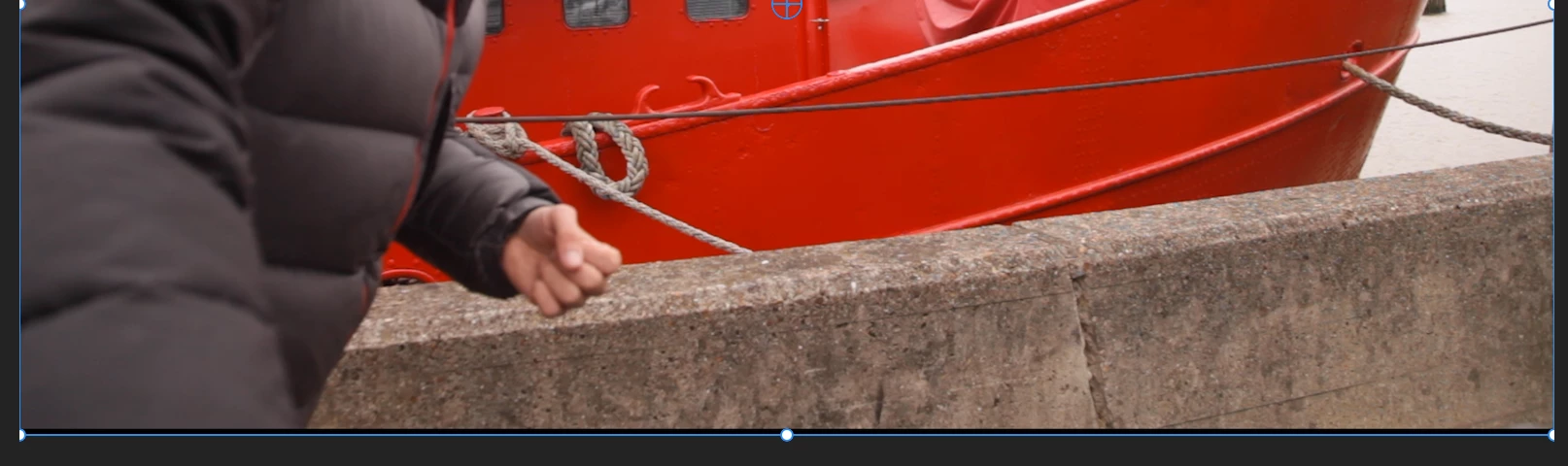
On doing this update the drone and gopro footage all fill the sequence frame but the 5D footage, whilst the clip settings fill the frame, is squashed up so that the bottom few lines of pixels inside the bounding box are black. When I review the clip outside of premier there are no lines at the bottom of the footage. I've checked and there are no pixels missing from the footage, more that the footage aspect ratio has been changed and black lines added to the bottom of the footage.
Here's a screengrab of the black lines at the bottom, including the bounding box.
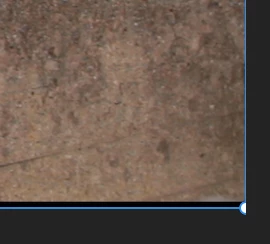
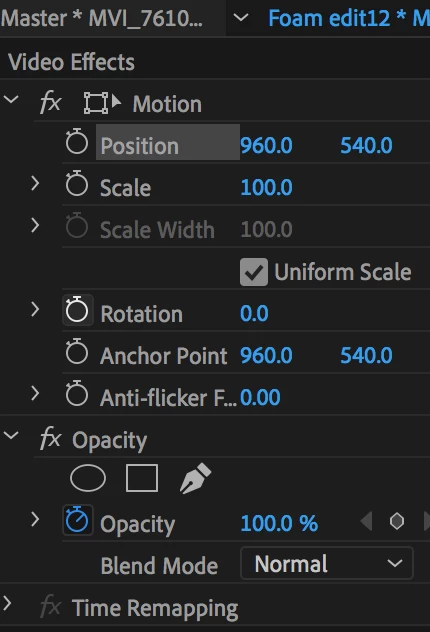
Here are the transform settings of this clip:
Here's how the gopro footage sits, no black lines.

Things i've tried in an attempt to fix this:
-- I opened this project on a brand new mac and still the problem persists.
-- I imported the footage (5D and gopro) onto a new mac and the problem was gone.
-- I've created a new project on my version of premier and the problem is still there.
-- The black lines are visible in the viewer as well as in the sequence so it seems not to be a sequence setting, but the way premier is treating it.
-- Unlinking and relinking the media
-- re-rendering
-- Lines appear on export
If anyone has any ideas, this would be really helpful!
All the best,Harry
 AdChoices