
October 9, 2019
Answered

Nvidia Quadro P4000 not compatible with CS6?

  • October 9, 2019
  • 6 replies
  • 2395 views

Hi,

can't find any information which Premiere version I need for using CUDA of a Nvidia Quadro P4000.

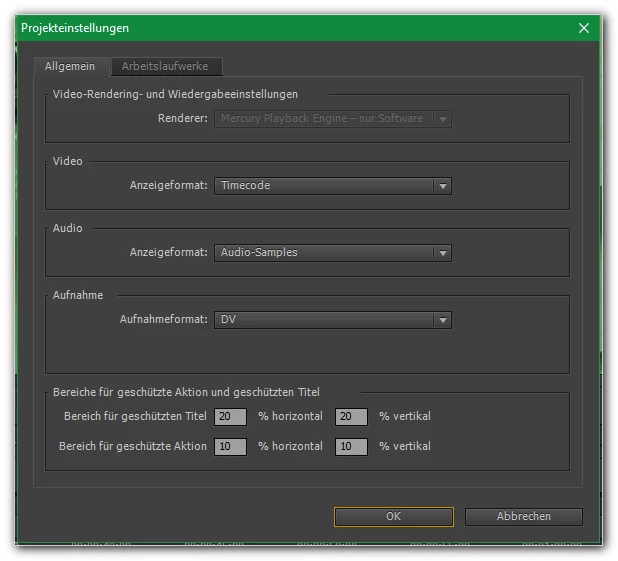
... still using Premiere CS6. And opposite to a Quadro K2200 I can't choose the HW acceleration:


Does anybody know a webpage with such an information?

Thanks!

cmeira


    This topic has been closed for replies.
    Correct answer Ann Bens

    No card is not supported.

    To get it working go into the root of CS6 (Program files/Adobe/Adobe Premiere Pro CS6) and look for the cuda_supported_cards.txt file and add the card to the list in the same way as the other Quadro cards.


    6 replies

    Ann Bens
    Community Expert
    Community Expert
    October 10, 2019

    Then the, hmm, well-known old trick... Like for my "Quadro K2200", more than 3 years ago...

    Thought, for this card Premiere could recognize, which the card can and which not – without the help of an edited text file ...


    This has nothing to do with the Cloud or being a new card.

    CS6 had standard a few cards in the list that were approved and worked as advertised.

    Any other card had to be manually added to the list, which also meant at your own risk.

    If you encounter trouble might have to roll back a few drivers.

    John T Smith
    Community Expert
    Community Expert
    October 9, 2019

    >Thought, for this card Premiere could recognize


    As I said in my reply... the NEW Premiere Pro does not use the text file, but the OLD version does... so CS6 still must have the user manually edit the file

    October 9, 2019

    Thanks for your answers!


    Then the, hmm, well-known old trick... Like for my "Quadro K2200", more than 3 years ago...

    Thought, for this card Premiere could recognize, which the card can and which not – without the help of an edited text file ...

    Ann Bens
    Community Expert
    Community Expert
    October 9, 2019

    use the nVidia Hack

    Really? 91 replies and were is OP going to find that in most of them nested?


    John T Smith
    Community Expert
    Community Expert
    October 9, 2019

    >Really? 91 replies and were is OP going to find that in most of them nested?

    Yes really... the very first message in that old posting has STEP BY STEP instructions

    Ann Bens
    Community Expert
    Community Expert
    October 10, 2019
    Its NOT!!
    John T Smith
    Community Expert
    Community Expert
    October 9, 2019

    If your nVidia card has at least 1Gig of video ram, use the nVidia Hack https://community.adobe.com/t5/Premiere-Pro/enable-CUDA/td-p/2649876 - which is a simple entry in a "supported cards" file, this is for CS6 and CS5, the file is not used by PPro Cloud

    Ann Bens
    Community Expert
    Ann BensCommunity ExpertCorrect answer
    Community Expert
    October 9, 2019

    No card is not supported.

    To get it working go into the root of CS6 (Program files/Adobe/Adobe Premiere Pro CS6) and look for the cuda_supported_cards.txt file and add the card to the list in the same way as the other Quadro cards.