
cnbctravel
Participant
September 18, 2017
Answered

Placing a .png file over video track

  • September 18, 2017
  • 2 replies
  • 15185 views

Hello,

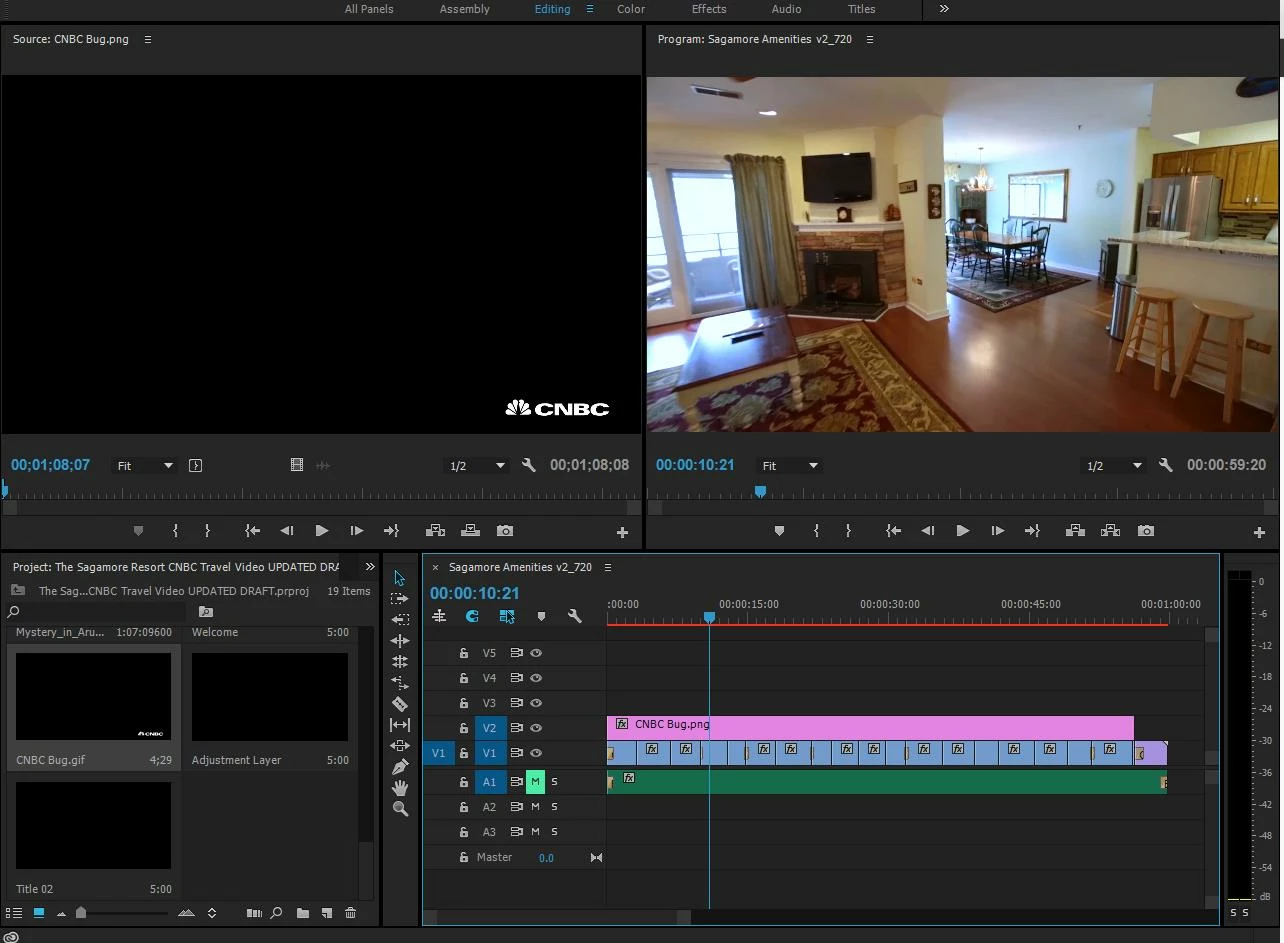
We are trying to add a logo as a .png file over top of the main video track in Premiere Pro. We thought that placing this in V2 over V1 would make this the top layer, but it is not working. We want this to appear over most of the video. The attached picture shows that it does not appear when we tried it this way. Please let us know how to achieve this, thank you.
    This topic has been closed for replies.
    Correct answer Ann Bens

    If your png is way larger then your sequence settings you wont see it, falls outside the bounderies.

    Right click on png in timeline and Scale to Framesize.

    2 replies

    Ann Bens
    Community Expert
    Ann BensCommunity ExpertCorrect answer
    Community Expert
    September 18, 2017

    If your png is way larger then your sequence settings you wont see it, falls outside the bounderies.

    Right click on png in timeline and Scale to Framesize.

    stefan_gru
    Inspiring
    September 18, 2017

    cnbctravel: Because imported photos (or images) often have a higher resolution than the video in your sequence, they will likely appear cropped when placed in the sequence, thereby omitting part of the photo or graphic. Since your CNBC bug is so far in the corner, it's probably off the visible area of your Program Monitor. (Change your zoom level from Fit to something like 50% to see it.) You can either right-click the image clip in your sequence and choose Scale to Framesize, as Ann Bens recommends, or you can choose the Set to Frame Size command, which preserves the full resolution of the PNG without rasterizing it. Either option will work. Does this solve your problem?

    kglad
    Community Expert
    Community Expert
    September 18, 2017