
Participant
April 24, 2020
Question

Premier thinks it doesn't have permission to use microphone.

  • April 24, 2020
  • 2 replies
  • 2631 views

Windows 10


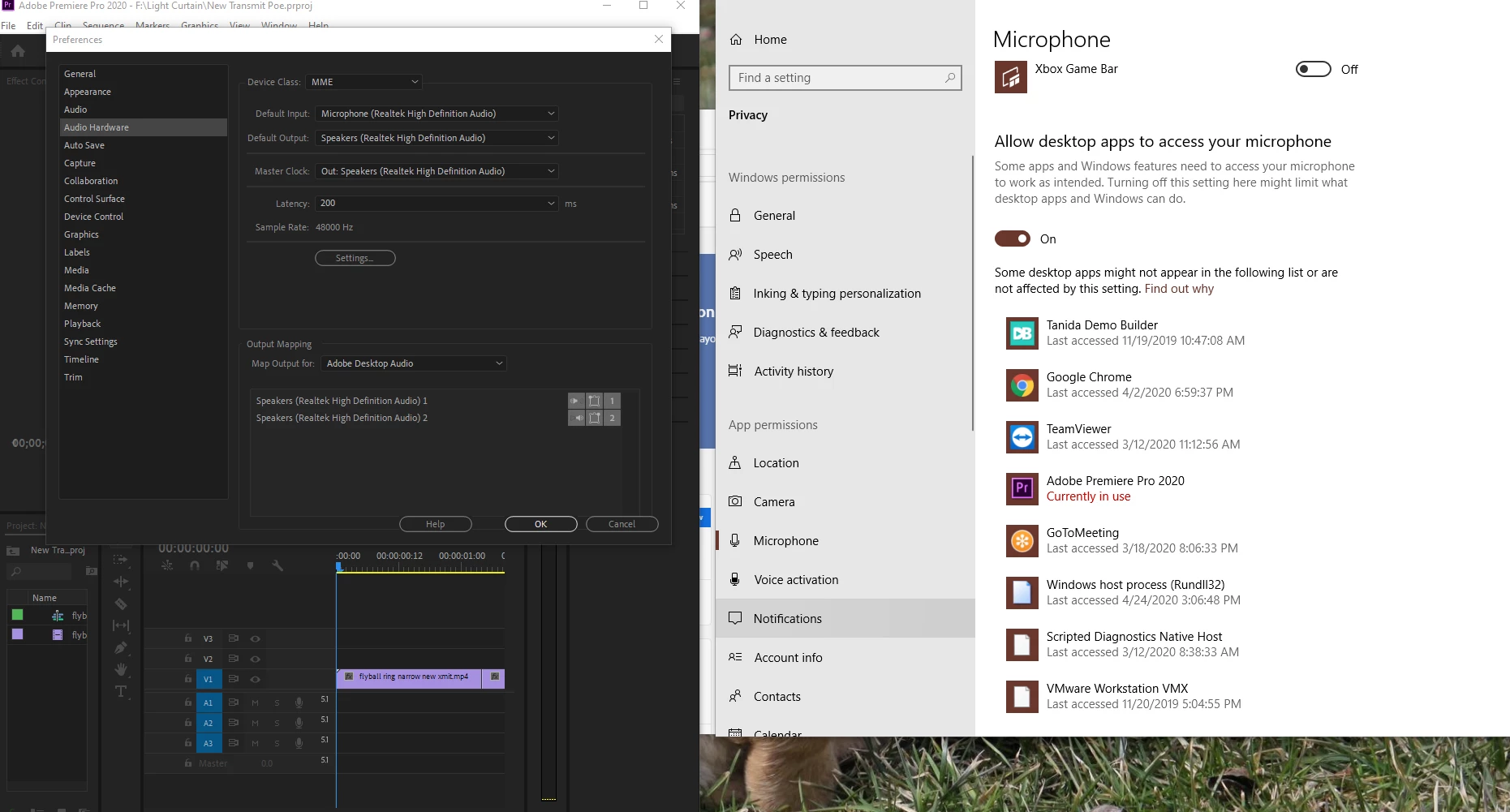
The Voice Over icon is disabed on the timeline.


I used the timeline display settings to customize the audio header (dragged the microphone ico to the audio header).


I've used Edit->Preferences->Audio hardware to set the default input device.


Premier Pro has permissions to use the microphone.  You can see all that in the screen shot below.  In fact, Windows System Preferences->Micropone says microphone is currently in use by Adobe Premier Pro.


The microphone tests ok in Windows Device properties input device test.


This topic has been closed for replies.

2 replies

Participant
April 24, 2020

Thanks for the quick reply!


No OSD.


The "Allow Apps" is enabled.


Not sure if I need the realtec drivers or not.  I can try another driver, but I use the microphone with other apps with no issues.


Easier (or at least less likely to break something else) to try a different microphone on a webcam--I'll do that.


Participant
April 24, 2020

Same issue using a mic on a webcam.


Additional info--if I go back into Preferences->Audio Hardware, both the Default input and Default Output are labelled as not working.


Then I exit Premier Pro, and restart, go back into Preferences->Audo Hardware and the "not working" indications are gone.


It's at this point that Windows Microphone privacy setting indicates that Premier Pro is using the microphone (not befor this).


But, the Voice over icon is still disabled.


Same issue, two different microphones (and associated, different drivers)


Participant
April 26, 2020

Finally gave and used another application.

MyerPj
Community Expert
Community Expert
April 24, 2020

Any items like OSD from your graphics card installed? I also had OSD available from my power supply. 

In the Microphone settings you are showing there is an option to 'Allow apps' to access the microphone, I needed to turn that on in an earlier version of Win 10 - before there was an Allow desktop apps... so I have them both on currently.


Finally, I dislike manufactures drivers, like the 'realtec' you have selected. For the most part I prefer to use the Windows drivers unless the manufactures drivers are really needed. Nvidia of course, but there I only install the driver and not any of the ancillary items they offer.