marcmichaud
Participating Frequently
May 14, 2018
Answered

Premiere cc 2018 and NVIDIA Quadro P2000
  • May 14, 2018
  • 4 replies
  • 19896 views

Hello,
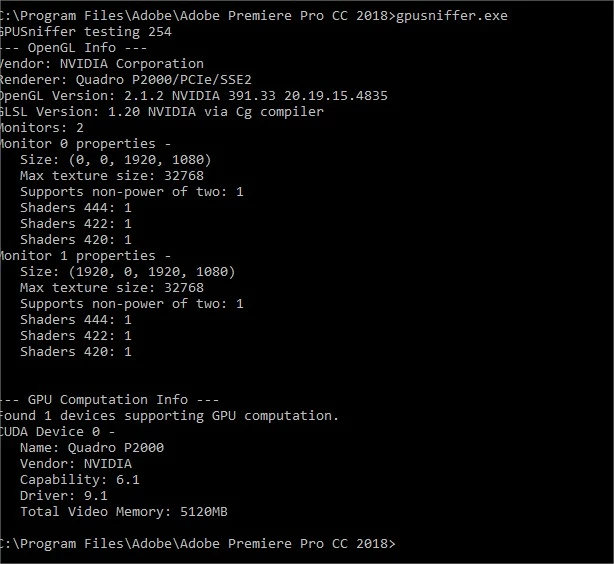
I installed a NVIDIAQuadro P2000 card
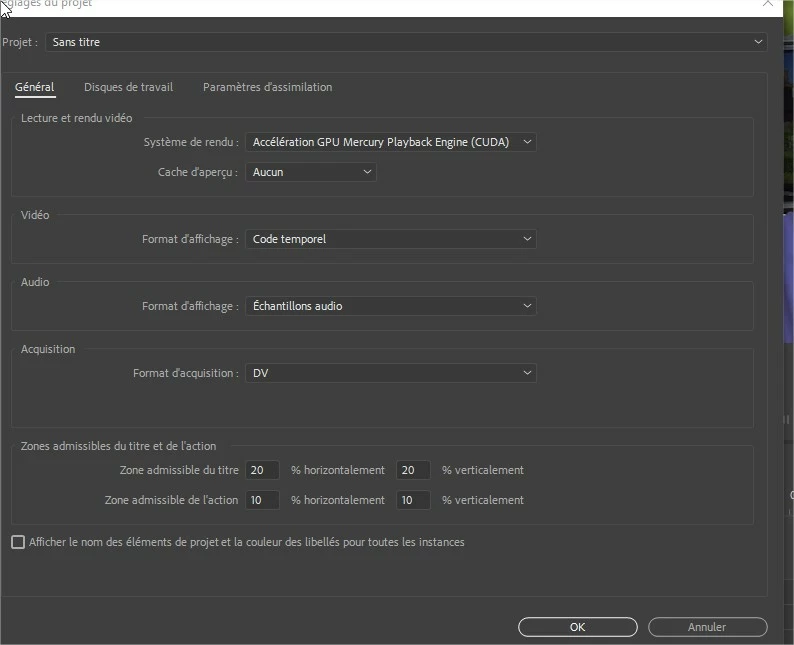
The rendering system is of course Accelerated GPU Mercury Playback Engine (CUDA)
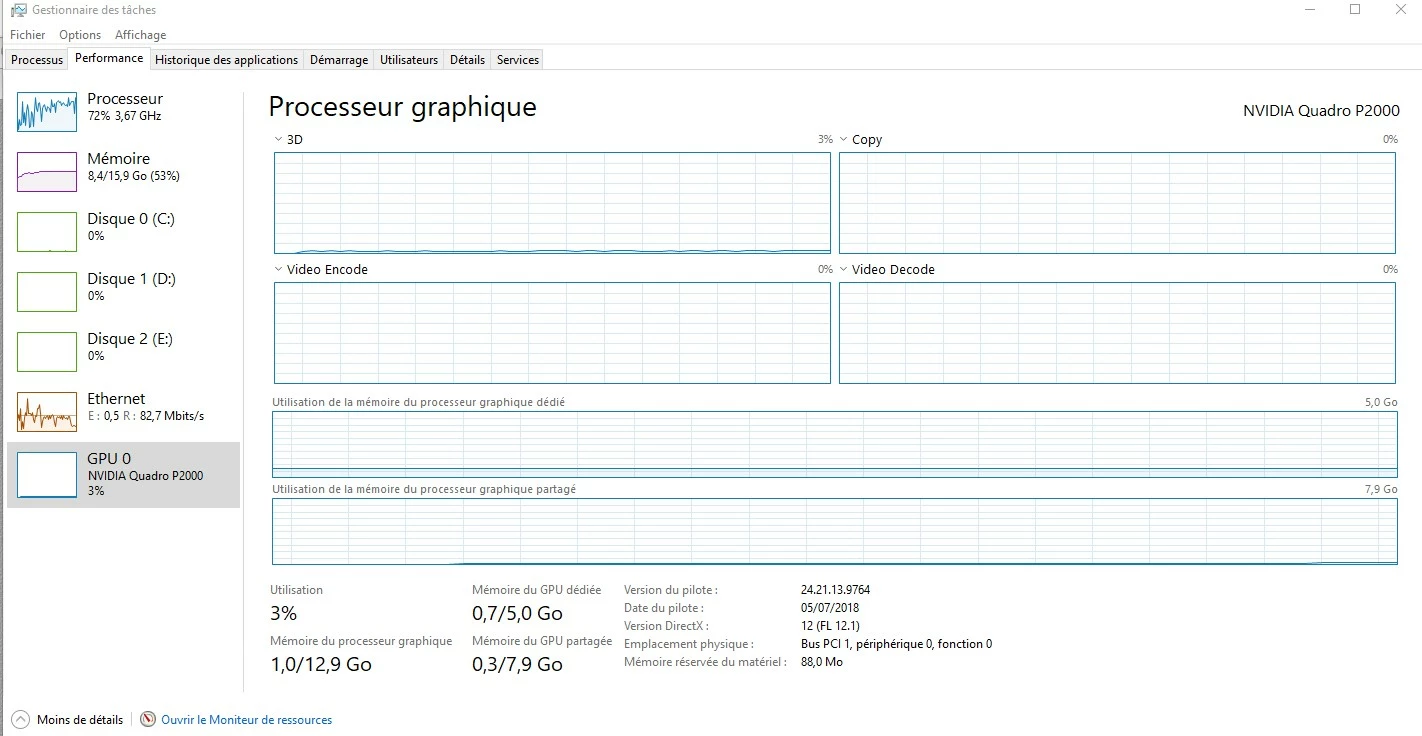
But this one is not taken into account when I read a file.
I tested several drivers of the card without success.
Thank you for your help.

This topic has been closed for replies.
Correct answer SAFEHARBOR11

in export with the graphics card HD graphics 4600 (the graphics card of the motherboard)
I get better performance!
1min15 export with HD graphics card 4600
and we can see that she is doing her job well by unloading the processor
1min45 export with the Quadro P2000 card (at 500 € currently in commerce and recommended by Adobe)
look for the mistake ...


GPU Acceleration in Premiere only helps with certain things. One of them is SCALING, for instance having 1080p source video and exporting as 720p, then the size conversion would be accelerated on export. A list of GPU-accelerated effects is below. If not specifically using those effects, then an export might be the same speed with or without CUDA enabled, regardless of video card installed.

Learn about effects in Premiere Pro

List of GPU accelerated effects in Premiere Pro

Here is a list of the effects and transitions that can be accelerated by CUDA in Adobe Premiere Pro.

  • Alpha Adjust
  • Basic 3D
  • Black & White
  • Brightness & Contrast
  • Color Balance (RGB)
  • Color Pass (Windows only)
  • Color Replace
  • Crop
  • Drop Shadow
  • Edge Feather
  • Eight-Point Garbage Matte
  • Extract
  • Fast Color Corrector
  • Four-Point Garbage Matte
  • Gamma Correction
  • Garbage Matte (4, 8, 16)
  • Gaussian Blur
  • Horizontal Flip
  • Levels
  • Luma Corrector
  • Luma Curve
  • Noise
  • Proc Amp
  • RGB Curves
  • RGB Color Corrector
  • Sharpen
  • Sixteen-Point Garbage Matte
  • Three-way Color Corrector
  • Timecode
  • Tint
  • Track Matte Key
  • Ultra Keyer
  • Video Limiter
  • Vertical Flip

  • Cross Dissolve
  • Dip to Black
  • Dip to White

List of GPU accelerated effects in Premiere Pro

  • Directional Blur
  • Fast Blur
  • Invert
  • Additive Dissolve
  • Film Dissolve
  • Warp Stabilizer

4 replies

marcmichaud
Participating Frequently
May 23, 2018

here is a little test,


a video read in Premiere cc 2018: we see that the processor of the computer is heavily solicited 90%


this same video read in a Windows  outside Premiere cc 2018: we see that the graphics card plays its role by relieving the pc processor

Conclusion:

The NVIDIA QUADRO P2000 card does not work in Premiere although it is recommended by Adobe and Nvidia

marcmichaud
Participating Frequently
May 24, 2018

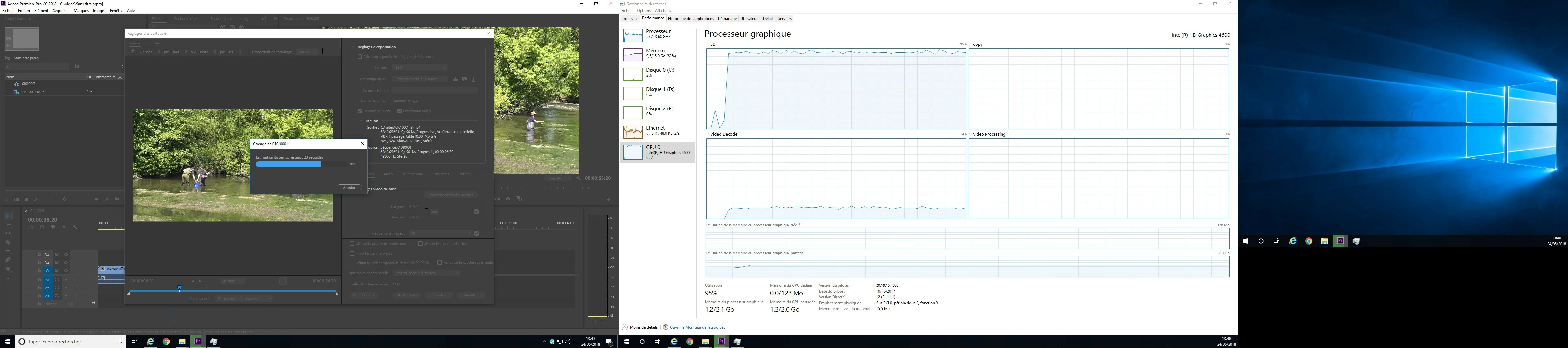
and in export look what it gives!

marcmichaud
Participating Frequently
May 24, 2018

in export with the graphics card HD graphics 4600 (the graphics card of the motherboard)
I get better performance!
1min15 export with HD graphics card 4600
and we can see that she is doing her job well by unloading the processor
1min45 export with the Quadro P2000 card (at 500 € currently in commerce and recommended by Adobe)
look for the mistake ...

kokmanos
Inspiring
May 15, 2018

marcmichaud,

We all pray for the day that Adobe will actually listen to us and enable full hardware utilization across all functions of PPro.

Right now GPU is only partly used for GPU accelarated effects and maybe some other functions.

It is the primary reason users decide to abandon it and move to Resolve and FCPX.

Imagine paying $ 10.000 for a workstation only to see that you would gain zero benefits compared to a $ 800 PC.

The way Apple and Blackmagic handle it is they use all of your hardware resources (all CPU threads, Intergrated GPU and all of your GPU cores) in parallel when both rendering, playing back and exporting.

ass_tecnico
Participant
October 13, 2018

Qual'è il motivo per cui Adobe ha deciso che Premiere non deve sfruttare la GPU?

Legend
May 14, 2018

I agree with Jim. It depends on your media and workflow.

Also, that Quadro P2000 is like a slightly crippled GeForce GTX 1060, with only eight of its 10 SMs (streaming multiprocessors) enabled (resulting in only 1024 CUDA cores instead of the 1280 CUDA cores for the GTX 1060) and only a 160-bit memory bus running at 8 GT/s instead of a 192-bit memory bus running at 9 GT/s. Its memory throughput is only 160 GB/s, versus 216 GB/s for the GTX 1060.

marcmichaud
Participating Frequently
May 15, 2018

I agree with you
except that in my case it's not a performance problem
but a problem that the card is completely inactive
see screenshot of performances when I play a video
although it is checked "cuda" in the setting of the project
so between everything and nothing there is a margin all the same

Legend
May 15, 2018

That graphic is not an accurate representation of when the card is being used in PP.  You can't use it as a reference.

Legend
May 14, 2018

You can't use that as a testing method.

If CUDA is turned on, it's working where it can.