
Premiere is not rendering my stretched clips correctly
I have some 2K clips recorded on the GoPro. Unfortunately, I did not turn off the horizontal/vertical switch so when I recorded my clip it recorded it at 90 degrees. When brought into a 1080 timeline in Premiere it initially looks something like this:
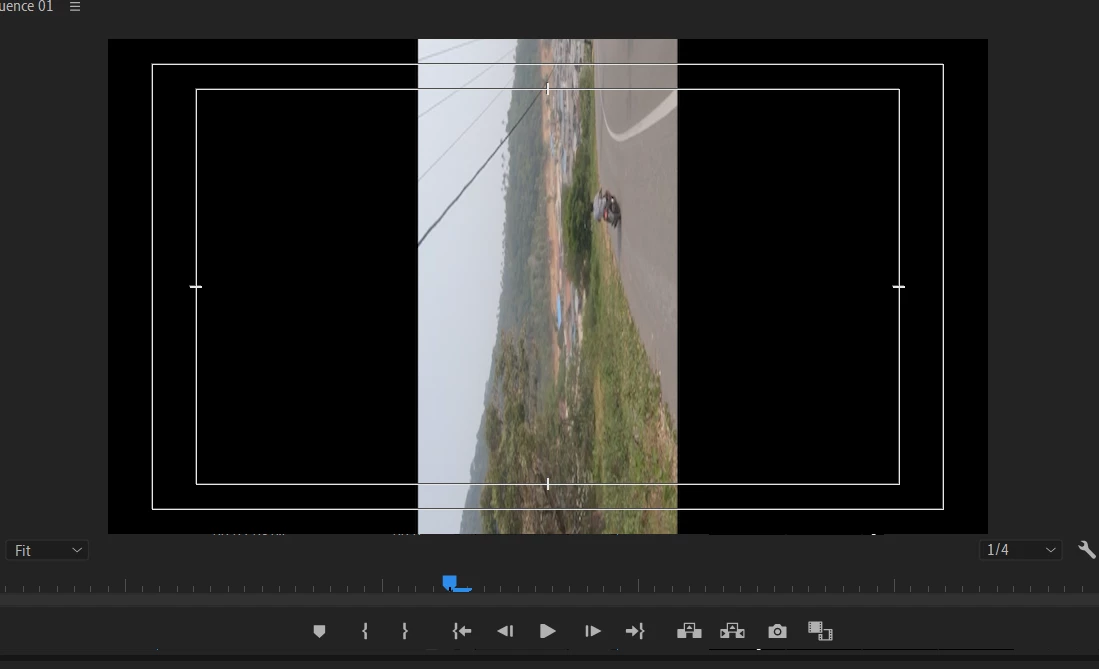
The properties of the clip are this:
Type: MPEG Movie
File Size: 543.94 MB
Image Size: 2704 x 1520
Frame Rate: 59.94
Source Audio Format: 48000 Hz - compressed - Stereo
Project Audio Format: 48000 Hz - 32 bit floating point - Stereo
Total Duration: 00:01:15:35
Pixel Aspect Ratio: 1.0 (1.0)
Alpha: None
Video Codec Type: MP4/MOV H.264 4:2:0 (Full Range)
I then apply scale height, scale width and rotation to get it to look correct...
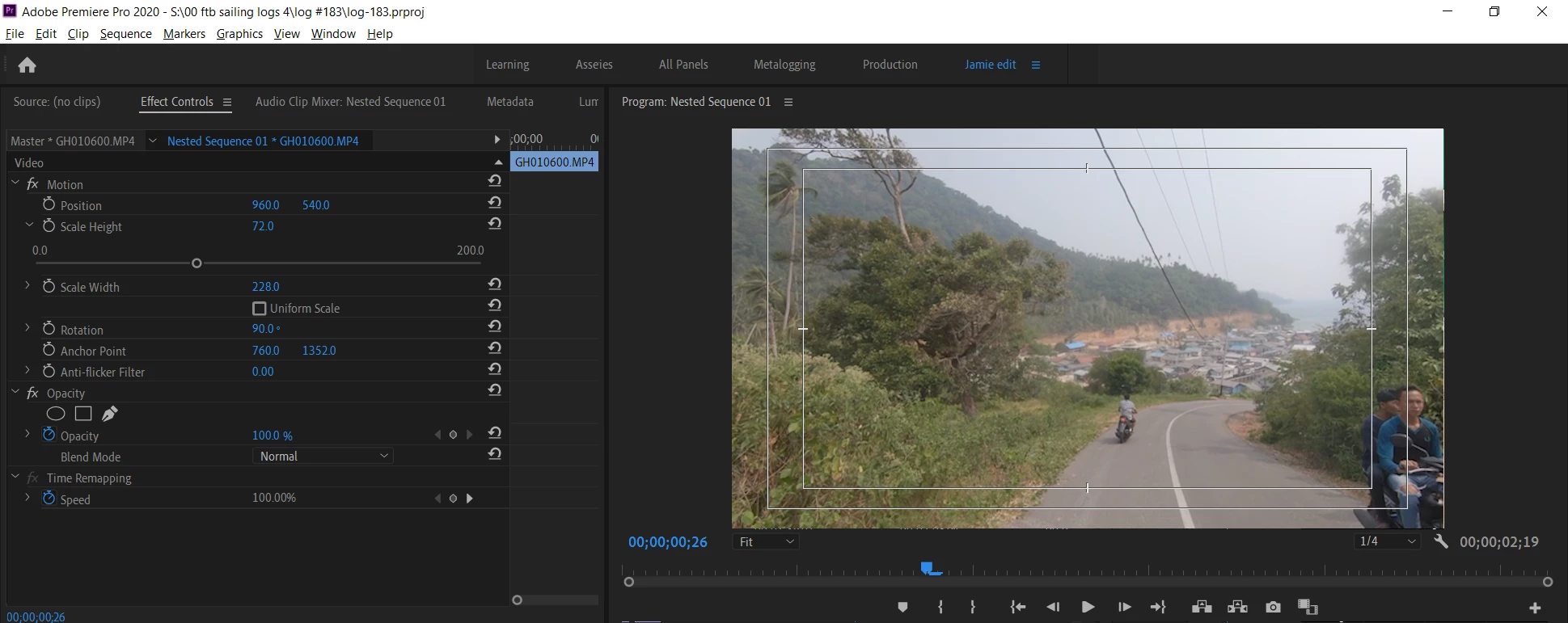
To make sure everything is ok I then nest the clip. When it plays back in the timeline it plays back with the correct settings.....
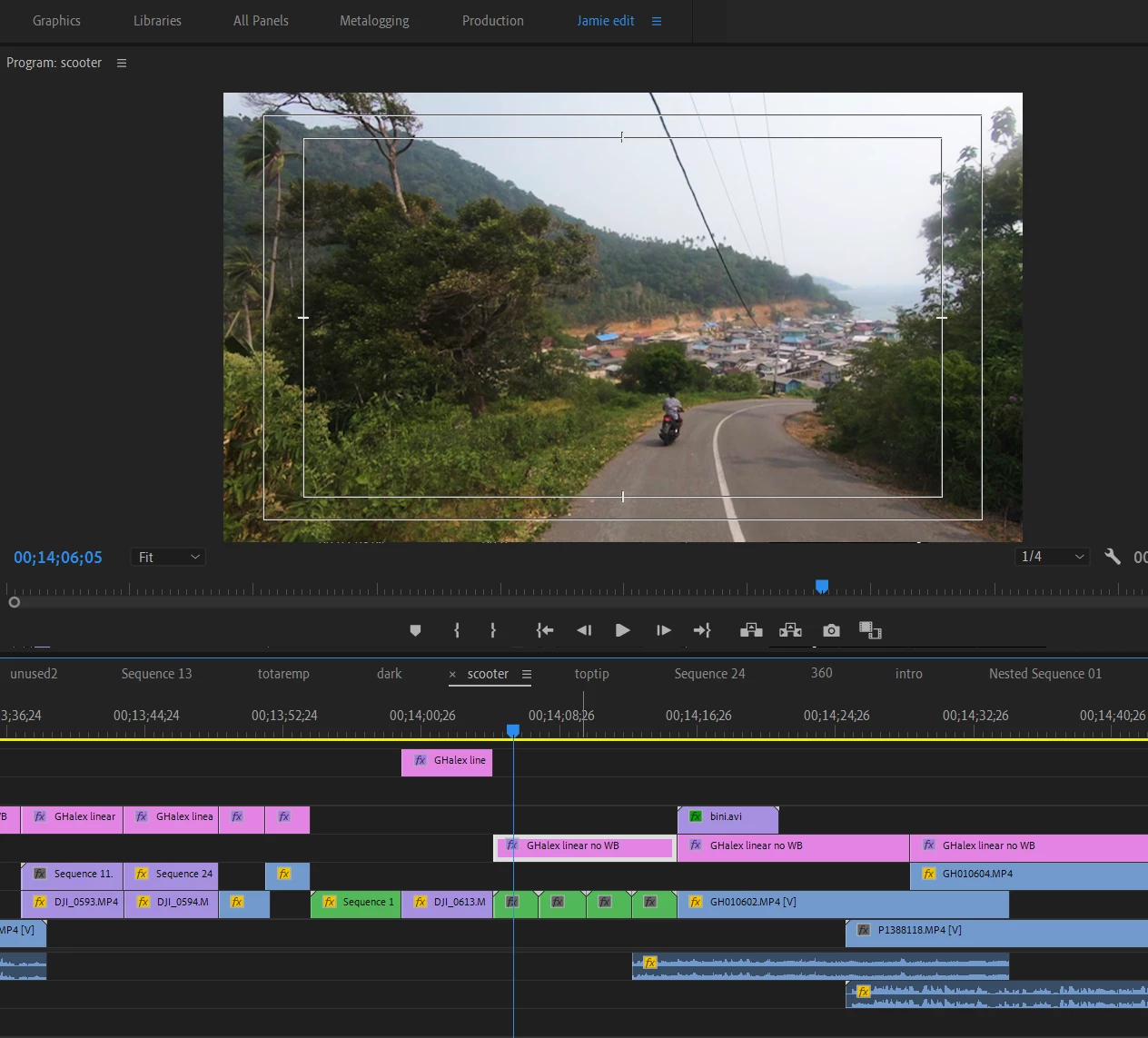
After rendering the whole sequence, however, that clip plays like this.....
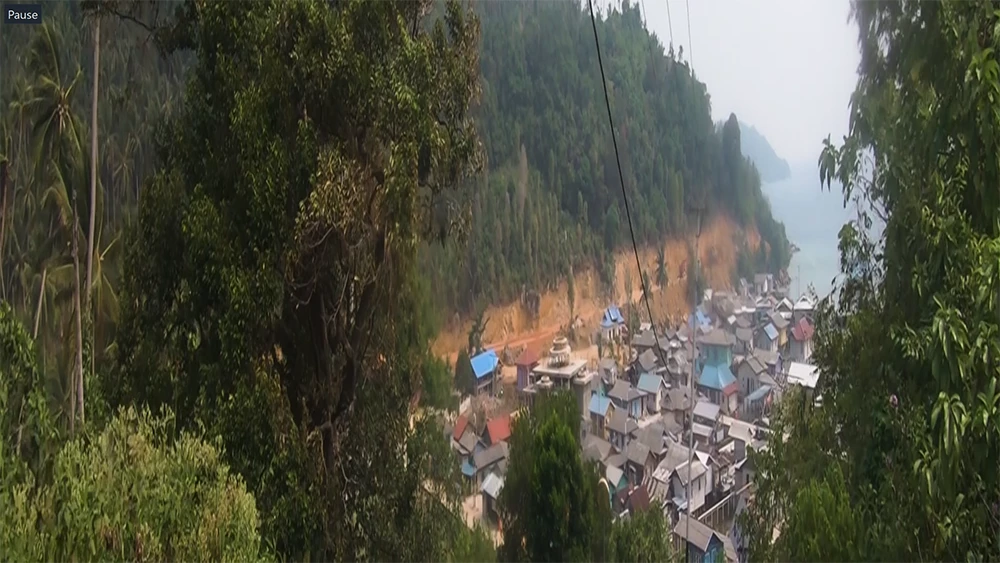
... so whilst it has correctly rotated the clip 90 degrees, it has squished the clip and zoomed in. Why is this? How is it that Premiere cannot render this clip properly? Should I be using a different method?
Any help appreciated, thanks.
 AdChoices