Participant
May 28, 2020
Answered

Premiere Pro 2020 reverses Hebrew text when I use title templates

  • May 28, 2020
  • 1 reply
  • 7062 views

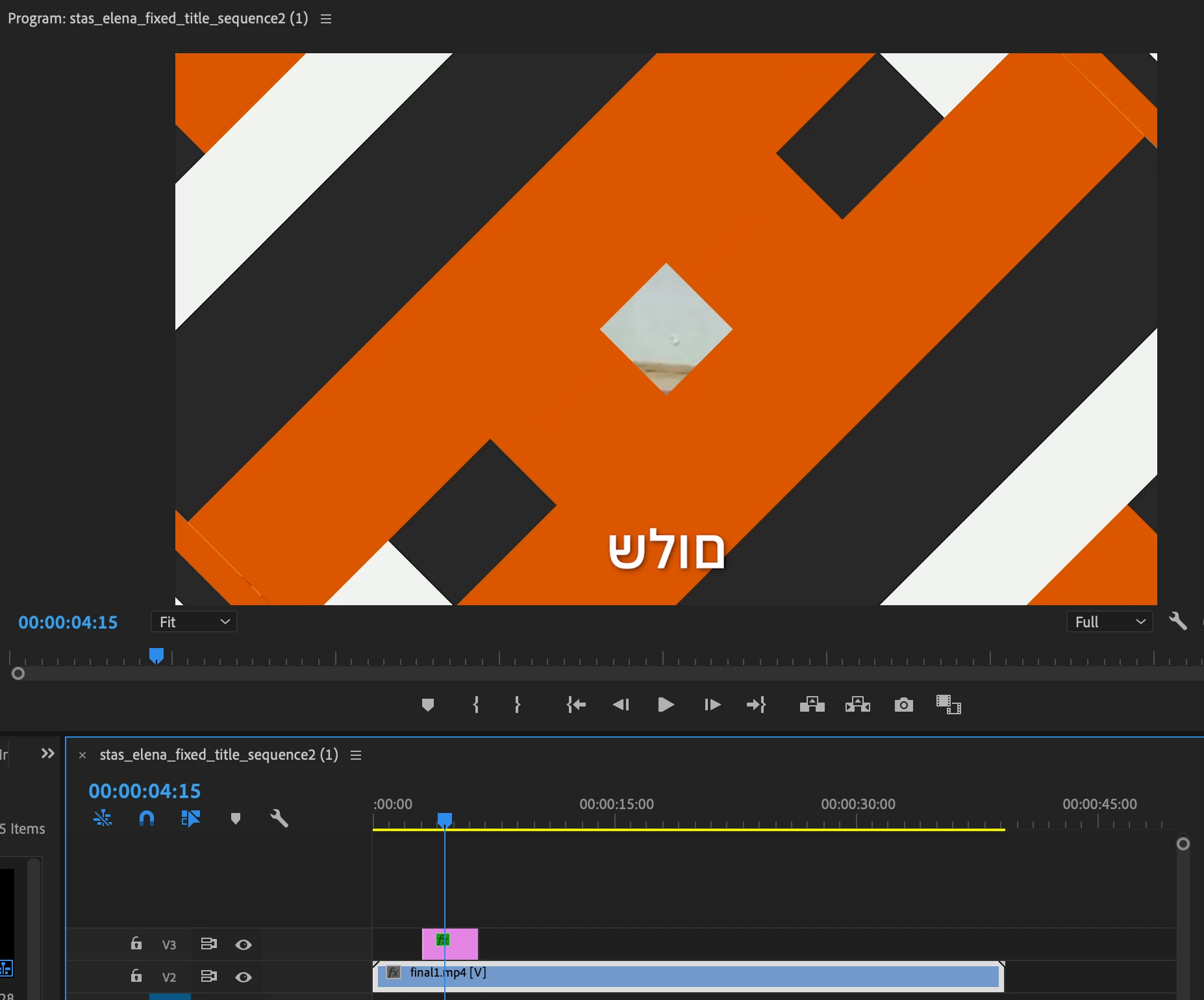
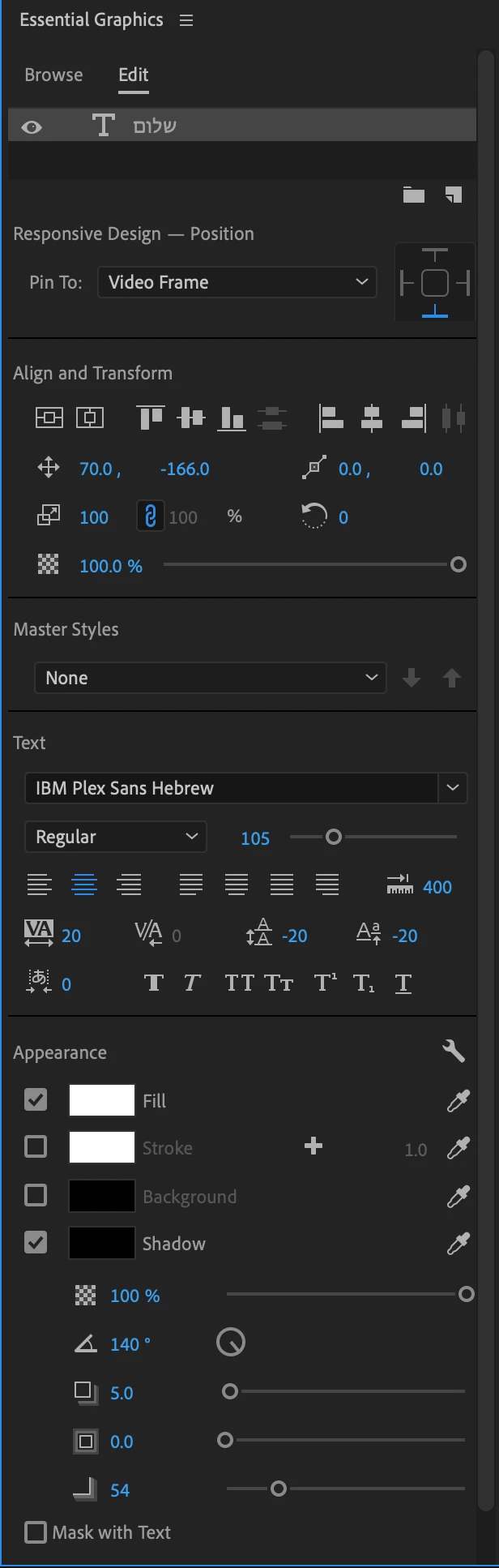
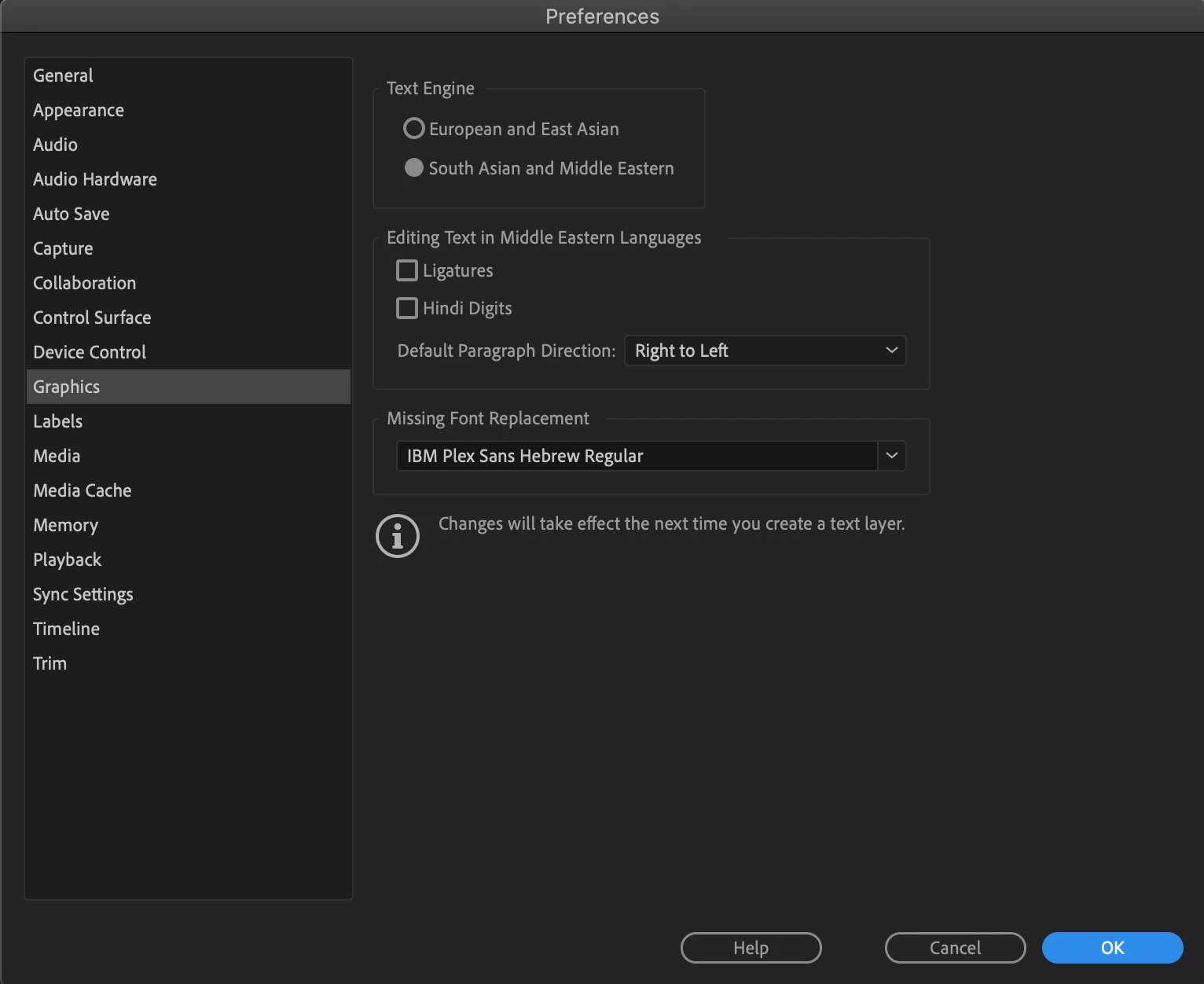
Hi, I changed my preferences (Graphics: South Asian and Middle Eastern + Default Paragraph Direction: Right to Left) and when I use the 'Bold Web Caption' template for subtitles it reverses the text (instead of 'hello' I get 'olleh').

Is there anything I can do to fix this problem? I use IBM Plex Sans Hebrew font and all my preferences seem fine yet it keeps happening even after I close and reopen the program. 


This topic has been closed for replies.
Correct answer Kevin-Monahan

Hi A,

Sorry, were you speaking about the new captions? One of our engineers said the following:

Do you have South Asian and Middle Eastern set in your Caption Track Settings? Right-click on the Caption track header, choose Track Settings... and then under Styling Options > Text Engine, click button for South Asian and Middle Eastern. Then click Ok button.


See if that will work for you.


Thanks,
Kevin

1 reply

Inspiring
March 18, 2021

I have the same issue. Were you able to find a solution?

Kevin-Monahan
Community Manager
Kevin-MonahanCommunity ManagerCorrect answer
Community Manager
March 18, 2021

Hi A,

Sorry, were you speaking about the new captions? One of our engineers said the following:

Do you have South Asian and Middle Eastern set in your Caption Track Settings? Right-click on the Caption track header, choose Track Settings... and then under Styling Options > Text Engine, click button for South Asian and Middle Eastern. Then click Ok button.


See if that will work for you.


Thanks,
Kevin

Kevin Monahan - Sr. Community and Engagement Strategist – Adobe Pro Video and Audio
Inspiring
March 18, 2021

Thanks Kevin, that worked!