
Inspiring
January 12, 2019
Answered

Premiere Pro CC doesn't match video with jpeg files

  • January 12, 2019
  • 1 reply
  • 694 views

Hey guys,

I want to create a stop motion and I've got my jpeg's ready.

I imported all of the pictures and they're on the correct order on my timeline, yet the video shows something different. It's like premiere decided to seperate the picture name and the content of the pictures, mixed everything up, delete some pictures and repeat others?. In the video it also seems to have blank screens in between some pictures.

Any idea what the problem might be? Im using Premiere Pro CC 2019. Thanks in advance!

Note: Im used to some adobe programs but very new to premiere pro.
This topic has been closed for replies.
Correct answer hildev57961463

What are the properties of the source images? (Pixel dimensions, codec, etc)

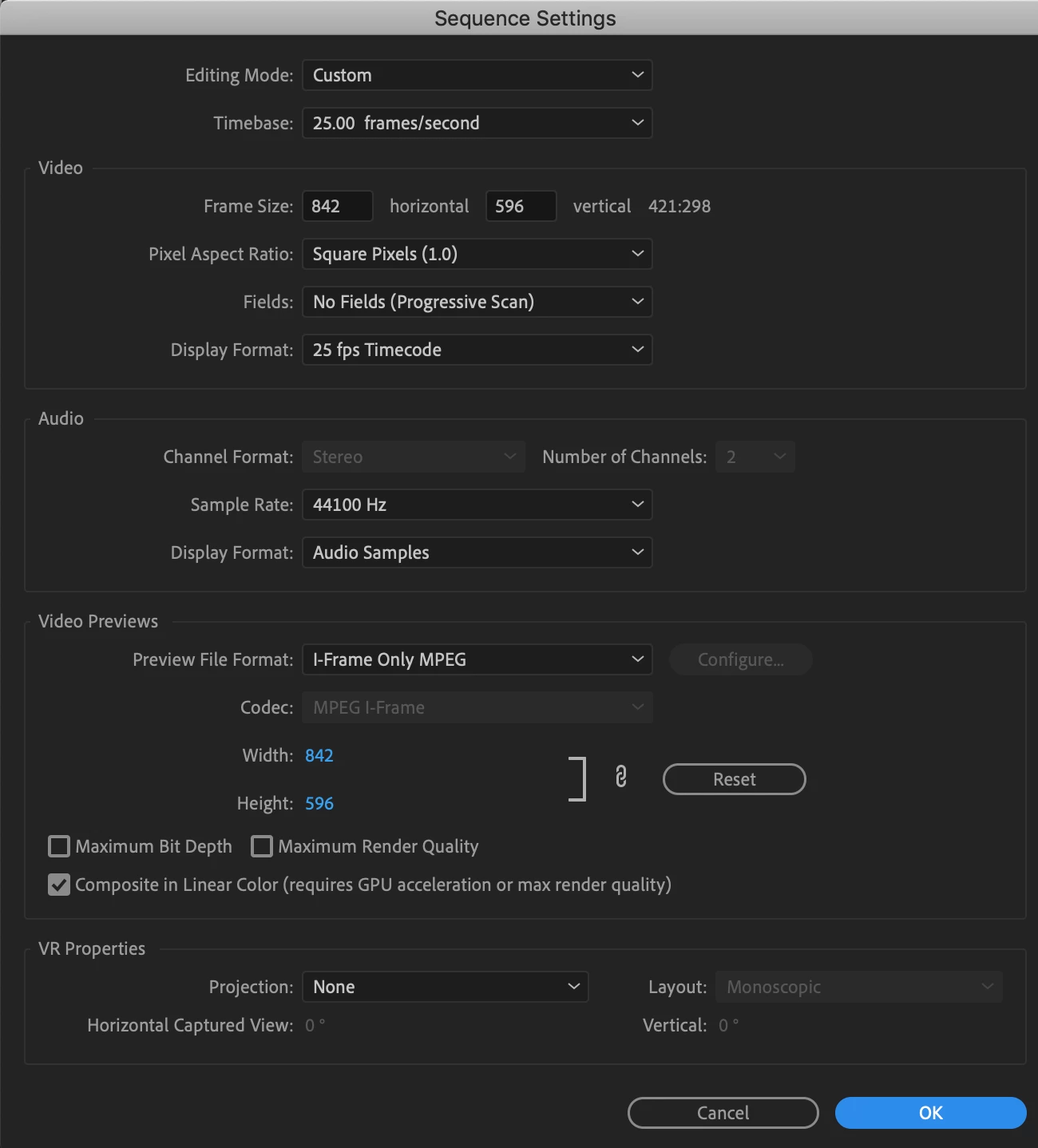
What are you sequence settings? (Go to the menu Sequence > Sequence Settings and post a screen shot of the panel that opens)

MtD


The source images are 72dpi and they're jpeg's with 843 × 597 dimensions.

I exported the source images as png and it has fixed the problem! But I'd still like to hear from you if you see anything wrong with the settings or source image details : )

1 reply

Ann Bens
Community Expert
Community Expert
January 12, 2019

Resave jpegs in Photoshop and try again.

Make sure they are rgb.

Inspiring
January 12, 2019

These are illustrations made in Illustrator and im 100% sure theyre RGB. Since its a stopmotion (over 150 pics), resaving them in Photoshop would take a really long time I think. Anything else I can try?

Inspiring
January 12, 2019

Have you rendered the timeline?

Select everything in the timeline and then go to the menu Sequence > Render Selection

MtD