
Participant
December 25, 2017
Answered

Premiere Pro CC video playback broken

  • December 25, 2017
  • 2 replies
  • 2325 views

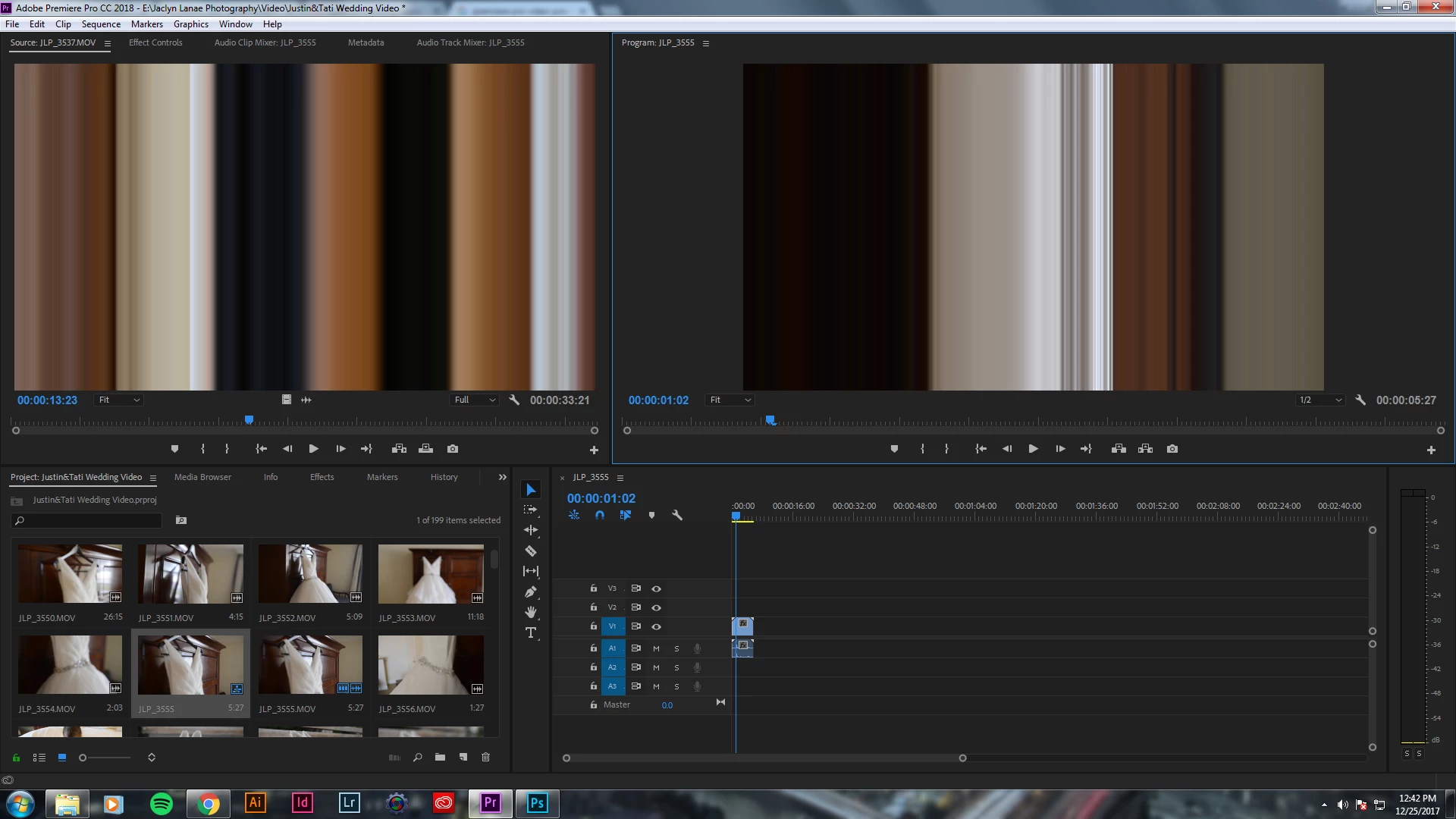
For some reason, my video playback within Premiere is broken. The audio plays fine, but there's blocks of colors and lines that makeup what the video should be. The videos play fine outside of Premiere (like in Windows Media Player), so I'm not sure what the issue is. I've never encountered this problem before and I'm not importing anything differently than how I've done in the past. It's even footage from the same cameras I've used before (Nikon D800 and D600). Help!!
 

This topic has been closed for replies.
Correct answer kulpreet singh

Hi jaclynlanae,

That seems to be an issue with your GPU or video drivers.

Open your project, click on File > Project settings > General & change the video renderer to ' MPE Software Only' and delete previews.

Thanks,

Kulpreet Singh

2 replies

kulpreet singh
kulpreet singhCorrect answer
Inspiring
December 25, 2017

Hi jaclynlanae,

That seems to be an issue with your GPU or video drivers.

Open your project, click on File > Project settings > General & change the video renderer to ' MPE Software Only' and delete previews.

Thanks,

Kulpreet Singh

ADV-JacAuthor
Participant
December 25, 2017

This worked! Thank you so much.

John T Smith
Community Expert
Community Expert
December 25, 2017

Do not count on Windows to be fully up to date when it comes to device drivers

Go to the vendor site to be sure you have an updated driver for your graphic adapter

•nVidia Driver Downloads http://www.nvidia.com/Download/index.aspx?lang=en-us

•ATI Driver Autodetect http://support.amd.com/en-us/download/auto-detect-tool

There are also intermittent reports that the newest driver is not always the best driver due to driver bugs or compatibility issues, so you MAY need to try an earlier driver version