
Rebecca_IDW
Participant
February 8, 2019
Question

Premiere Pro Export gives me a black screen

  • February 8, 2019
  • 3 replies
  • 4492 views

I'm trying to export a clip from an edit, but every time I get a black screen.  The video shows for the first 2-3 seconds, but then it goes black. 

I'm in Premiere CC Version 13.0.2, Mac OS 10.12.6

These are my export settings:
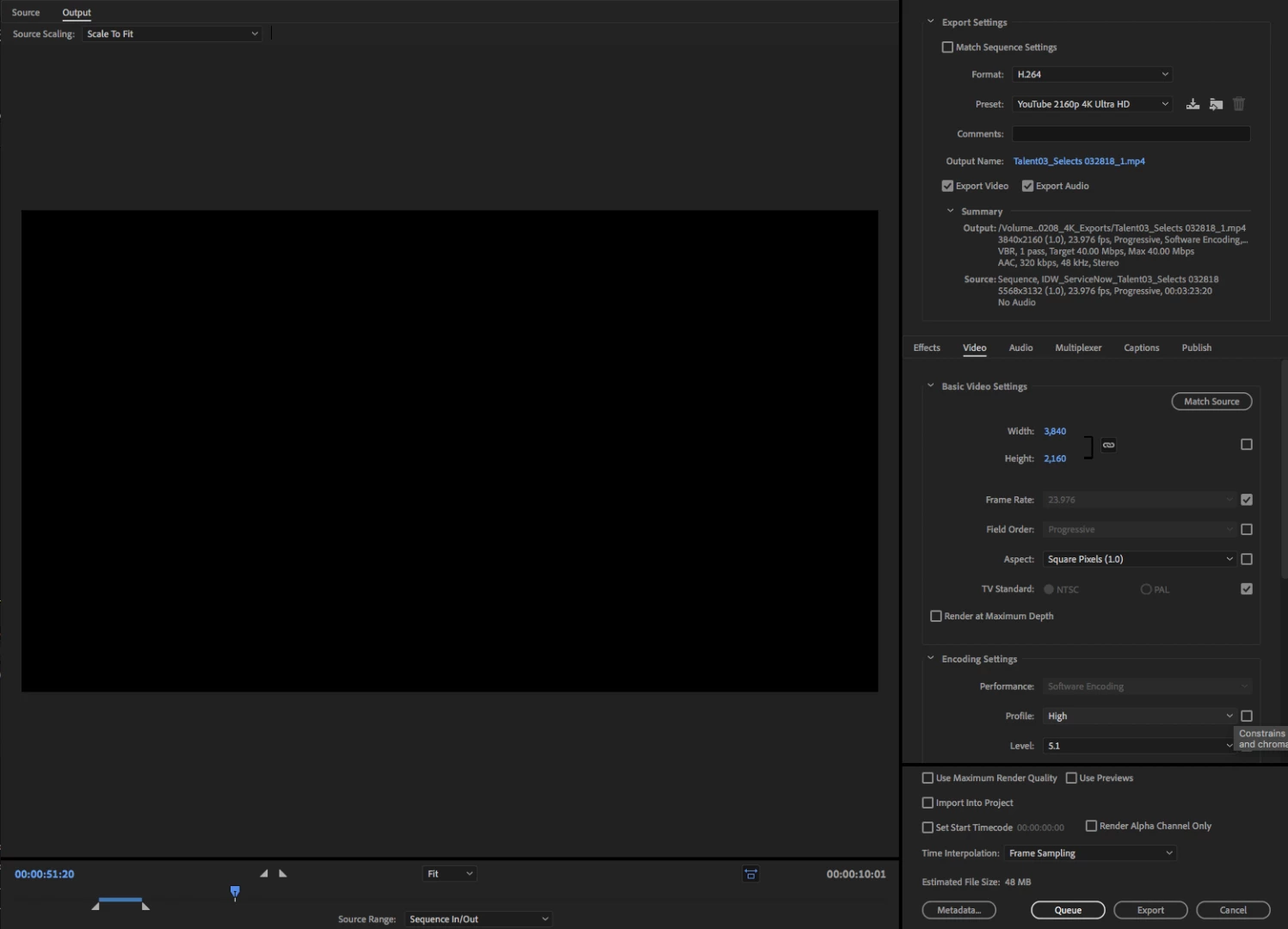
Any help much appreciated!

This topic has been closed for replies.

3 replies

Community Expert
February 9, 2019

That section between the clips would export as black because there is nothing there. i would recommend double clicking on the clip that you have highlighted to get it in to the source monitor. Then going to the top of the interface and clicking sequence/make subclip. Name the sub clip and highlight it I the project panel. Right click on the sub clip in the project panel and export.

caroline_edits
Community Manager
Community Manager
February 9, 2019

Hey, Rebecca!

On your black exported video, does the audio play? Is it the length you expect it to be?

I wonder if your in and out points are completely accurate. The timeline area marked with the in and out point are what Premiere's exporting, so we need to make sure your visuals are within that region.

Caroline

Community Expert
February 9, 2019

I recommend to try bringing the rendered video into premiere and see if it plays all of the way through inside of Premiere. Sometimes the operating system playback apps can be wonky.

Rebecca_IDW
Participant
February 9, 2019

Nope - same problem when I import the mp4 back into premiere.

Rebecca_IDW
Participant
February 9, 2019

thanks so much for the response!  there is no audio in this project.  i have the clip i want exported highlighted, and i get the 10s clip i expect - here's what it looks like: