

Answered
Premiere Pro is Incorrectly Determining Aspect Ratios
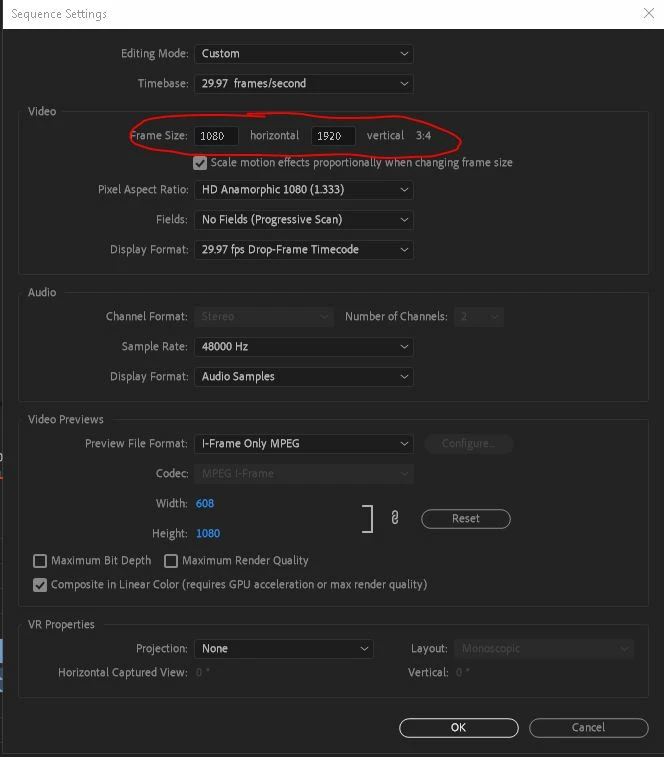
When I enter in the frame size to change the sequence settings of my video, Premiere Pro is incorrectly saying that it's a certain aspect ratio. For example, if I enter in 1080:1920, it should say that it's 9:16, but instead Premiere Pro thinks that it's 3:4 and crops it that way.
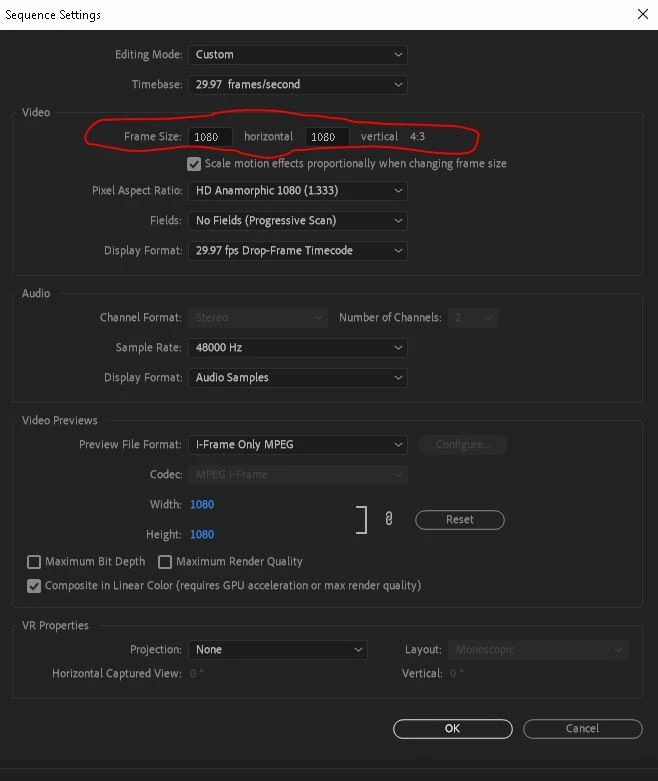
Or if I say that the frame size is 1080:1080, it should be a 1:1 ratio, but Premiere Pro says that it's 4:3 and crops my sequence accordingly as a rectangle instead of as a square.
I have been looking online at other forums and tutorials and cannot seem to find anyone else who has had this problem. Any help would be greatly appreciated. Thank you.
 AdChoices