

Kevin-Monahan
Community Manager
Community Manager
August 9, 2017
Answered

Premiere Pro support for Blackmagic RAW is now available
  • August 9, 2017
  • 25 replies
  • 224716 views


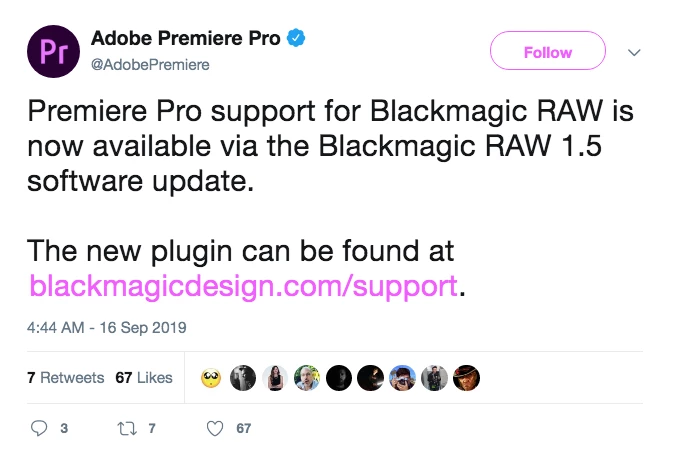
Premiere Pro support for Blackmagic RAW is now available via the Blackmagic RAW 1.5 software update. The new plugin can be found at .


As of Feb. 16, 2022, Autokroma BRAW Studio is now free. Info to download: https://www.autokroma.com/blog/BRAW-Studio-Is-Now-FREE


Feel free to discuss this announcement of support below.

More IBC 2019 content here.

This topic has been closed for replies.
Correct answer Kevin-Monahan

Hi Community! Do you want the product team to add support for Blackmagic RAW .BRAW files? If so, then upvote this feature request: Support Blackmagic RAW: https://adobe-video.uservoice.com/forums/911233-premiere-pro/suggestions/35405632-support-blackmagic-raw


Thanks,

Kevin

25 replies

R Neil Haugen
Legend
November 8, 2019

Kid,


This is the link from the BlackMagic site for the BM-RAW 1.5.2 version.

https://www.blackmagicdesign.com/support/family/professional-cameras


Download/unzip. You get a folder with an installer. Install.


Go to Premiere ... move a clip to a sequence. In the ECP panel, go to the Master Clip tab ... and you should have the controls there. I just installed the 1.5.2 today myself. Though I do prefer the Autokroma plugin, as it has presets available in the plugin itself.


Neil


Everyone's mileage always varies ...
Participant
November 8, 2019

I downloaded Blackmagic RAW 1.5.  The Blackmagic RAW Player is able to play my braw files, but where is the plug-in for Premiere?  This does me no good without the plug-in, I need the files opened in Premiere so I can cut with them.

R Neil Haugen
Legend
October 17, 2019

At this point, how about starting a new and specific thread?


And I can't replicate. On my Win10 system, both the BM and Autokroma plugins work. So let's try and sort this for anyone.


Neil

Everyone's mileage always varies ...
Known Participant
October 17, 2019

I'm using the BM plugin on my system, and I'm having issues with the image of the final render.  I shot some green screen footage.  I used Ultra Key to key it out, and Lumetri for color correcting.  When I export, the footage looks very bright and washed out.  I started by exporting through AME, and I tried with GPU acceleration both on and off.  They look identical.  I tried exporting directly from Premiere with the same result.  If I export a still frame, it looks correct. 


I am exporting to H.264.  The footage was originally 4K, but I'm downscalling to 1080.  I tried exporting as full resolution, and still the same.  I also just updated my graphics drivers, but that didn't fix it.


I tried exporting with Ultra Key and Lumetri effects turned off, and it still looks way brighter than was recorded and is displaying in Premiere.


Has anyone else experienced this?  Should I start a new post for it?  The only thing I can think of doing right now is pulling it into Resolve and trying to render out a format that Premiere likes better.

R Neil Haugen
Legend
October 9, 2019

Evan,


I can't replicate your troubles here ... in my Win10 rig, the BM plugin works as expected, and well. Wish I had some advice for changes but I'm not sure of what to change, although typically for plugin troubles it's best to uninstall the plugin, reboot, then reinstall of course. Sometimes that does fix things.


I do like the presets available via the Autokroma BRAW Studio plugin, and so even though I've got the BM one, I've gone back to using the Autokroma plugin for now. But both are available and working on my computer.


Neil

Everyone's mileage always varies ...
R Neil Haugen
Legend
October 8, 2019

Evan,


Which BRAW plugin are you using, BlackMagic or Autokroma? And on what computer?  Want to get data points on where problems are.


I'm on a 6 core i7 PC, and both BM and Autokroma plugins are working for my rig.


Neil

Everyone's mileage always varies ...
DrTc
Inspiring
October 9, 2019

currently the native bmd plugin. on an i7 w 24gb ram. needless to say resolve applies all settings instantly. I ended up opening the braw files in resolve, updated the sidecar and then used that in Premiere

R Neil Haugen
Legend
October 4, 2019

When installing plugins,  they have their Installer file typically as the Autokroma does. Or instructions for copying files/folders to specific spots.


Install with Premiere closed.


After installing relaunch Premiere.


Both Autokroma's BRAW plugin and the BlackMagic plugin installed easily for my PC.


So if you're having trouble please post in detail how you installed them.


Neil

Everyone's mileage always varies ...
DrTc
Inspiring
October 8, 2019
Premiere seems to be unreliable setting Braw settings. Many slider changes do not update in the image and it is totally frustrating situation. It is funny because using the free "brawplayer" i could instantly create a custom sidecar with the settings of my liking.
R Neil Haugen
Legend
September 28, 2019

Aldarz,


Have you installed either the BlackMagic or Autokroma BRAW plugins?


Neil

Everyone's mileage always varies ...
R Neil Haugen
Legend
September 27, 2019

Kirill,


Which plugin are you using, BlackMagic or Autokroma? Both include an installer file in their download, did you use that to install?


The plugins of course appear only in the Effects Control panel in the Master Clip, which is the left tab of the two at the top of the ECP.


So further comments ast to what specific steps you've taken and the results is needed to help.


Neil

Everyone's mileage always varies ...
Participant
September 28, 2019
Pr didn't even import braw files
kirillfedotovru
Participating Frequently
September 27, 2019

I don't know why, but Blackmagic plugin doesn't work on my PC. I have Windows 10 and last version of Premiere Pro.

georgel42304061
Participant
October 4, 2019
i am having the same problem, i have install blackmagic raw 1.5 but still when i import blackmagic files into premiere pro it says unsupported formats.