
Problem with Directional Blur
I've encountered a rather peculiar problem when making my most recent video. I was using the Directional Blur effect to make text fly across the screen. This was the first time I've ever used the directional blur effect. I thought everything was fine until I exported the video and realized that every time the effect occurred, lines or some sort of distortion filled the screen. The first screenshot is the first export with Mercury Playback Engine GPU Acceleration turned on. The distortion showed up just before the blurred text moved on screen. When the text leaves in a similar blurred motion, the distortion occurs again.

The second image is from earlier in the video. This time I turned the GPU acceleration off to software only. Now, there are two black vertical lines on both sides where the blurred text will appear.
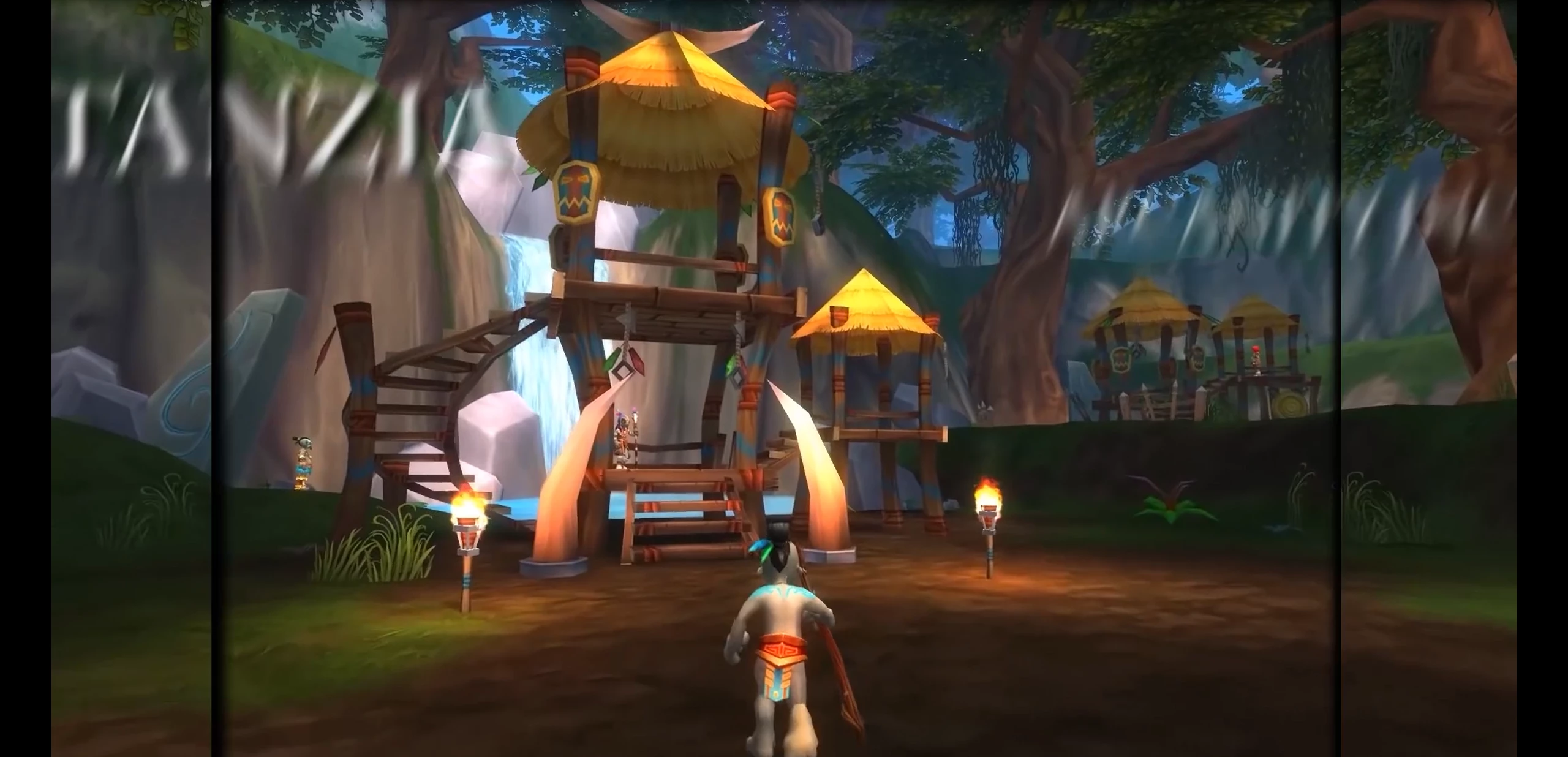
I'm using Premiere Pro CC2015 9.2
Windows 10 64
Intel i7 6700k processor
corsair vengeance 8gb x2 RAM
MSI radeon r9 390 graphics card
Is there any way to fix the issue or am I doomed to never use the directional blur?
Thanks for your input and let me know if there's any more information I can give.
 AdChoices