
Participant
June 27, 2018
Answered

Purple Green lines showing when converting in Media Encoder

  • June 27, 2018
  • 3 replies
  • 1946 views

Dear Adobe,

Please help me fixed this annoying issue, before there was purple green lines in Adobe Premiere pro video then i find some help through here and it works well but now that issue showing when its in converting queue,

Below is display,
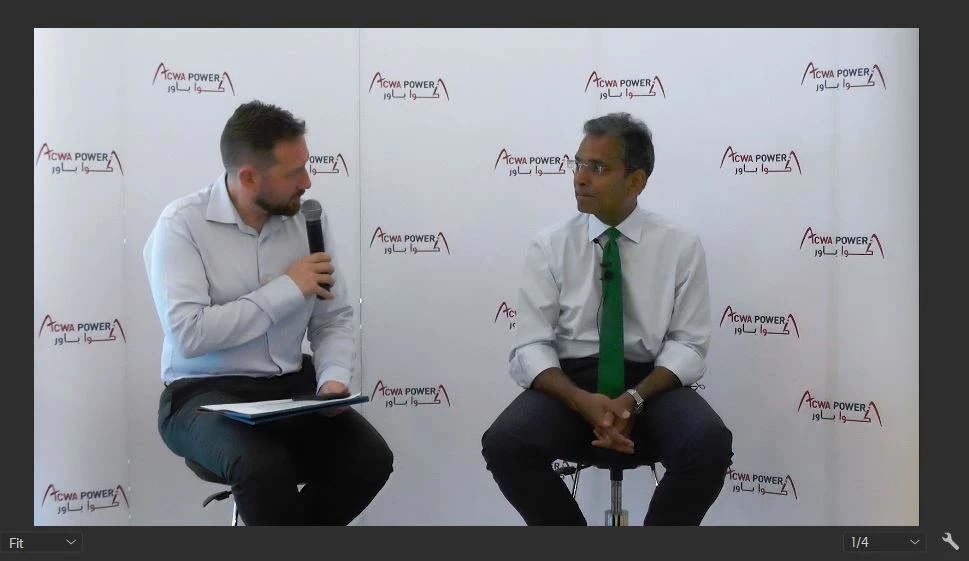
but in media encoding that preview coming,
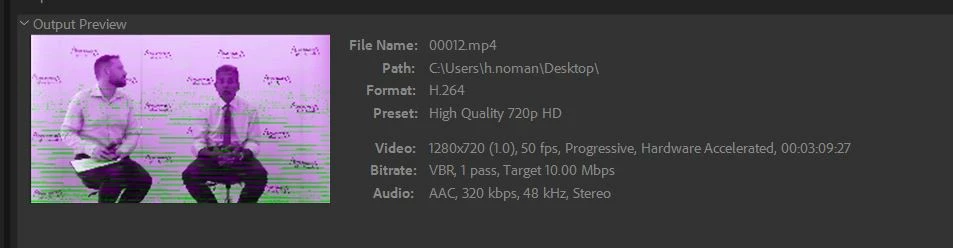
please i need quick help, will be very appreciated.

Thanks & regards

Noman Amin

Dubai, UAE.

This topic has been closed for replies.
Correct answer Kevin J. Monahan Jr.

Noman,

Check out the solution here: Green and Pink Video in Premiere Pro 12.0.1 (Build 69)

Thanks,
Kevin

3 replies

Kevin J. Monahan Jr.
Community Manager
Kevin J. Monahan Jr.Community ManagerCorrect answer
Community Manager
June 29, 2018

Noman,

Check out the solution here: Green and Pink Video in Premiere Pro 12.0.1 (Build 69)

Thanks,
Kevin

Kevin Monahan - Sr. Community and Engagement Strategist – Adobe Pro Video and Audio
WRS_Colin
Participating Frequently
July 25, 2018

Hi all,

I see this response posted a lot, but for those of us that are using a discrete card (such as my AMD Radeon Pro WX 3100), this fix does not, well, fix the issue. I have footage with adjustment layers, blurs, zooms, and even footage without effects at all that look fine in PPro (July 2018 build) but end up with Pink and Green flashing all over the finished product once rendered out. It doesn't matter if I render in PPro (with OpenCL as the Renderer) or through Media Encoder using OpenCL. The issue persists.

R Neil Haugen
Legend
June 27, 2018

Which CPU/GPU are you using, and what driver? Have you checked at the manufacturer's site to see if you have the latest driver?

Neil

Everyone's mileage always varies ...
Legend
June 27, 2018

I believe this is a display driver issue when using Intel GPU's.

I recommend using a 1000 series nVidia card for an edit system.