
Participant
June 8, 2018
Question

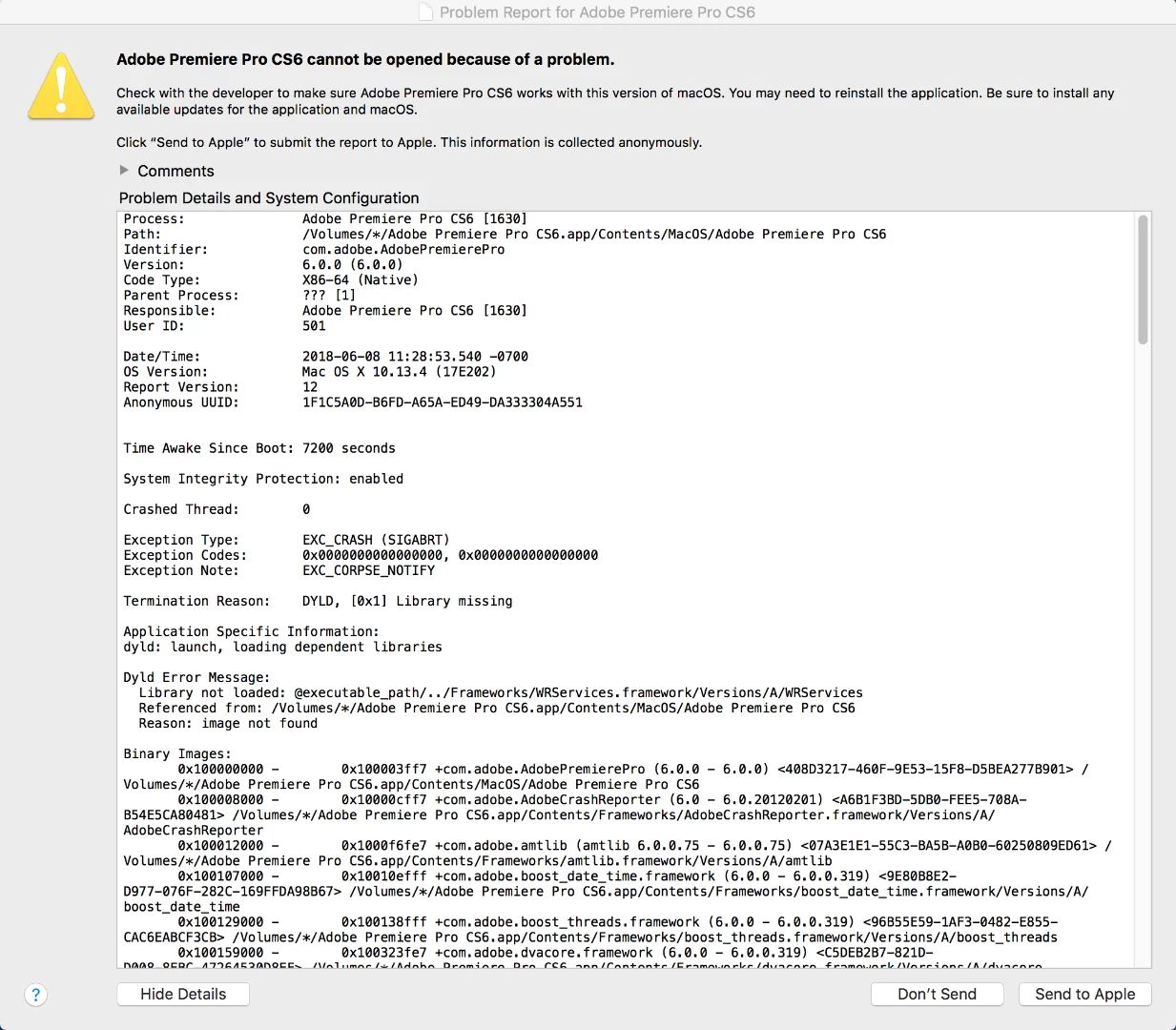
"Adobe Premiere Pro CS6 cannot be opened because of a problem" Warning popup

  • June 8, 2018
  • 4 replies
  • 1157 views

Warning note upon clicking Adobe Premiere Pro CS6.app:

I've been looking at parallel discussions on the forum to try and find a workaround for this issue but haven't come across a solution yet.  I have Adobe Premiere on an external drive. Despite it being a legacy version at this point, upon opening the app I'm confronted with

Follows with the following below with "Report."

I tried changing permissions under Application support->Adobe and Adobe PCD which didn't have an noticeable affect.  Any help on this issue would be greatly appreciated- thanks upfront.
[Here is the list of all Adobe forums... https://forums.adobe.com/welcome]

[Moved... CS6 is not part of Creative Cloud... Mod]

This topic has been closed for replies.

4 replies

Ann Bens
Community Expert
Community Expert
December 16, 2018

Is this installed from disk or downloaded through CC app?

I have Adobe Premiere on an external drive.

Bad idea needs to be on the boot drive.

balasaran vpmb93737597
Participant
December 17, 2018

Ok please send soon

John T Smith
Community Expert
Community Expert
December 17, 2018

When you ask a question you need to provide some basic information

-Forum quick start https://forums.adobe.com/docs/DOC-5601

Mac or Windows, and EXACTLY which version of the operating system?

Recent Mac AND Windows operating systems have been known to cause "odd" problems

Are you using a computer Administrator account with full read/write permission?

Exactly which version of the program do you have that is causing problems, and what error message do you see?

balasaran vpmb93737597
Participant
December 15, 2018

Please help for me

John T Smith
Community Expert
Community Expert
June 8, 2018

CS6 and earlier programs have not been tested and will not be updated for Mac El Capitan or later operating systems

-which means that you try to use CS6 and earlier at YOUR risk of having problems due to Apple updates

-Apple did not maintain backward compatibility with old programs in El Capitan or Sierra

--Adobe has a workaround to Apple's problem of not maintaining backward compatibility

--READ HERE https://forums.adobe.com/thread/2301916 for an Adobe solution to installing old programs, including a link to installing the old Java runtime that is required

--Also read for more information https://forums.adobe.com/thread/2458382

kglad
Community Expert
Community Expert
June 8, 2018