

Removing LUT after syncing audio
I am bumping into an odd issue regarding removing the automatically applied default Amira LUT.
I edited a very long piece keeping the default LUT in place as a placeholder. Now the cut is locked and I got the final LUT. But when I go to remove it, the LUT does not go away when the clip has synced audio. Meaning, I can remove the default LUT from clips without audio and from multicamera clips, but not from clips that have been synced to an audio track.
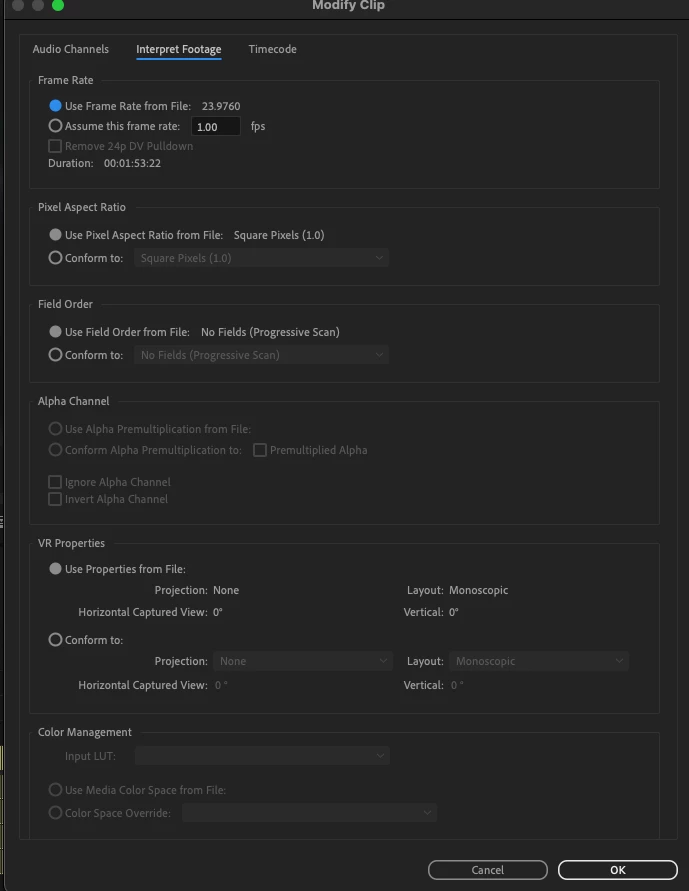
And just to clarify, Disable Source Clip Effects is greyed out, and if I go into Modify Clip, Color Management options is also greyed out (see attached). I also double clicked and went into Effect Controls, but there are no effects there.
Any thoughts? I have kept the original source clips without sound in the project and the LUT gets removed from those without an issue. But the thought of having to resync hours and hours of footage is rather frustrating...
 AdChoices