DdeGannes
Community Expert
Community Expert
January 16, 2021
Question

System requirements Premiere Pro version 14.8.0 for macOS 11.1

  • January 16, 2021
  • 4 replies
  • 2022 views

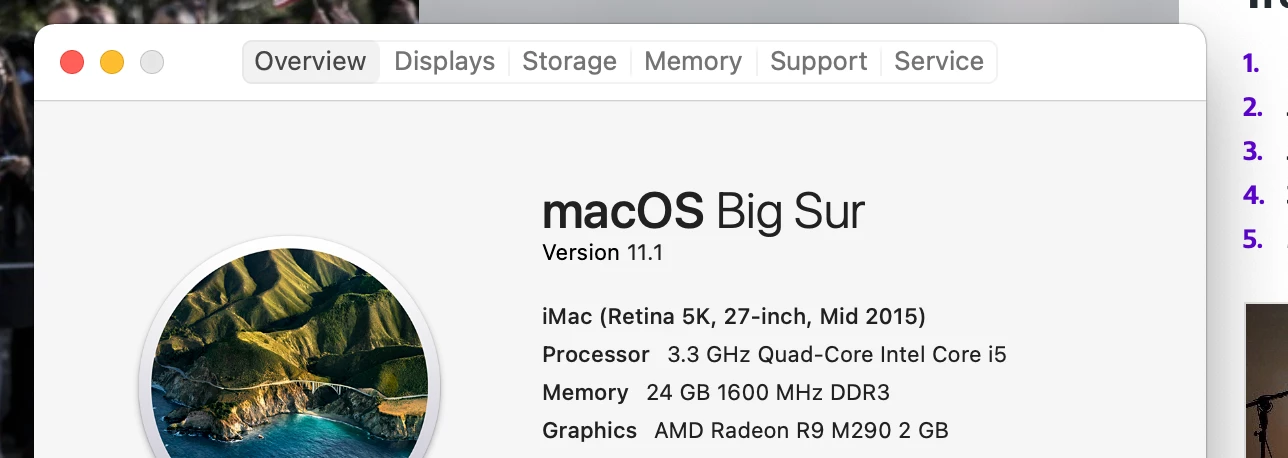
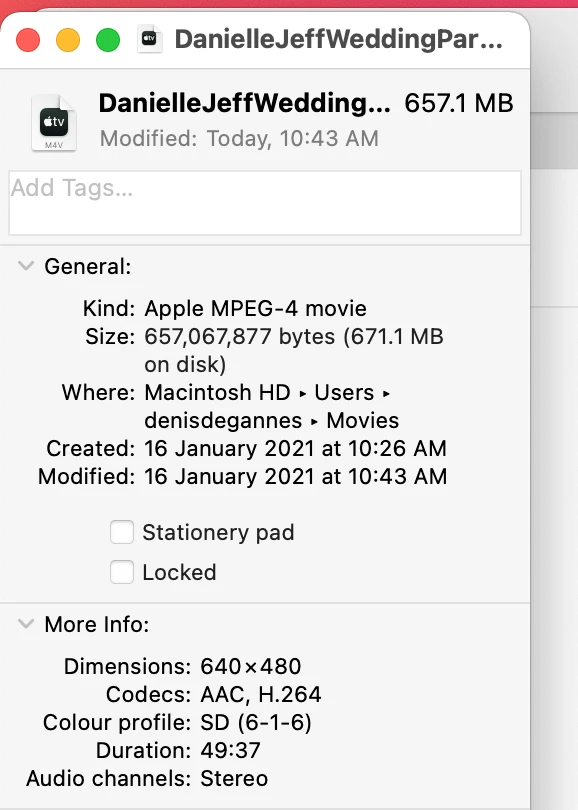
I have converted some DVD-5 disks to digital files (MPEG-4) which I wish to work with Premiere Pro however I am not certain if my iMac meets the requirements for Pr 14.8.0?

Should I experience problems will I have to install and use an earlier version of the software?

I am a new user of Premiere Pro so I do not wish to start on the wrong foot!

Additional info in the screen captures.
 

This topic has been closed for replies.

4 replies

Participating Frequently
January 17, 2021

PREMIERE PRO 2021 SYSTEM REQUIREMENTS https://www.youtube.com/watch?v=DoJtMyAElzM

Participating Frequently
January 17, 2021

Here is a complete break down on the System Requirements for Premiere Pro 2021

DdeGannes
Community Expert
DdeGannesCommunity ExpertAuthor
Community Expert
January 17, 2021

Thanks for your reply. I am specifically worried about the GPU which does not meet the recommended requirements for my 27" monitor. Will test the files and hope I do not run into problems. The converted files are not of high resolution.


Regards, Denis: iMac 27” mid-2015, macOS 11.7.10 Big Sur; 2TB SSD, 24 GB Ram, GPU 2 GB; LrC 12.5,; Lr 6.5, PS 24.7,; ACR 15.5,; (also Laptop Win 11, ver 24H2, LrC 15.0.1, PS 27.0; ) Camera Oly OM-D E-M1.
Legend
January 17, 2021

there is a free trial to see if premiere is working.  Your source material is standard def and shouldn't put undue strain on almost any system that's capable of running premiere.  I'm running premiere 2019 on a 2012 macbookpro with 16 gigs of ram without any issues and premiere 2019 is still available if you have any issues with 2020.  I'm running 2020 on the same macbookpro without any serious issues besides the fact that the lumetric scopes do not appear...