Participant
August 20, 2020
Answered

Time remapping doesnt work in 2020 14.3.2

  • August 20, 2020
  • 10 replies
  • 21241 views

Hi,


I've checked several threads and loads of tutorials, but I cant get Time ramping to work.


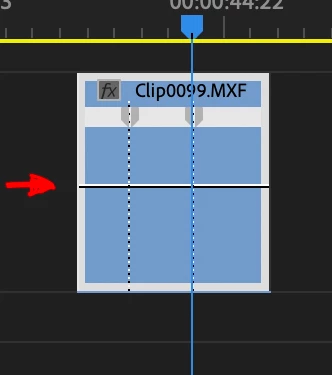
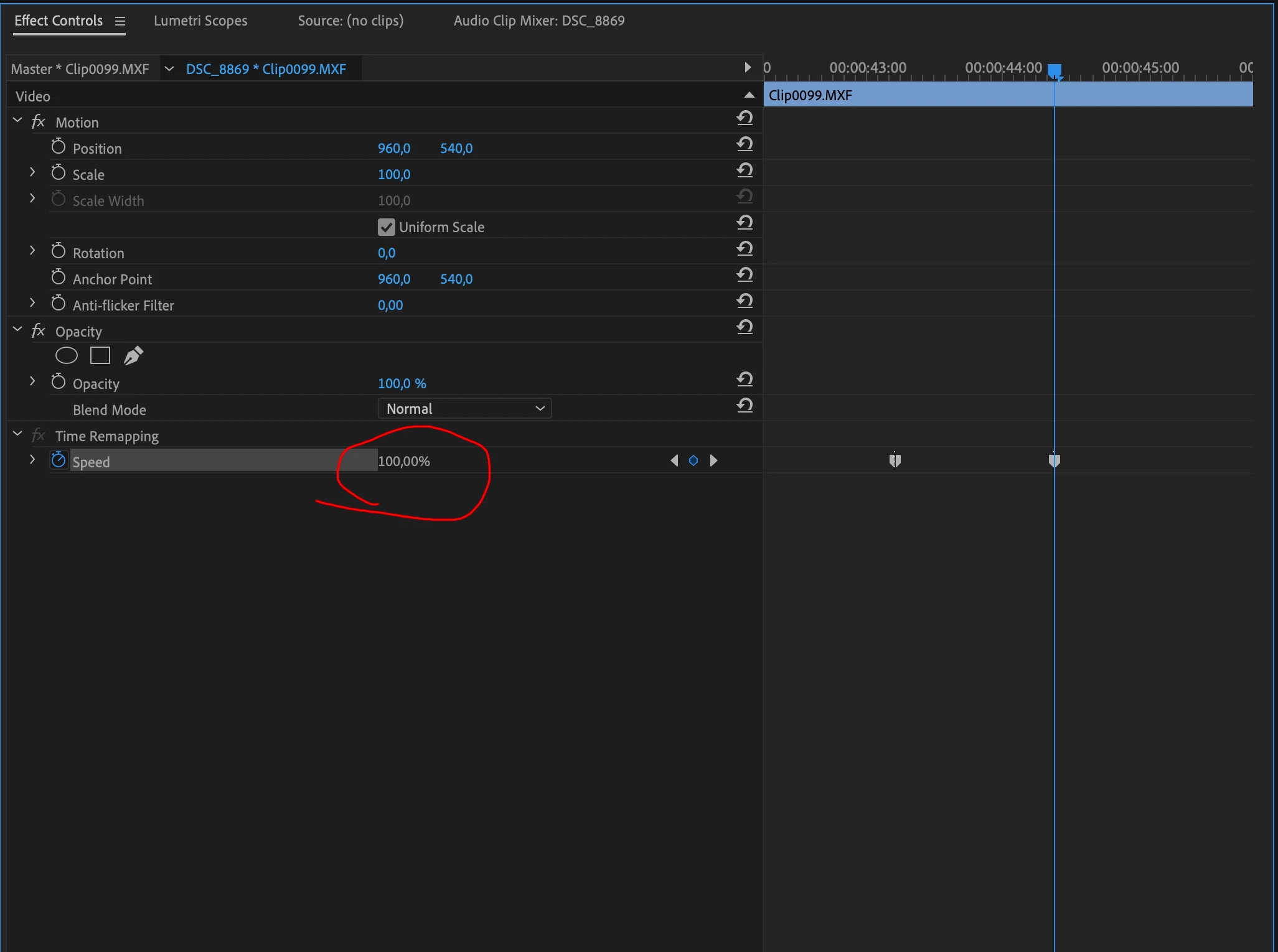
When I've done the "show time remapping keyframes" and added the keyframes I cannot adjust the 100% in the effects panel (it's greyed out) and when I try to drag the white line in the editor panel (which is how it worked in the previous version), it just drags the whole video clip up a track.


I really hope there's a simple solution for this because I've been frustrating myself for hours already now 😞


Thanks for your reply!
 

Correct answer Trent Happel

The time remapping issue should now be fixed in Premiere Pro 14.4, which was just released.

10 replies

felisc96545705
Participant
September 16, 2020

No luck. with 14.4. has it worked for any else?? 

Ann Bens
Community Expert
Community Expert
September 16, 2020

Works fine now. What does not work for you.

Make sure you have show video keyframes on.

Trent HappelCommunity ManagerCorrect answer
Community Manager
September 15, 2020

The time remapping issue should now be fixed in Premiere Pro 14.4, which was just released.

arjent75570866
Known Participant
October 16, 2020

Hi Trent,

It seems the issue is still ongoing for some people. Is this issue still under investigation? Can we use a workaround?

Community Manager
October 16, 2020

Not that I am aware of. I would recommend contacting our Support team to help troubleshoot your issue - https://helpx.adobe.com/support/premiere-pro.html (Contact Us link at bottom)

Known Participant
September 9, 2020

Same issue.

Community Manager
September 2, 2020

The fix should now be in the latest Premiere Pro Beta build (14.5 beta build 007+), currently available on Creative Cloud for Mac. We hope to have a Windows Beta build posted soon.


If anyone wants to check it out, it would be greatly appreciated.


Thank you.

felisc96545705
Participant
September 16, 2020

Where can I find the beta version?? 

Kevin-Monahan
Community Manager
Community Manager
September 21, 2020

FelisC,

Sidebar on the Creative Cloud app. Let us know if you need help installing.

Thanks,
Kevin

Kevin Monahan - Sr. Community and Engagement Strategist – Adobe Pro Video and Audio
Participating Frequently
September 2, 2020

Thanks Ann!! Good find!

Community Manager
August 28, 2020

Sorry that I can't give a date, but we are working to fix this as soon as possible.

edwinl76571172
Participating Frequently
August 28, 2020

Thank you Ann. This also works for me, however I've rolled back since it's just feels too unintuitive to work this way. Will wait for a fix. 

jdizon-leidos
Participant
August 26, 2020

I experienced the same problem!!! Adobe please please please fix this bug!!!

Participant
August 26, 2020

I've literally just ran into this problem! It was working fine and then suddenly I couldnt move the speed slider at all.

Inspiring
August 26, 2020

Uninstall the latest version, 14.3.2. Install a previous version and it'll work. Adobe is "investigating." Something is messed up with the newest version.

Participant
August 24, 2020

Ann your solution worked for me , thank you 


Participant
August 26, 2020

Same problem over here. Very annoying. it cost me 2 hours of work till I figured out how to work around it......


Please fix this quickly Adobe!

Community Manager
August 21, 2020

Thank you for the reports! This issue is being investigated.

Participant
August 23, 2020

Time ramping doesnt work in primer pro after update

Ann Bens
Community Expert
Community Expert
August 20, 2020

Seeing the same thing.

Design is off in the timeline.

If you move your mouse up a bit it will work. But its definitly not correct.

Reported this to the Premiere team.

Participant
August 24, 2020

Thank you so much! It worked...