
Participant
June 3, 2018
Question

Trouble With Adobe Premiere Timeline CS4

  • June 3, 2018
  • 1 reply
  • 434 views

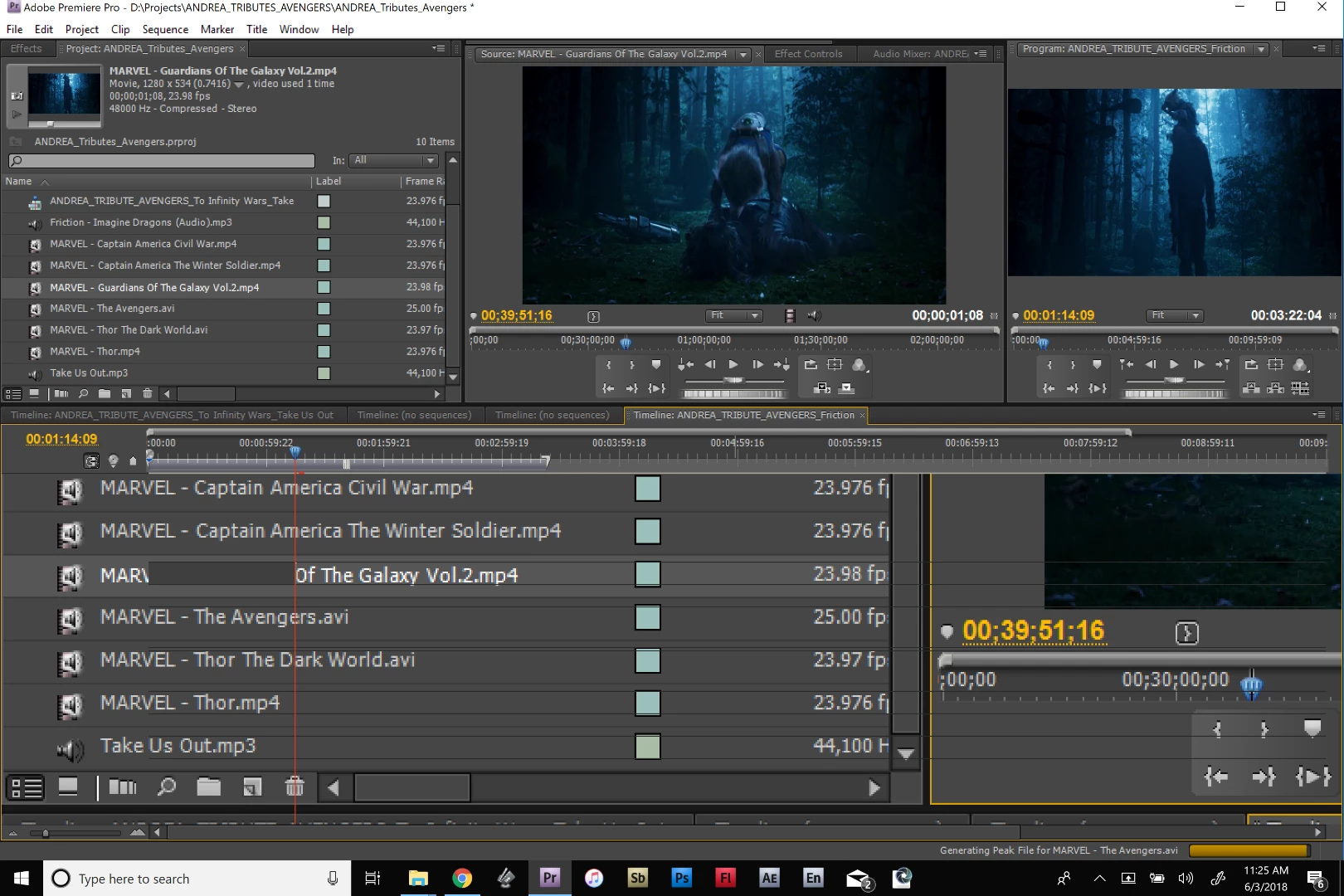
I am having an issue with clicking and dragging content on my timeline. This is a newer computer and I am using a Windows 10 with Adobe CS4. There is a display issue on the Timeline so it is keeping me from making effective edits. it reverts back to normal after I hit the playback and stop the playback.

Is there an effective solution for this? Screenshot below.
This topic has been closed for replies.

1 reply

John T Smith
Community Expert
Community Expert
June 3, 2018

Two ideas that MAY work to install and/or run old programs in Windows 10

-RIGHT click the program icon or EXE and select a compatibility mode in the pop up option window

-or Run as Administrator http://forums.adobe.com/thread/969395 to assign FULL Windows permissions may help... this says Encore, but is sometimes required for ALL Adobe programs (this is NOT the same as using an Administrator account) so follow the instructions for your specific program

Do not count on Windows to be fully up to date when it comes to device drivers

Go to the vendor site to be sure you have an updated driver for your graphic adapter

•nVidia Driver Downloads http://www.nvidia.com/Download/index.aspx?lang=en-us

•ATI Driver Autodetect http://support.amd.com/en-us/download/auto-detect-tool

There are also intermittent reports that the newest driver is not always the best driver due to driver bugs or compatibility issues, so you MAY need to try an earlier driver version

If the links above don't help, I have no idea how to make that really old version "play nice" with Win10