
May 4, 2020
Question

Unable to use opacity mask

  • May 4, 2020
  • 4 replies
  • 944 views

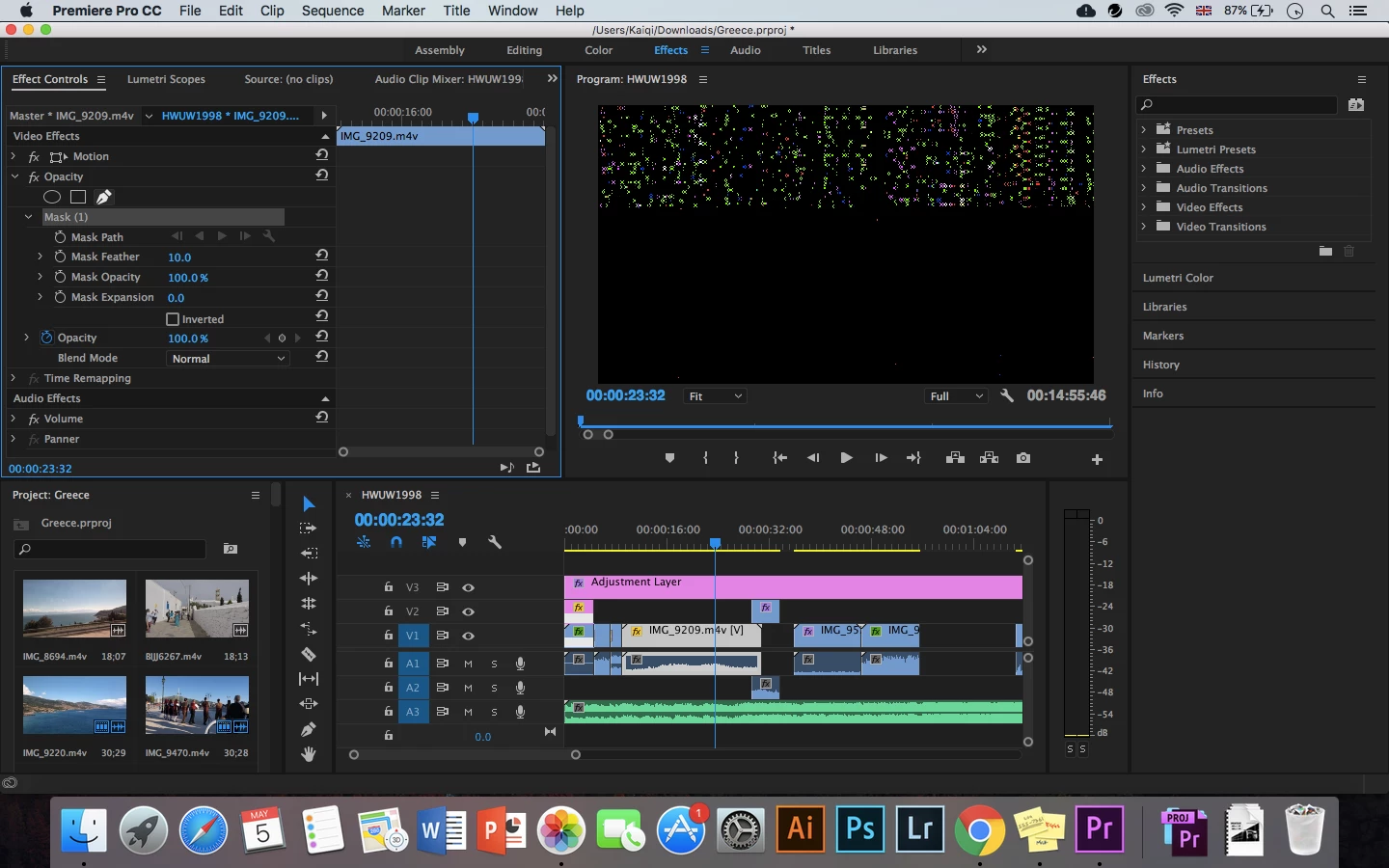
Whenever I try to use the opacity mask pen tool, this happens to not only the clip involved but the entire project. So I have to close and reopen the file to before the tool was used. "Undo" doesn't help. I really want to create some cool walk by effects so please help. Im using premiere pro cc 2017 and I have been able to successfully use the pen tool before so I am confused as to why it is not working now. Thank you
 

This topic has been closed for replies.

4 replies

Inspiring
May 6, 2020

As a test, go to File > Project Settings > General and set the Renderer to Software Only.


MtD

Legend
May 6, 2020

so are you trying to apply a "letterbox" effect.  That is horizontal black bars at the top and bottom of the screen to mimic the effect you would get when playing a widescreen film on an old 4x3 television screen?   Not sure what's causing the problem, but there's a pretty simple workaround.  If you have photoshop, create a frame with the appropriate black bars at the top and bottom with a transparent area in between.  You can save as a photoshop file without layers, or a tiff or png with transparency and put it on a higher video track.  If you don't have photoshop, you could also prebuild it in premiere creating the black bars with black video...  

Kevin-Monahan
Community Manager
Community Manager
May 6, 2020

Kay,

We need more info on your system and media to make a better assessment as to what's going on here. What kind of Mac? CPU and GPU type and model? RAM amount? What kind of media? Where is it stored? How are your media drives connected?

Thanks,
Kevin


Thanks,
Kevin

Kevin Monahan - Sr. Community and Engagement Strategist – Adobe Pro Video and Audio
Peru Bob
Community Expert
Community Expert
May 4, 2020

Is the mask on the adjustment layer?

May 5, 2020

Hello, I'm pretty sure I clicked on the clip I wanted correctly and I tried it a few times. Is it better to put the adjustment layer at the end when everything is done? The adjustment layer is just for the two black cinematic bars. Thank you for replying!

Ann Bens
Community Expert
Community Expert
May 5, 2020

Is this phone footage?

If so convert to constant framerate before bringing it into Pr.

HandBrake