Participant
April 7, 2020
Answered

Unavailable Encode with GPU

  • April 7, 2020
  • 3 replies
  • 1045 views

Hey there, i'm using Premiere to edit my videos, but recently a problem consists of my computer;

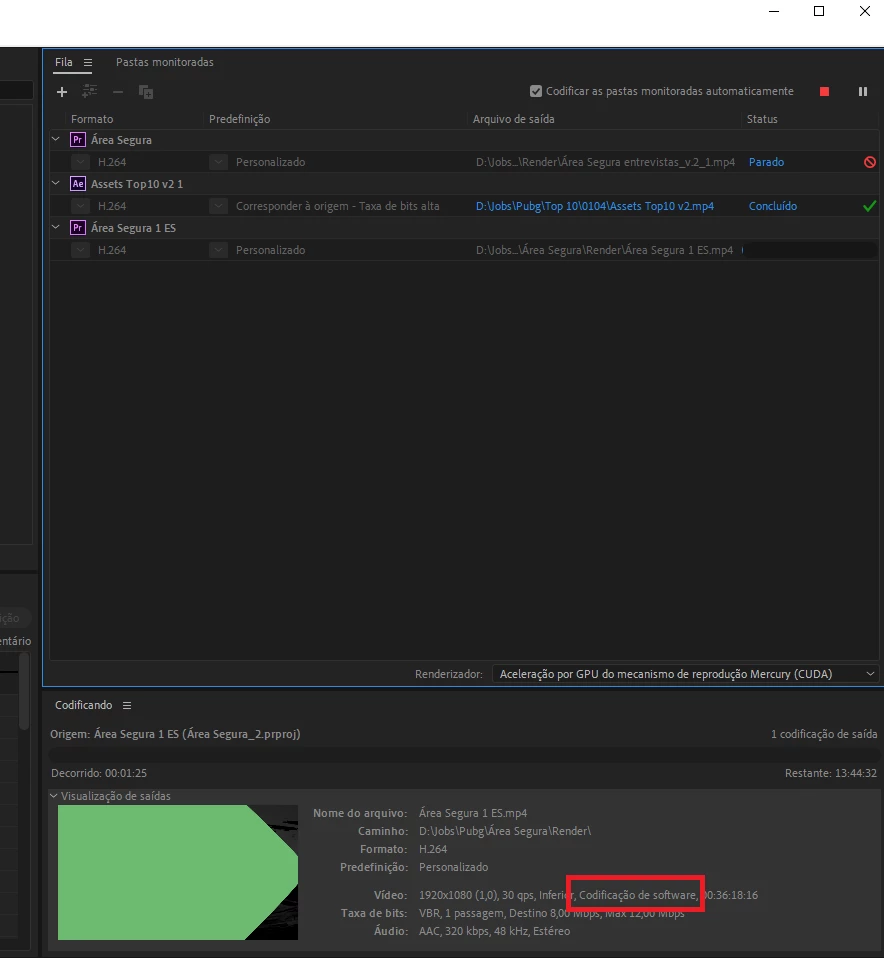
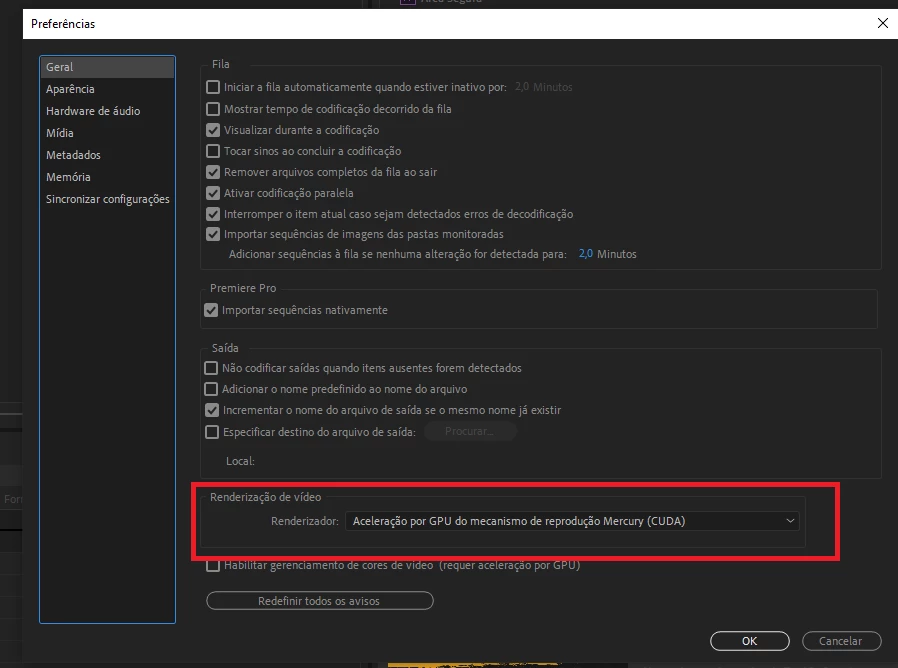
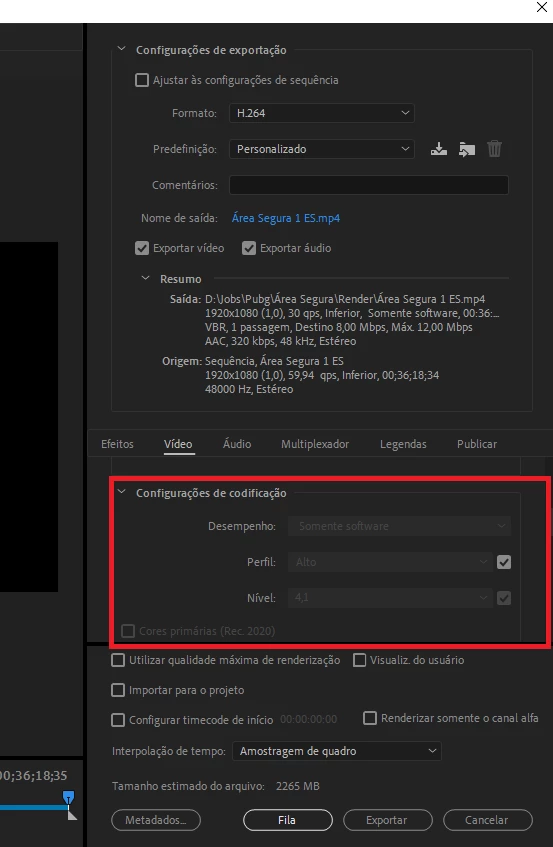
I can't render using hardware, only with software. The option to change keep grey. 
On the Media Encoder keep the same problem.

I've tried:
- Reinstall creative cloud with the lastest verions of the programs
- Reinstall drivers with the lastest versions
- Geforce Game Reader updated

- Tried with differents projects with differents settings

- Reboot system

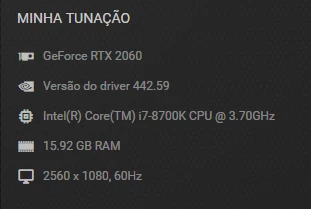
Just remember that my computer 2 months ago used to work well with GPU Render. Confgs and the problem attached. 

Please, help me!
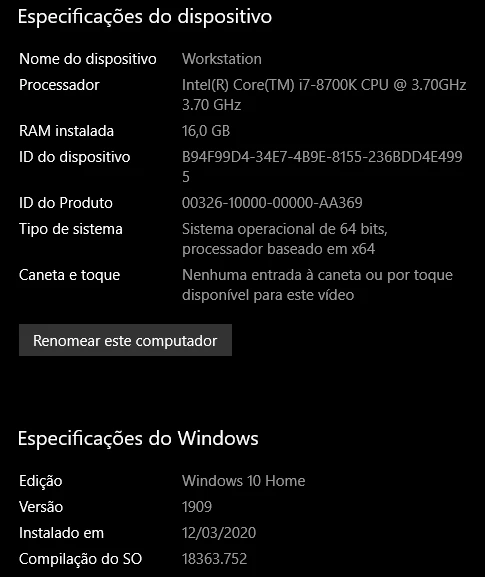


This topic has been closed for replies.
Correct answer R Neil Haugen

You are comparing apples and kumquats.


In Premiere 2020, the H.264 long-GOP encoding is done by the CPU, not by the GPU. So the "software only" in the Export dialog only has to do with whether or not your CPU is an Intel rig with the Intel QuickSync hardware included, the use of QuickSync is enabled in your BIOS, and you have 'enable hardware accelerated decoding' checked in the Preferences/Media options.


If your Intel CPU doesn't have QuickSync ... or if you are using an AMD CPU, then you will see the "software only" in the export dialog summary when doing H.264 exports.


No matter the format/codec, Premiere will use the GPU for those effects and processes that are set to be done using GPU work. Such as major frame-resizing, Warp Stabilizer, color corrections with most color effects, and many other things. For any GPU accelerated effect, the GPU will be used ... as the CPU gets to the sections of a sequence that use GPU accelerated effects, and sends work to it.


Neil

3 replies

Ann Bens
Community Expert
Community Expert
April 8, 2020

R Neil Haugen
R Neil HaugenCorrect answer
Legend
April 7, 2020

You are comparing apples and kumquats.


In Premiere 2020, the H.264 long-GOP encoding is done by the CPU, not by the GPU. So the "software only" in the Export dialog only has to do with whether or not your CPU is an Intel rig with the Intel QuickSync hardware included, the use of QuickSync is enabled in your BIOS, and you have 'enable hardware accelerated decoding' checked in the Preferences/Media options.


If your Intel CPU doesn't have QuickSync ... or if you are using an AMD CPU, then you will see the "software only" in the export dialog summary when doing H.264 exports.


No matter the format/codec, Premiere will use the GPU for those effects and processes that are set to be done using GPU work. Such as major frame-resizing, Warp Stabilizer, color corrections with most color effects, and many other things. For any GPU accelerated effect, the GPU will be used ... as the CPU gets to the sections of a sequence that use GPU accelerated effects, and sends work to it.


Neil

Everyone's mileage always varies ...
MyerPj
Community Expert
Community Expert
April 7, 2020

Does your hardware specs allow you to use the latest version with GPU hardware? You didn't say... mac, pc, specs...

Please add your screenshots using the "Insert Photos" button on the editor here in the forum. Otherwise your photos don't appear in the thread and we need to download them to see them.

Participant
April 8, 2020

Screenshots added.

MyerPj
Community Expert
Community Expert
April 8, 2020

Thanks, well done, screenshots are really good.

The others have answered your question.