doda_luba
Participant
May 13, 2018
Question

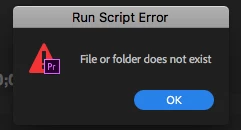
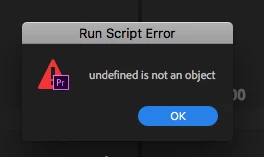
Undefined is not an object & File or folder does not exist

  • May 13, 2018
  • 3 replies
  • 9150 views

Hi,

I keep getting 2 messeges everytime I change workspace, open a project and somtimes when just editing...
Each time the message pops it pops 4-18 times with the same message.


I tried uninstall and clean prefs and install again without success
What should I do?

Mac osx 10.12.6
Premiere pro 12.1.1
    This topic has been closed for replies.

    3 replies

    caroline_edits
    Community Manager
    Community Manager
    November 5, 2018

    Hi doda.luba,

    Did you find a solution to your problem? If you didn't, let us know and we'll find you an alternate solution.

    Thanks!

    Caroline

    Participant
    October 29, 2019

    We're getting same error, but have to click 9 times. We noticed everytime we clicked OK the Libraries panel would flash. So we removed Libraries panel from all the workspaces and don't get the issue any more. Every new user is warned.

    But today I installed the Audio Network plugin and got the same error trying to download. 

    Thanks to this post on CreativeCow, I removed my volume called LIBRARY and my Library panel loads without flashing and so does Audio Network.

    We run an XSAN here with a volume called LIBRARY, but I was able to reproduce the problem on a second Mac with just a USB stick called LIBRARY. 

    Participant
    November 22, 2019

    OH MY GOD THANK YOU!!! I was pulling my hear out over this problem for days. I do have a NAS with one of the volumes called Library. I disconnected it and BAM the errors are gone! This is the weirdest solution to a problem with Adobe products I've ever seen (and I've seen plenty 😉 Thank you again and all the best!

    Participant
    October 30, 2018

    I had this problem and figured out once I disconnected from my server it worked fine. I was NOT running anything off the server, but just having it connected in finder was enough to freak out premiere for some reason. Hopefully this helps.

    Vidya Sagar
    Participating Frequently
    May 14, 2018

    Hi doda.luba,

    Sorry for the trouble. It seems like an issue with corrupted workspace. Please try the following steps:

    1. Reset the Preferences:

    2. Create a new project(do not open old project)

    3. Go to Window > Workspaces > Uncheck "Import workspaces from projects"

    4. Check the issue.

    Let us know the status.

    Thanks,

    Vidya

    Inspiring
    May 14, 2018

    this is not helping.  even the default workspaces after a reset of preferences have the same issue.

    Vidya Sagar
    Participating Frequently
    May 15, 2018

    Hi doda.luba,

    Thanks for testing. Have you checked the issue with any other version of Premiere Pro? Steps: Install previous version of your Creative Cloud app

    Is it possible to update the OS to 10.13? Is there any specific reason why you are on OS 10.12.6?

    If possible, login to a different Admin account in the Mac OS & check if the issue persists.

    Thanks,

    Vidya.