
Participant
April 18, 2020
Question

Vector Scopes not showing up

  • April 18, 2020
  • 2 replies
  • 2221 views

Hello, for some reason my vector scopes are no longer showing up. The panel itself is there and I can select the different scope options which display a check mark next to them once they've been clicked on, but nothing shows up. I did a reset in premiere to all original settings and also uninstalled then reinstalled the software and it still hasn't fixed the issue. I've never had this happen before and have no idea what's going on. I attached a screenshot for reference. Thanks.
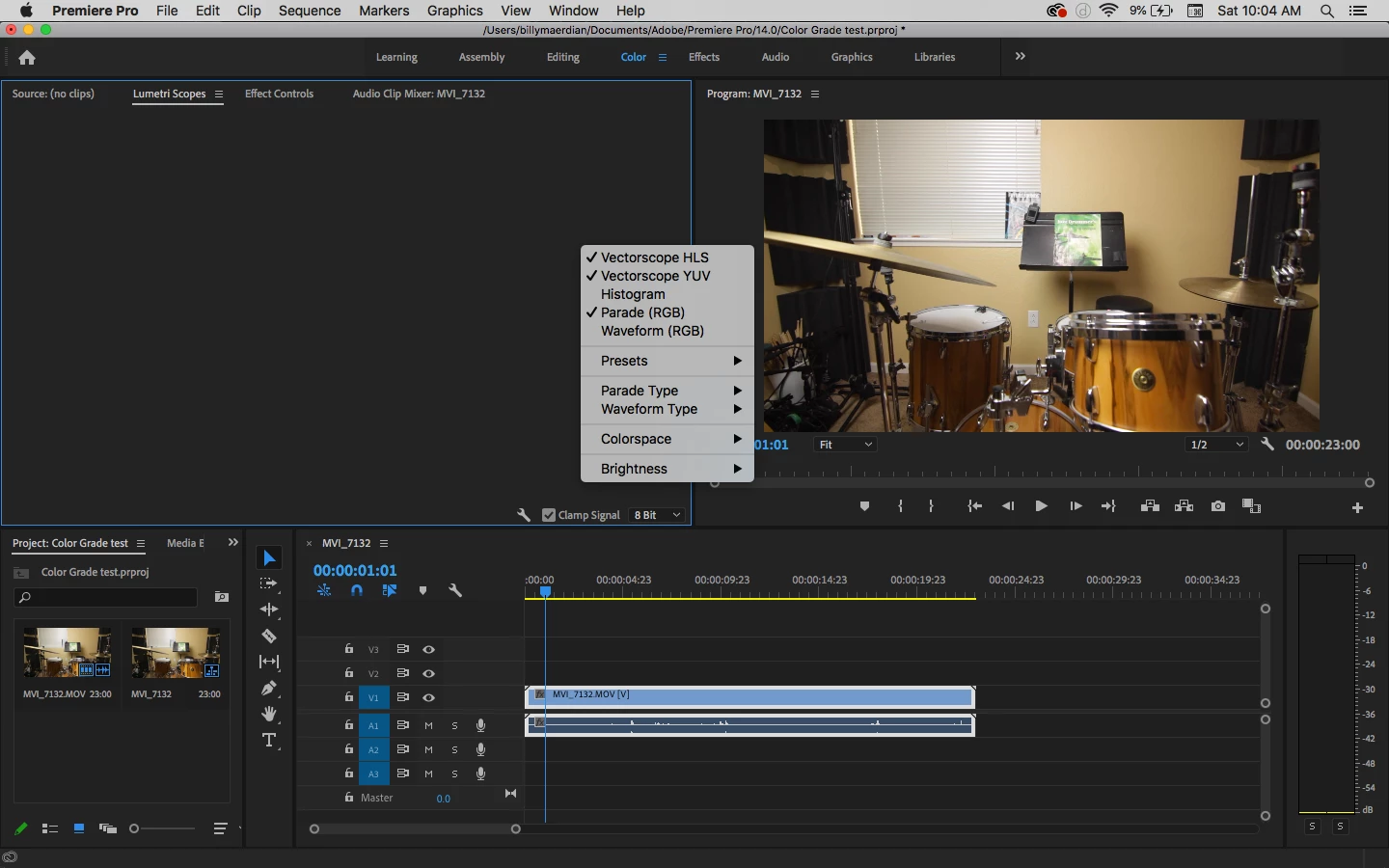


This topic has been closed for replies.

2 replies

Kevin-Monahan
Community Manager
Community Manager
April 22, 2020

Hi,

Yeah, that's frustrating. It may have to do with your GPU resources. Does your computer meet system requirements? Let us know.


Thanks,
Kevin

Kevin Monahan - Sr. Community & Engagement Strategist – Pro Video and Audio
bmaerAuthor
Participant
April 22, 2020

Hey Kevin,


Yes my GPU is up to date with the system requirements. I was on the phone with customer support for about a half hour today and they were trying to solve it through screen share. There's apparently been some bugs with the newest Premiere release but they hadn't seen that one before. Even when they tried installing an older version though the issue was still there so I'm not sure if that it's related to the version. Unfortunately I had to end the call because I had an online meeting for work to get to but I'm hoping I can get help later in the week when I have more time and get it resolved.

Participant
March 11, 2024

Please let me know if you got a resolution on this. I have the same problem. 

Inspiring
April 18, 2020

In the Color workspace, go to  Window > Workspaces > Reset to Saved Layout.


MtD

bmaerAuthor
Participant
April 22, 2020

Hey Meg, thanks for the suggestion but I tried this and it unfortunately did not fix the issue 😕😕

Participant
July 15, 2024

Worked for me - thanks