
Video exporting with green/purple flashes across it
Hello,
I recently starting using Premiere Pro CC 2018, I created a 2 minute video using some drone footage and added an adjustment layer and some transitions and text, when in the preview screen, and project area inside premiere I can watch the video fine, all the source content has no issues either,
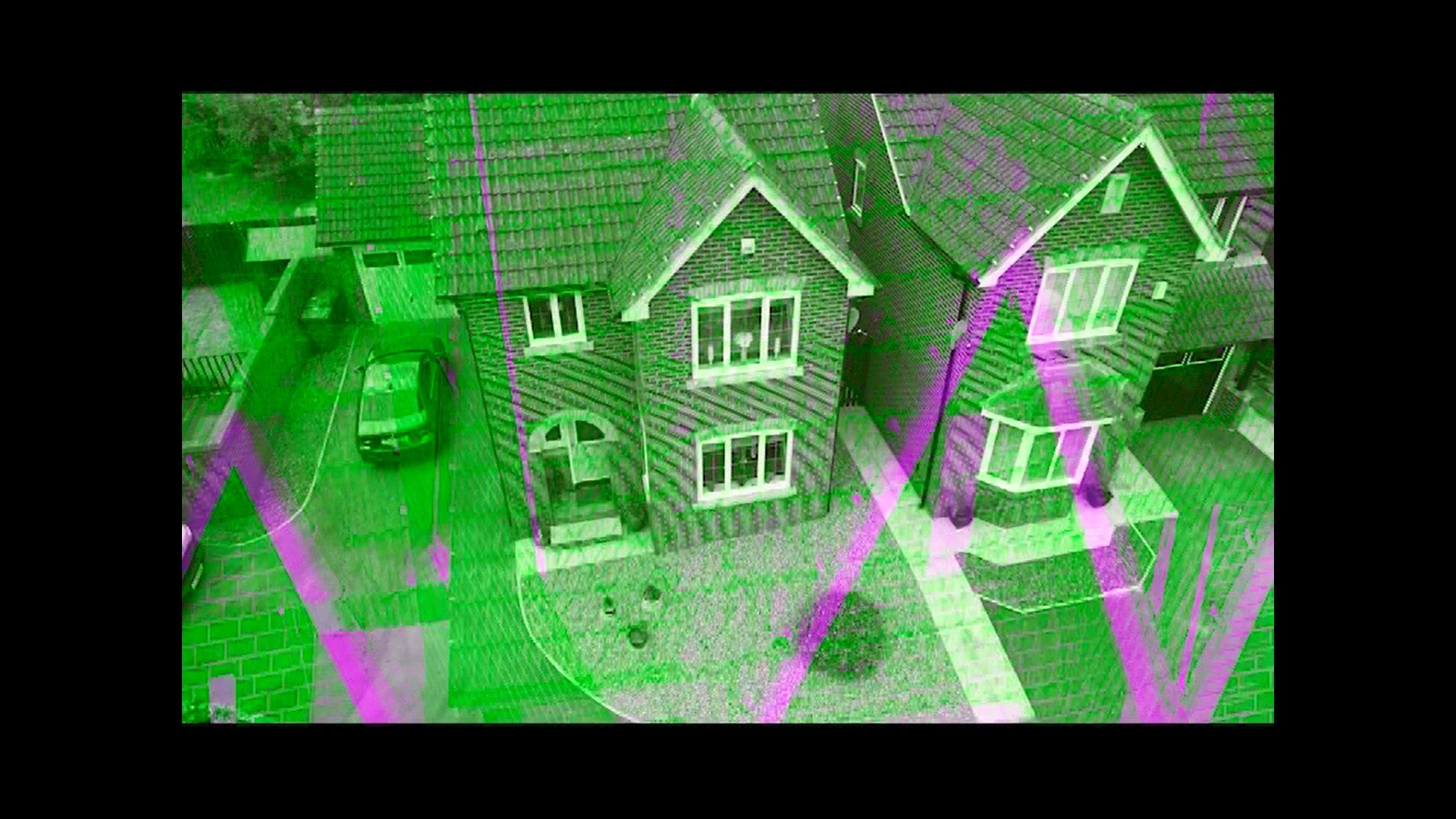
However as soon as I export the sequence and try to view the video then it has purple and green lines across the entire screen all through the video,
I have exported to youtube using there presets and tried viewing it there, I've tried H.264 in HD 1080P and 4k 2160P, I have tried Using the maximum render quality also across a variety of different exports, some times in the preview screen it shows the green/purple haze across the footage, however if I up the quality towards 4k 2160p it disappears and appears as though there would be no issues since the preview shows the footage in great quality.
However no matter the format I try exporting it in, it appears in a green/purple colouring when viewing afterwords either with youtube/movies and tv/windows media player/dell power media player
I have also tried matching the 1280/720 resolution and 25 FPS which the source footage and output so there the same and sometimes the preview shows a great quality output but when exporting the same issues arise again, when I export in the same settings however there is less green and more purple flashes on screen,
any help or advice anyone could give me would be greatly appreciated,
thanks
 AdChoices