
Answered
Wavy vertical lines
In some of my videos, I see wavy vertical lines, like on buildings or other manmade structures. How do I get rid of a waviness that happens when the video moves across a building with a lot of vertical lines?

In some of my videos, I see wavy vertical lines, like on buildings or other manmade structures. How do I get rid of a waviness that happens when the video moves across a building with a lot of vertical lines?
If you are talking f. eg. about that building and those wavy lines
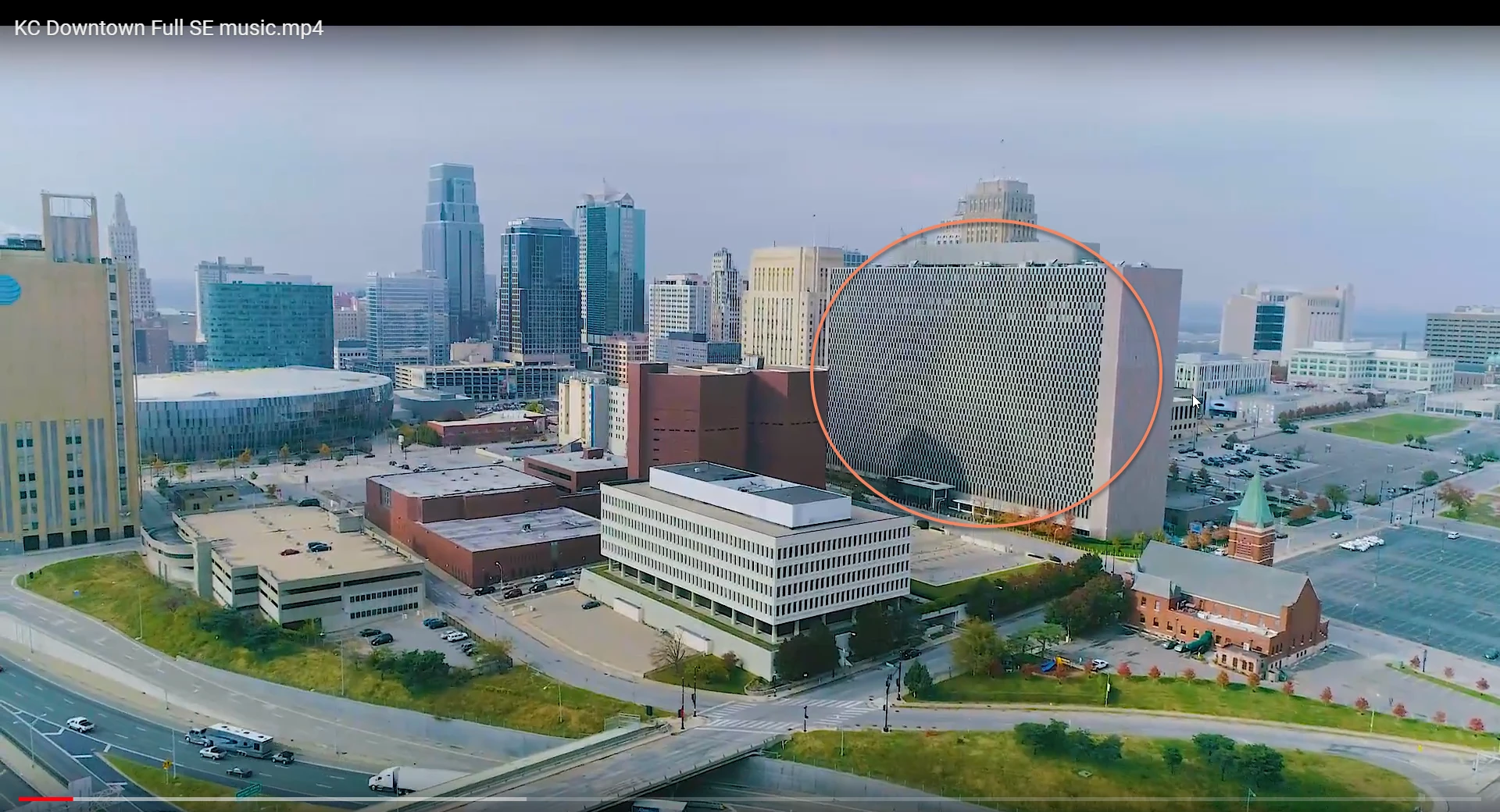
that is something -as Meg The Dog mentioned - called moire or aliasing. You can try to get rid of those by using little bit of blur effect on parts of pictures affected by that or maby median effects on duplicated layer above original layer with Color blending mode on. It can't fix everething i every footage but should fix some of it.
Already have an account? Login
Enter your E-mail address. We'll send you an e-mail with instructions to reset your password.
 AdChoices