

Community Manager
September 15, 2020
Question

Welcome to Premiere Pro 14.4!
  • September 15, 2020
  • 11 replies
  • 7992 views

Premiere Pro 14.4 is now available for download from the Creative Cloud desktop app. This update includes new features, several bug fixes, and performance improvements. It is recommended for all users.


New features & enhancements
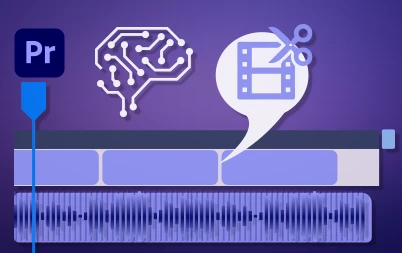
Scene Edit Detection
Use machine learning to automatically detect and add edits where cuts occur in a video.
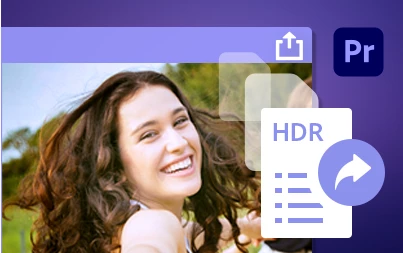


HDR for broadcasters
With the new Rec.2100 HLG color space, broadcasters can work with more vibrant and dynamic content.
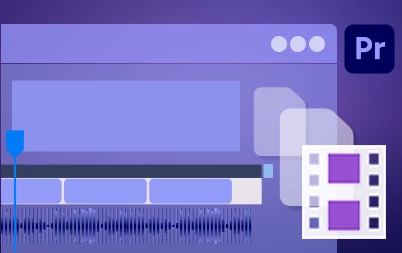


Export with proxies

You can now choose to use proxies while exporting if you want a quick export that doesn't require full resolution media.


Other enhancements

Premiere Pro now scans VST 3 and AU (Audio Unit) plugins faster. Also, exporting an AAF with Breakout to Mono deselected preserves audio channelization.



Here is what we've fixed in version 14.4

  • Playback does not stop when waveforms expanded with smooth scrolling and multicam view enabled
  • Improved location of licensing information for Stock Audio
  • Improved consistency of contextual menu behavior using search bins
  • Deleting an empty Audio track prevents VoiceOver from being recorded
  • Hardware encoding not available on Mac when encode height is greater than 2196 pixels
  • DNxHR MXF files files exported as non-standard frame size that contain display aspect ratio of 16:9 may play incorrectly in external players
  • Some files that play correctly in QuickTime Player import as audio only
  • Improved ProRes Multicam Playback Performance
  • Twitter 1080p preset now produces higher quality outputs with match source for frame rate and higher bitrate.
  • Cannot log in to Vimeo


Complete documentation

New feature summary

Fixed issues

Known issues

This topic has been closed for replies.

11 replies

Participant
April 12, 2021

my premiere 14.4 came with a lot of problems in the timeline, yours too?

DislexicDude
Participant
November 5, 2020

Hello darkness my old friend... What's the point of paying for this? Just dropped the video


Participating Frequently
September 30, 2020

I have an issue that's putting a project on hold.  Additional editors on different computers are reporting the same issue to me.


Problem:

Import h264 mp4 (Import or Media Browser).

Error message popup "Import Error: There is not enough memory to import the requested file(s)."

Clip will not import


Solutions tried:

Restart.  Sometimes this fixed it.

Uninstall and reinstall Premiere. No change.

Try importing h265 clips. Doesn't import.


System:

Windows 10

Surface Book 2

16GB Ram

4TB storage drive

1TB internal SSD


This workflow had no issues before the recent update.  Is there a workaround for this?  Thank you


Additional editors on different computers are reporting the same issue to m

Participating Frequently
September 24, 2020

I've been working on a project for a month with Adobe Premiere Pro. This morning I clicked on the update of it and medica encoder.

It has made it impossible to complete my work because it has rendered completion of the work impossible,    as a 'frame substitution recursion - error' message is coming up a 100 times a minute and it has blacked out footage that has been perfectly okay for the past month. Now Media encoder won't let me convert it to anything courtesy of it's upgrade when the previous version pre upgrade worked with all of the footage I am currently working on.

I need to seriously consider quitting my subscription to Premiere pro as the upgrade has rendered it useless, I have work to do and there are other software companies out there.

mark D 

Known Participant
September 21, 2020

MacOS Mojave 10.14.6 // Can't even get Premiere to launch after this update was (presumably) automatically installed on my machine. Premiere Pro was working absolutely fine as of 3 days ago, now I can't even get through to the splash screen - the Pr icon just keeps bouncing and then I have to force quit PrPro. Have rebooted multiple times, tried NVRAM resets, tried a bunch of things that were suggested for older releases to get them working, but no luck.


Any advice? Physically cannot do my job currently because of this. Adobe you need to fix this. 45 mins on hold to your support line for the call to drop, you're happy to take thousands of £ a year from our company but where's the support when we need it?

Kevin-Monahan
Community Manager
Community Manager
September 22, 2020

Hey Joe,

Hope that you reached support by now. If not, let us know. I typically trash media cache and preferences, and I did that myself this time, as well. I did get the same spinning wheel you did, but I walked away for around 10 minutes and it finally got past that. Another thing to try is to sign out of Creative Cloud and then sign back in. Come back after trying these things. 


I'm also running Mac on Mojave with 14.4. Quite good from there, actually, but as I said, I also got the spinning wheel at first.


Regards,
Kevin

Kevin Monahan - Sr. Community and Engagement Strategist – Adobe Pro Video and Audio
Known Participant
September 22, 2020

Many thanks Kevin, I wasn't able to get through to support so in the end I rolled Pr back to 14.3.2 as I had some time critical projects to complete, and this seemed to allow Pr to launch as expected. What I'll probably do is over the weekend I'll try the update again (manually this time) and try your suggestion of sign out/in, clear cache and prefs.


Please could you let me know the recommended method for clearing cache and preferences manually? I guess I can't do it through Premiere itself if I can't get it to launch after the update.


Cheers
Joe

Participant
September 16, 2020

Love the Scene Edit Detection feature. Some have reported it doesn't work or crashes, for me it works but places all cuts one frame before the actual cut. This wouldn't be an issue if I could just select all and slip all by one frame, but for some reason Ctrl + Alt + Left only slips the first clip. It would be optimal to fix scene edit detection since it's the root cause but slipping all clips is something I've dealt with before and it also needs fixing. 

Participant
September 16, 2020

I did the update, and now this is happening. The video card IS completely up-to-date. Everything was working perfect before the update.

Averdahl
Community Expert
Community Expert
September 17, 2020

What happens if you click the blue Fix button and follow the instructions?


I had this happen to me a while ago and Premiere Pro wanted me to upgrade the drivers to my GFX card.

flaviom28732642
Participant
September 16, 2020

Render now is VERY SLOW!!!! Wtf? 

gghhooaasstt
Participant
September 15, 2020

This update keeps crashing and crashing... can't open any of my current project files.

Lost half a day trying to troubleshoot, you guys need to stop dropping sloppy updates like this man, people trying to make a living here. 

jamese48545281
Participant
December 2, 2020

I'm having the same issues, constantly crashing. Making it super hard to get any real progress done. Something that really causes a crash is anytime i change or modify the footage in the project window or audio tracks. Also if i change the sequence settings, or even just click in the project window. Why can't adobe just put updates out when they work all the bugs out!!

caymanl24466601
Participant
September 15, 2020

Having issues with 4K footage playing and rendering as black in the timeline. 1080 footage plays back fine.

caymanl24466601
Participant
September 15, 2020

Resolved by deleteing render files and then deleteing the clip and undoing. Unistalling update for now.