
Participant
February 15, 2024
Answered

Where are Rush projects stored?

  • February 15, 2024
  • 4 replies
  • 13053 views

I edit on a Windows PC. For example, I want to open the same project that is on an external hard drive, but I can't find the project file. Where is it?


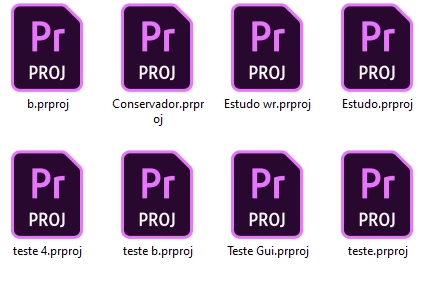
Like from adobe premiere ".prproj" I put a photo attached.


Mod note: Title and text were edited slightly.
Correct answer natalies35909954

The reply is misleading, the files are accessable, it is just complicated;


go to C:\Users\<your username>\AppData\Roaming\Adobe


The folder "Team Projects Local Hub" will have the project files, and this folder can be transferred to the same location on a new computer to transfer the files


Additionally, you can use the export projects feature (settings->preferences->share logs->share longs and project files) on the mobile version of the rush app to export files to a desktop computer

4 replies

Participant
March 11, 2025

I created my project on my iPad in Rush and now want to open/edit in Premiere on my Mac. What is the work around since Sync has been discontinued?

Kevin-Monahan
Community Manager
Community Manager
March 12, 2025

Hello @KhiKaine,

See if this article helps you move your files to your computer. I hope so!


Thanks,
Kevin


Kevin Monahan - Sr. Community &amp; Engagement Strategist – Pro Video and Audio
Participant
March 12, 2024

My laptop with Adobe Rush failed, the HDD is ok, how do I transfer projects to a new laptop?

Kevin-Monahan
Community Manager
Community Manager
March 13, 2024

Hi @Jozef299083984xr0,

Sorry to hear that. Is that a Mac or a PC? Let us know.


Thanks,

Kevin

Kevin Monahan - Sr. Community &amp; Engagement Strategist – Pro Video and Audio
Participant
March 18, 2024

Notebook with Win11


natalies35909954Correct answer
Participant
March 5, 2024

The reply is misleading, the files are accessable, it is just complicated;


go to C:\Users\<your username>\AppData\Roaming\Adobe


The folder "Team Projects Local Hub" will have the project files, and this folder can be transferred to the same location on a new computer to transfer the files


Additionally, you can use the export projects feature (settings->preferences->share logs->share longs and project files) on the mobile version of the rush app to export files to a desktop computer

Participating Frequently
March 9, 2024

Could you please explain how I can open projects on my PC after I've exported the rush app files to my desktop computer? 


I have backed up the media for the projects on my phone, but I would like to open the project files on my PC. I have saved the project and log files on my desktop from the app as noted in the last line of your comment. 


Thank you for being more helpful than the Adobe guides. 


Participating Frequently
March 10, 2024

Where are you trying to open the project files?  In Premiere Rush Desktop or Premiere Pro?

For Rush Desktop, when you launch, does it not show local Rush projects.

From Premiere Pro, you can also access 'Open Rush Projects' from the Home Screen


I have a couple projects on my phone that I created after this transition. I would like to open them in either Premiere pro or Rush. I realize I will have to re-link the media on my desktop - which is fine. The projects themselves don't appear when I launch rush desktop or "Open Rush Projects."


I would like to access theses projects and re-link media on my desktop.

Kevin-Monahan
Community Manager
Community Manager
February 15, 2024

Hi @Wanderson27249258qigs,

Thanks for the question. Rush is architected differently than other apps. It does not save files like Premiere Pro because of its (now disabled) syncing function. Rush saves projects in a database that is not accessible to users. You cannot save or move project files to another drive. Edit: To access the database, see this thread (or scroll down just a bit). The database can sync projects between your mobile device and your home or office computer.


Syncing was disabled on February 1, but the saving mechanism remains. There are still no hard project files. Sorry about that. I hope the info clears up any misunderstandings. Please return with questions.


Thanks,
Kevin

Kevin Monahan - Sr. Community &amp; Engagement Strategist – Pro Video and Audio
Participant
February 16, 2024

Thank you very much for your reply! It's a shame this file doesn't exist. I will continue with it, but, I must learn Premiere. Thank you one more time!

Kevin-Monahan
Community Manager
Community Manager
February 17, 2024

My pleasure. Thanks!

Kevin

Kevin Monahan - Sr. Community &amp; Engagement Strategist – Pro Video and Audio