
Known Participant
October 7, 2011
Question

auto-sized pop-ups differ in IE8 and IE9 - how to fix?

  • October 7, 2011
  • 1 reply
  • 2899 views

Same generated help - one is opened with IE8 and one is opened with IE9. the IE9 version keeps truncating the pop-up windows so the last line cannot be seen, and there is a warning/error sign in the status bar. Why? How can we fix this? Again, it is the same generated output from WebHelp, just one is opened using IE8 and one is opened using IE9.

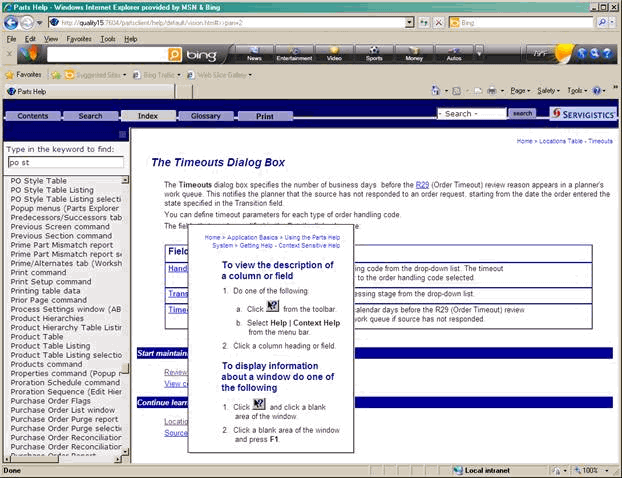
Here is an example: When opening with IE8, you can see that the popup window looks normal, all the text can be seen, and there is a "done" in the status bar, left side.
BUT - when you look at the same topic in the same webhelp, using IE9, you get this - with a truncated popup box, not all the text can be seen and the status bar says "Done!" - indicating that something didn't work right...
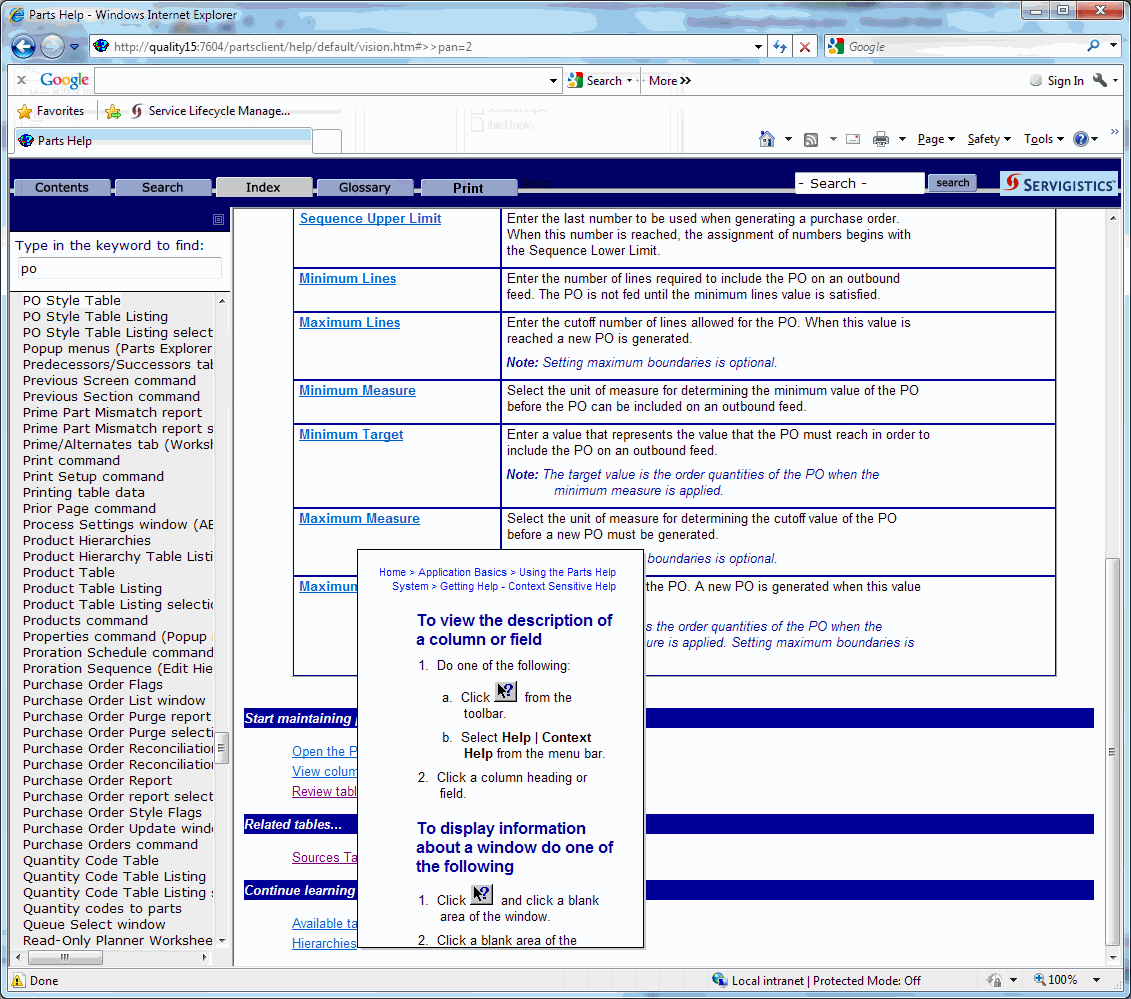
What is happening, why and how can we fix it?

Thanks for any ideas.

This topic has been closed for replies.

1 reply

Peter Grainge
Community Expert
Community Expert
October 8, 2011

Please see the Before You Post sticky topic that is on every forum and start all threads with the version and edition of RoboHelp that you are using. Problems and answers and answers are often version specific.

There were a number of problems with popups in RoboHelp 8 as described in Item 20 at http://www.grainge.org/pages/authoring/rh8/using_rh8.htm. Most likely an extra blank line after the text will fix the display.


See www.grainge.org for RoboHelp and Authoring tips

@petergrainge

Use the menu (bottom right) to mark the Best Answer or Highlight particularly useful replies. Found the answer elsewhere? Share it here.
Known Participant
October 11, 2011

My apologies about that. I guess when one is in panic mode about a problem, one doesn't read the fine print.

I am using TCS 3 (Technical Communication Suite 3), which happens to have RoboHelp 9.

I was hoping there was a better technical answer to why the pop-ups were not being sized correctly - like the .js files had an error or a parameter that was incorrect...adding a blank line "fixes" things for this moment, with a lot of manual time and effort, but for the next release or bug fix or patch, then I might just have to spend the same amount of time in the undo mode? Or adding yet another line?

Stranger thing is - it displays perfectly fine using Google Chrome. However, we cannot mandate that all of our users install and use Google Chrome. I believe a majority of them use IE.

Known Participant
October 18, 2011

What we missed was that you are selecting and discussing options that appear in the Publish settings but you have not set up a publish location. Without that, any settings are of no effect.

What you generate, all the content in the target folder is deleted. It is not the same as publishing. One important thing to note is that you must generate to a local folder. That content must then be moved to the server by whatever means you choose, often done by the developers but can be done by you. Various methods exist and publishing is one.

You should not generate direct to the server hosting the help. I am not saying it is the cause of your problem but I am also not saying it isn't.

Now tell us more about where you generate to and how it gets to the server.


See www.grainge.org for RoboHelp and Authoring tips

@petergrainge


1. I generate to a directory on my local drive, my "C" drive.

2. I run a script that jars the output.

3. I copy that jar to a shared directory.

4. I notify our build manager that new help is ready.

5. The build manager puts the jar into source control and goes through the build process.

This process has been working for the last 11 years and it is still working like a charm today.