
Inspiring
February 3, 2012
Question

change start page for project?

  • February 3, 2012
  • 1 reply
  • 1040 views

I'm using RH8 and trying to update the start page for an existing project. I opened the properties and here's a pic:
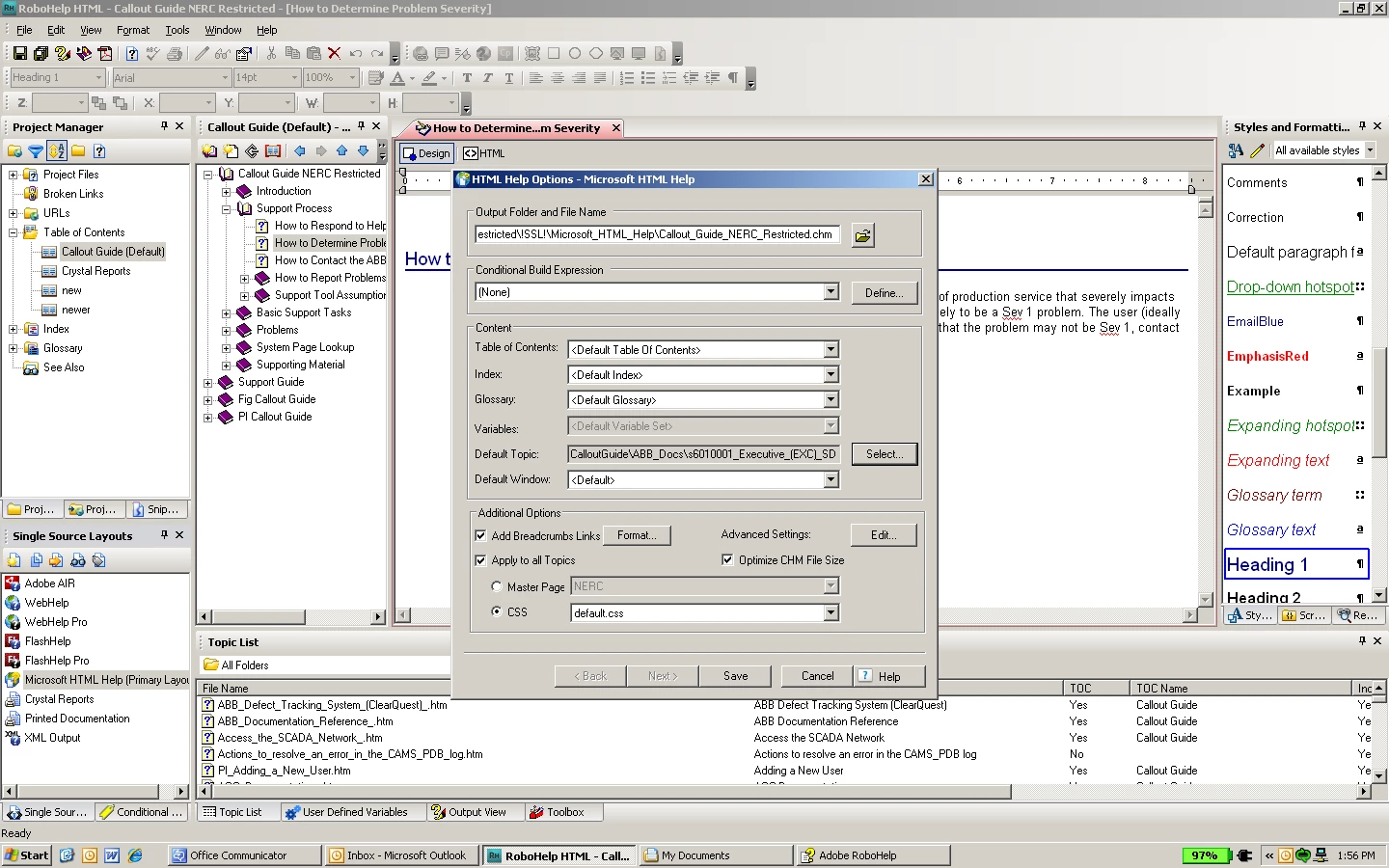
you'll see the field for Default topic is greyed out. but what's interesting is that the topic named in the field is not the opening topic for the project. So, what I'm asking is: why is the default topic a different topic than what is the opening topic of the project? second, how can I change it since it's greyed out?

This topic has been closed for replies.

1 reply

Jeff_Coatsworth
Community Expert
Community Expert
February 3, 2012

Try this thread - http://forums.adobe.com/message/873464#873464

Rick's answered this a few times ;>)

luviola10Author
Inspiring
February 7, 2012

Hi Jeff,

Thanks for all the help from everyone on this topic of changing the Default Topic. I still have a problem when I hit the Select box and select a different file to change the Default Topic. It still keeps the old one.

I'm using RH8. any solution?

Jeff_Coatsworth
Community Expert
Community Expert
February 7, 2012

yes, I'm on 8.02.208. I've noticed that the field shows two files as follows:

CalloutGuide\ABB_Docs\s6010001_Executive_(EXC)_SDD_122104_files\Introduction\Purpose.htm

where "Purpose.htm" is what displays when I generate the project.

the other one, is s6010001_Executive_(EXC)_SDD_122104_files. I don't know what format this is, but there is a folder as well as an htm named this in the project (but without the "files" at the end).


Not quite following you - click on the Select button and you should get a list of all topics. You can either pick the new desired topic off the list or use the dropdown to browse to the desired folder to narrow down the list. Maybe you need to post a shot of what you're seeing when you click the Select button.