
Rsfl
Inspiring
October 10, 2013
Question

Content categories cause error

  • October 10, 2013
  • 1 reply
  • 1133 views

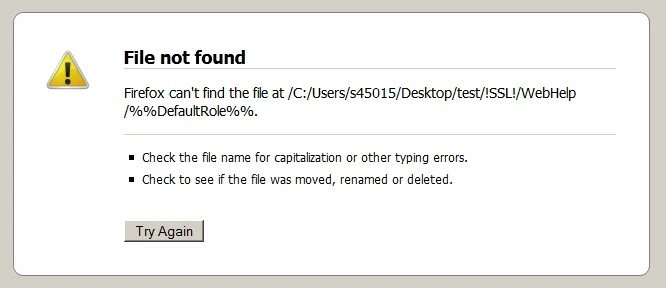
I just noticed the other day that using content categories causes an error in the output (see below). I verified this with a new test project with the same result. It is independent of the browser used.

All is fine if I manually open the start page in one of the subfolders in the Webhelp output. E.g., if the category is named "admin" then open the file "Admin.htm" in the subfolder "admin".

It looks like a script error to me, as if a variable was not resolved to set the correct file name for the start file. Any ideas? This in Win7 64bit.
This topic has been closed for replies.

1 reply

Captiv8r
Legend
October 10, 2013

Hi there

Where are you testing this? Are you testing by clicking the "View Result" button after you have generated? Or are you testing by clicking an HTM file that exists on a web server?

Cheers... Rick

Rsfl
RsflAuthor
Inspiring
October 10, 2013

Hi Rick, that makes no difference, the error always occures. However I publish the files locally, not onto a server. I remeber though that this worked before, a few months ago.

Robert

Rsfl
RsflAuthor
Inspiring
October 15, 2013

If there was a script error it would occur with the sample projects. Try one of those and see what happens.

I notice some % symbols in your path. Try losing those.


See www.grainge.org for RoboHelp and Authoring tips

@petergrainge


Hi Peter, the error also occurres with the demo projects, below the error message of the project "CCC". The % symbols are not part of the path, the RH script evidently puts them into the URL that is called.