
Sleant
Inspiring
July 6, 2020
Question

Custom Button (make it text or legible enough png)

  • July 6, 2020
  • 5 replies
  • 642 views

Hello RoboHelp Friends,

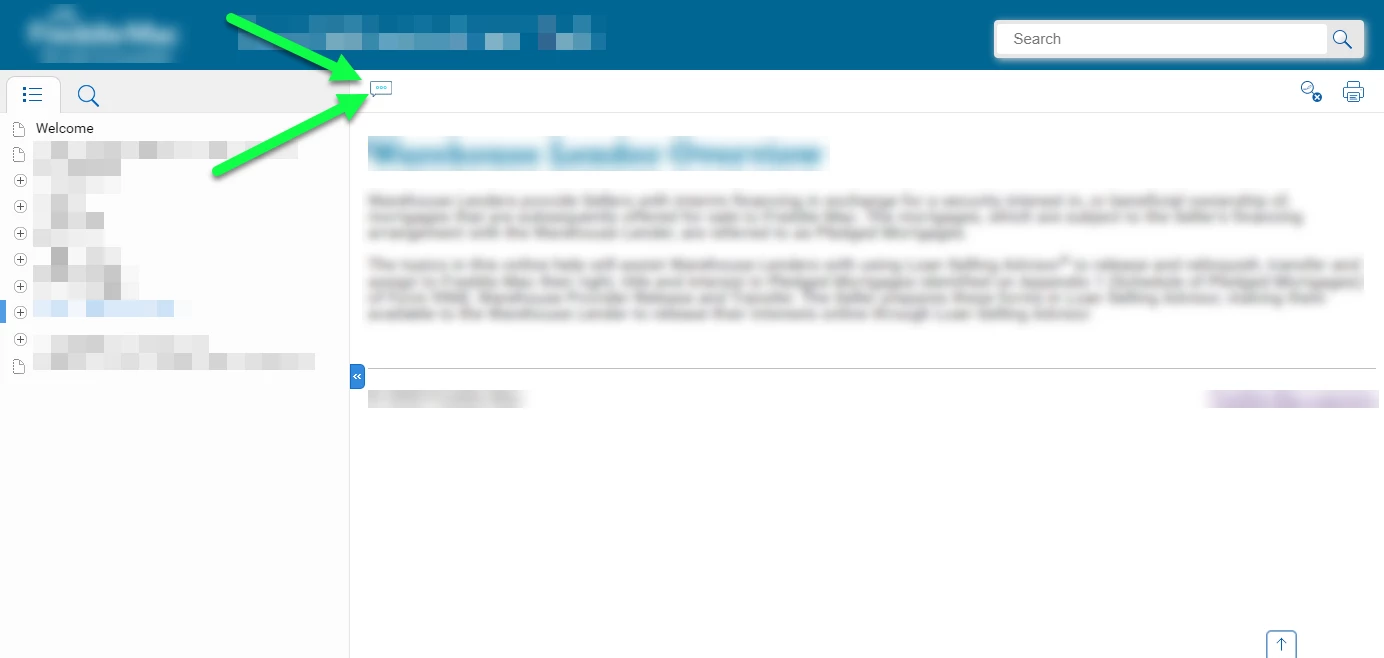
In RH2019, Azure_Blue layout, I added a "Feedback" button as shown in screenshot below. It's supposed to say Feedback and it goes to a URL. However, that space is limited, so it squishes the image down and I can't read the word Feedback. Is there a way we can make it just text and link it to a URL? Or make the image bigger?


Thank you so much, Friends.
    This topic has been closed for replies.

    5 replies

    Peter Grainge
    Community Expert
    July 9, 2020

    Is this what you are looking for?


    Help others by clicking Correct Answer if the question is answered. Found the answer elsewhere? Share it here. "Upvote" is for useful posts.
    Sleant
    SleantAuthor
    Inspiring
    July 9, 2020

    Ha! That custom links feature is only applicable to Indigo, not Azure_Blue. I didn't know that. Well, I guess there's no way to add a custom link in Azure_Blue? That's the skin I need to use. Thank you, Peter.

    Peter Grainge
    Community Expert
    July 7, 2020

    Where was it in Classic? I thought it was possible but could not see it in a quick look.


    Help others by clicking Correct Answer if the question is answered. Found the answer elsewhere? Share it here. "Upvote" is for useful posts.
    Sleant
    SleantAuthor
    Inspiring
    July 7, 2020

    Sorry, I'm saying "if" there was a way in the Classic, that's unfortunate if they took it away. Seems like they took away a few features from Classic.

    Peter Grainge
    Community Expert
    July 7, 2020

    I think you have used the skin editor with Align Left selected. All that is allowed there as far as I can see is buttons of the size seen in Azure Blue rather than text.


    I thought there was a way to add text URLs in Classic at least but I can't find it right now in either.


    Google Feedback icons has a number of offerings if that helps.


    Help others by clicking Correct Answer if the question is answered. Found the answer elsewhere? Share it here. "Upvote" is for useful posts.
    Sleant
    SleantAuthor
    Inspiring
    July 7, 2020

    Correct Peter, that's how I added the button. It's so unfortunate if they took away the ability to add text in the skin.

    Community Expert
    July 7, 2020

    I can't see any way of adding a button where you have using the skin editor. Did you use custom css and javascript to add it?


    [Please use the Reply button at the top of the page to ensure replies are in time order]

    Sleant
    SleantAuthor
    Inspiring
    July 7, 2020

    This is where I added the icon. The problem is when I added the icon, doesn't matter what size it is, it makes the button so small to fit that allowed space. I'm sorry Amebr, I made a png of the word "Feedback", but it was unlegible, so I had to make another icon (screenshot in the original post that looks like it's 3 circles) because the Feedback icon I made you couldn't read it.


    Community Expert
    July 7, 2020

    Are you using New UI or Classic? 

    Sleant
    SleantAuthor
    Inspiring
    July 7, 2020

    New UI with Update 13 (our IT department hasn't approved Update 14 yet). Thank you so much, Amebr.