Known Participant
January 25, 2019
Question

Formats Disappearing in WebHelp Output

  • January 25, 2019
  • 1 reply
  • 3286 views

I am generating webhelp using RoboHelp HTML 10 and most of my formatting dictated in my Master .css is collapsing in the output.
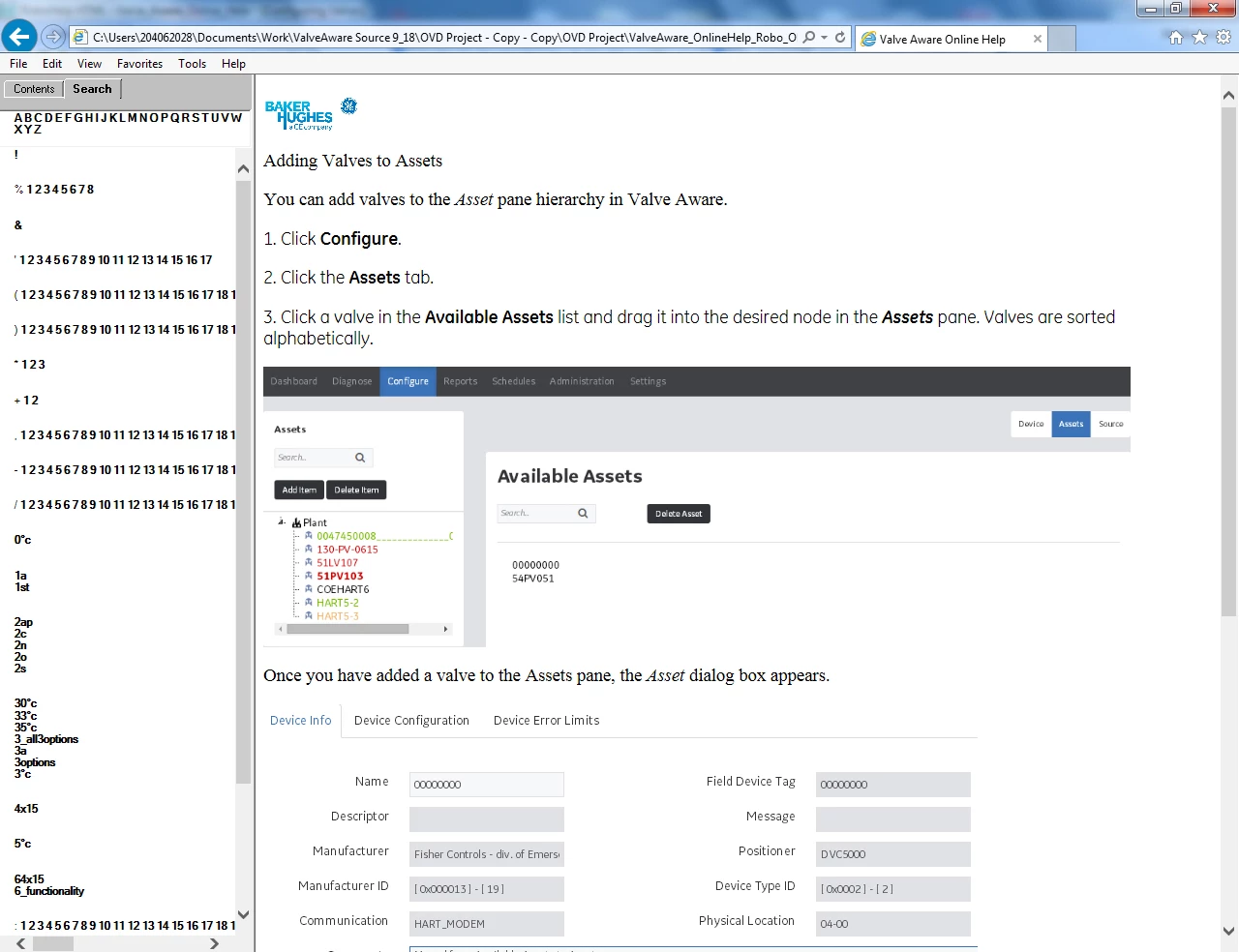
The output looks as below:

This topic has been closed for replies.

1 reply

Jeff_Coatsworth
Community Expert
Community Expert
January 25, 2019

What CSS are you using in your output SSL? That's what's going to be used to create the Webhelp.

dgrefeGEAuthor
Known Participant
January 25, 2019

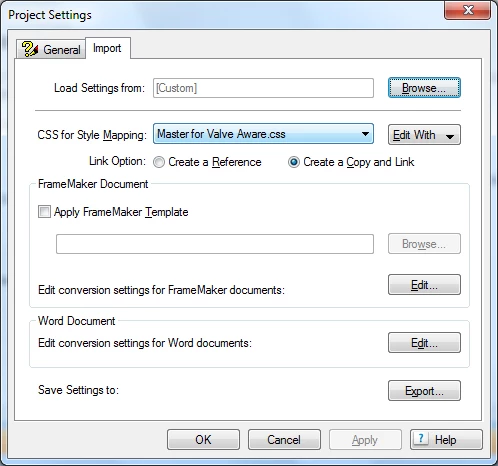
The style css appears ok. It is linked to the master css as indicated in the first image in the post.

Peter Grainge
Community Expert
Community Expert
February 4, 2019

I tried to remove this text and it would not let me delete it from within the project:

<html madcap:lastblockdepth="5" madcap:lastheight="762" madcap:lastwidth="576"

xmlns:madcap="http://www.madcapsoftware.com/Schemas/MadCap.xsd" xmlns="http://www.w3.org/1999/xhtml">

I can edit the htm in Notepad and remove it.

It seems to exist in every generated htm file.

Also, there is one other mention of madcap:

<script src="../../Resources/Scripts/MadCapAll.js" type="text/javascript">

</script>

Should I delete that line?


Anything to do with a MadCap project is not going to work in RoboHelp but it's all trial and error. The source files are simply not compatible.

  1. How did you go about the conversion process?
  2. Do you still have access to Flare?
  3. How big a project is this in terms of number of topics?

One option might be to create a CHM from Flare and then create a RoboHelp project from that. We'll think about that when you have tried Jeff's suggestion of testing a sample project.


See www.grainge.org for free RoboHelp and Authoring information.

@petergrainge

Use the menu (bottom right) to mark the Best Answer or Highlight particularly useful replies. Found the answer elsewhere? Share it here.