Legend
April 19, 2022
Answered

Frameless skin - Topic page buttons

  • April 19, 2022
  • 4 replies
  • 947 views

Hi all,

I am a bit at a loss. I am using RH 2020.7.46 new UI. I don't understand what this setting in the frameless skin editor does exactly: 
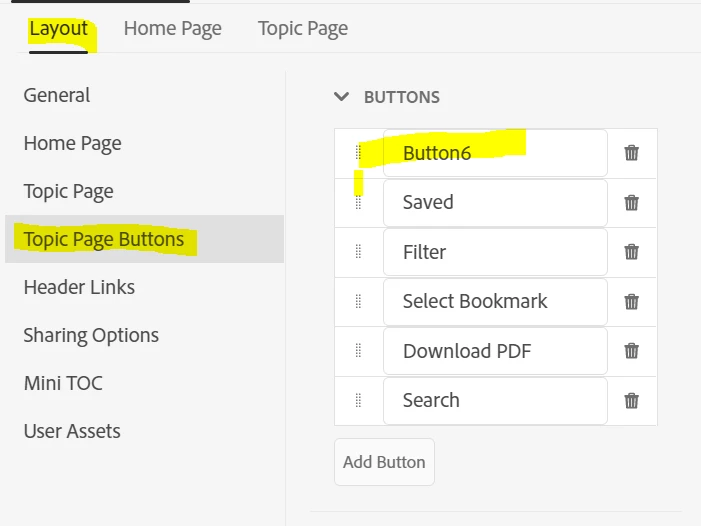
I deleted the button "Expand/Collapse all" here, as I don't want it to be displayed on my pages. I do not use expanded text. However, this took no effect.

I then found another place in the skin editor:
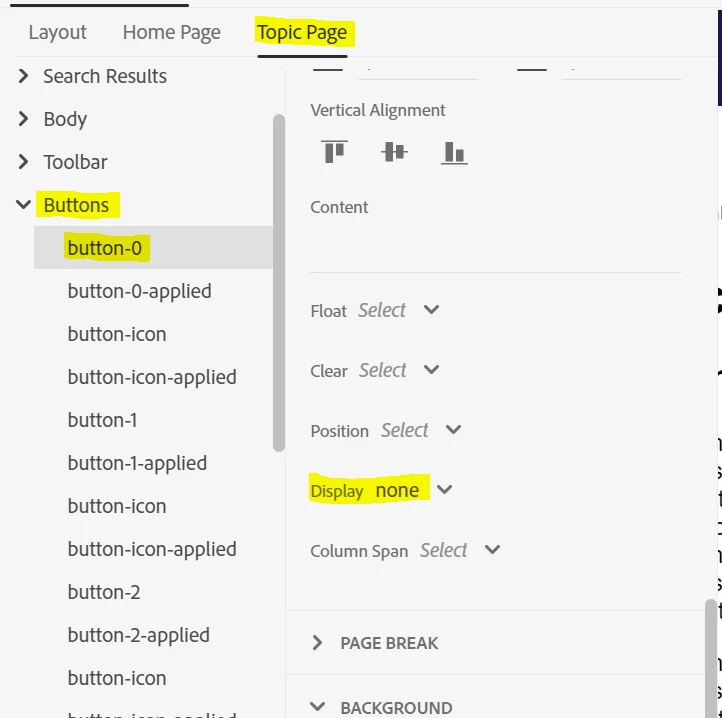
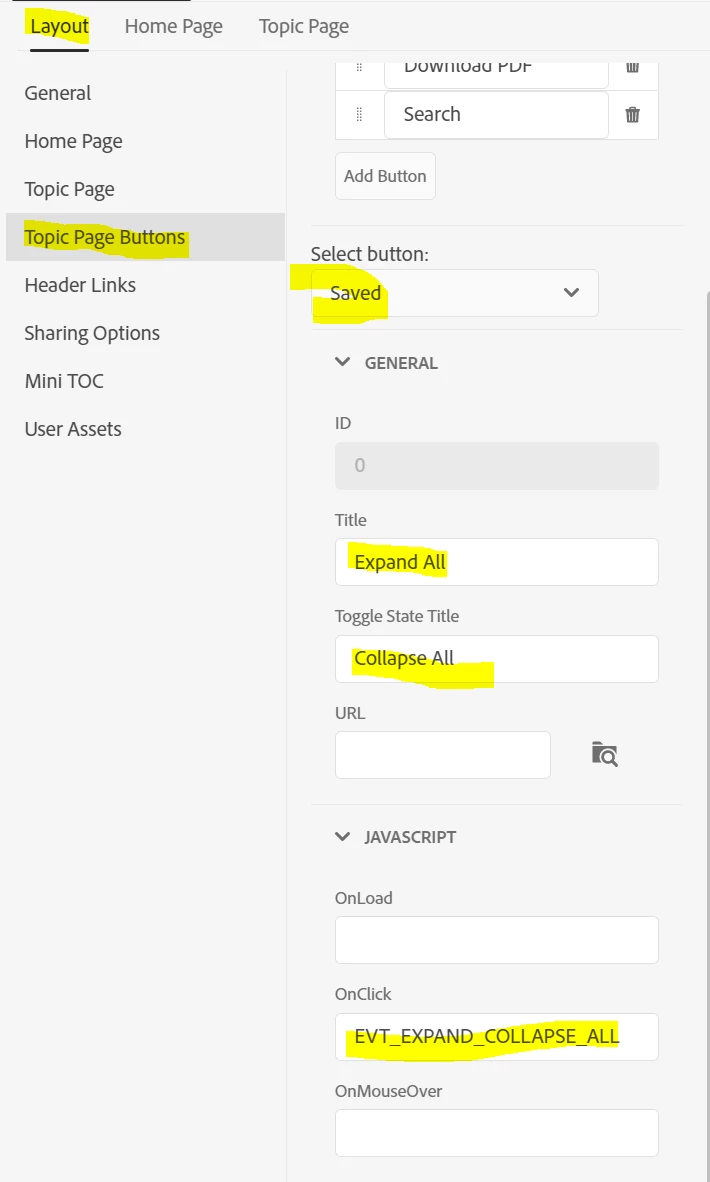
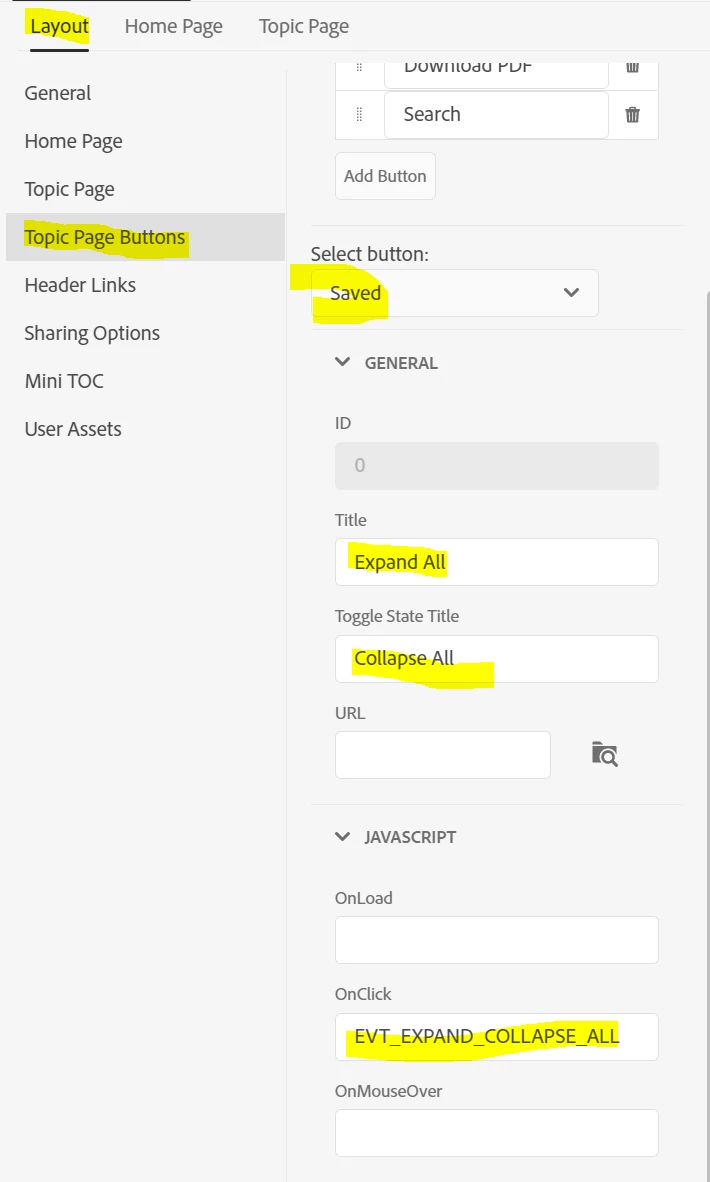
Here, I tried which button-number was the button I wanted to be deleted and set the display to "none". Now, the button is no longer displayed. Instead, a search button is shown which is not working (no tooltip, no on-click-action).

So, I don't really understand at which place I have to define what.

  1. Is my assumption correct that I have to define the function on the first tab and the layout, image etc. on the second? 
  2.  Why are there no image paths given for buttons that definitely have an image?
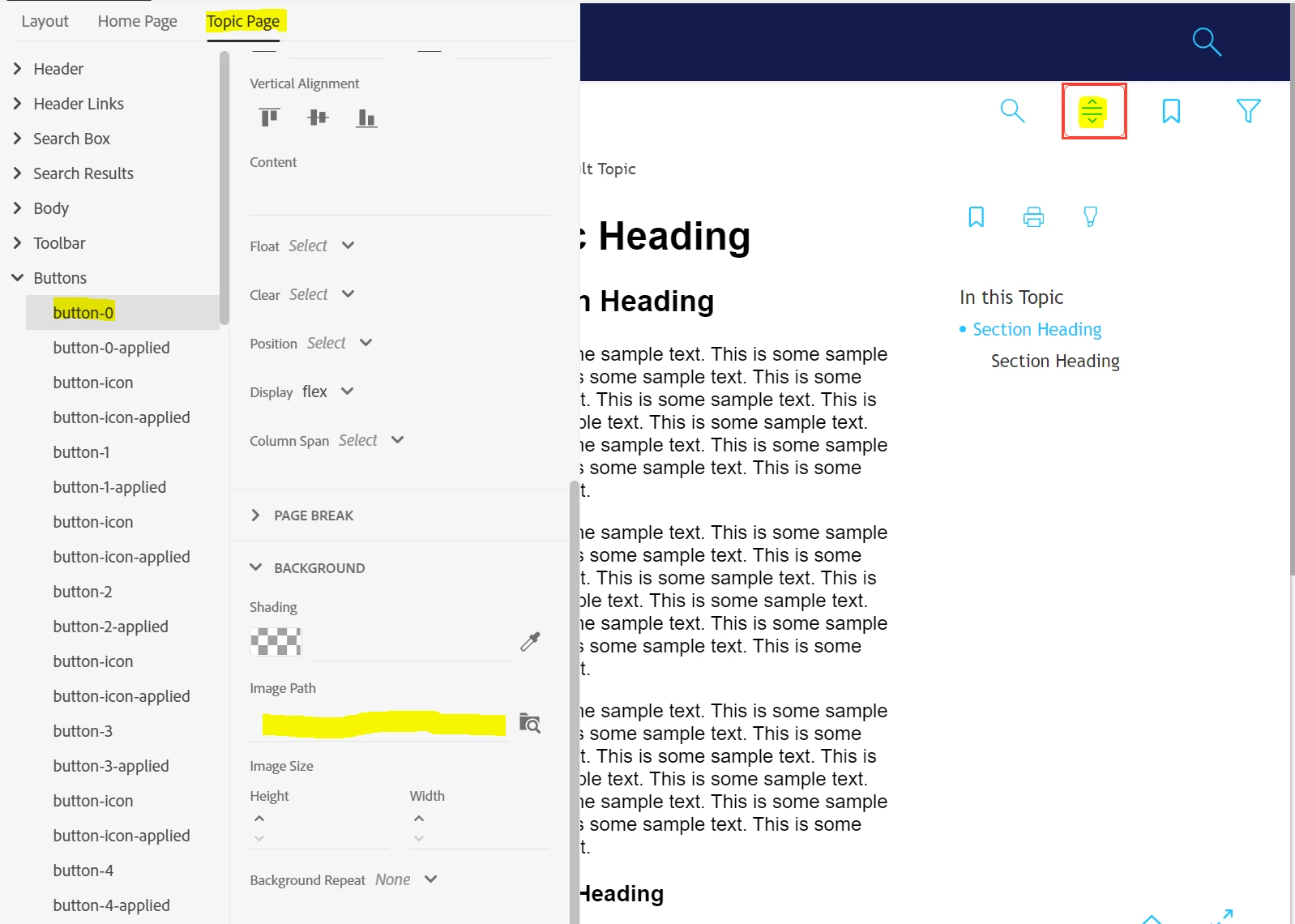
  3.  How am I to know which button is which number? In some cases, I get a marker in the editor, in some I don't.
  4.  Also, deleting a button in the Layout tab causes chaos in the naming/funtion of the other buttons:
I would be grateful for any ideas / documentation etc. on this. I already read this https://helpx.adobe.com/robohelp/using/frameless-skin-editor.html and what I could find on Peter Grainge's site

Thanks,

Karin

    This topic has been closed for replies.
    Correct answer Peter Grainge

    This is the Studio skin, correct?


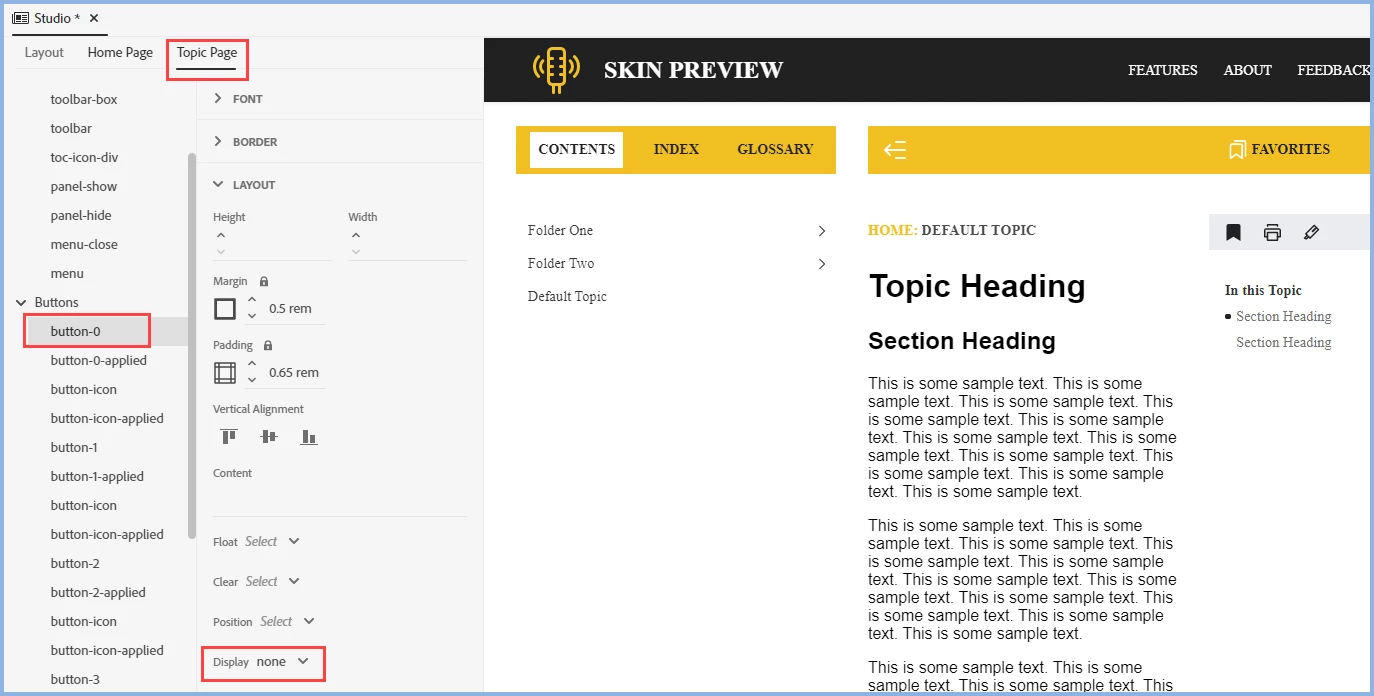
    With a new copy of the skin I applied the None setting and it Expand/Collapse no longer showed, here or in the output.


    I wonder if deleting the image first has caused the problem of another image appearing. Try a fresh copy of the skin.


    Writing up all the options would be like trying to write up all the HTML5 and CSS3 settings with the result of every permutation. I am hoping there will be some simplification in the next version but as soon as you remove all the options someone will then shout they cannot do what they want the editor to do.

    ________________________________________________________

    My site www.grainge.org includes many free Authoring and RoboHelp resources that may be of help.


    4 replies

    Legend
    April 21, 2022

    I am not sure, if we are talking about the same thing. If I delete the button "Expand/Collapse all" in a fresh Oceanic skin (or Orange or Studio as well)

    and run an output, the button is still displayed on the topic page.

    The only thing that happens is that the text and functions of the other buttons are no longer correctly assigned (i.e., Title "Expand/Collapse" is then given, when I select the button "Save" in the list).


    So, this is what I mean with "Delete not working". Is this working for you? Or am I completely misunderstanding what effect this should have?

    Peter Grainge
    Community Expert
    Community Expert
    April 21, 2022

    The area is buggy but if you both delete the button where you have shown and then in Topic Page settings set the display to None, it goes away.


    It also seems to be important to change the button in Select Button to something other than the one you are going to delete so that the text doesn't stick.


    Looks like another bug report.


    Update 23/04/22 See RH-10738 | Tracker (adobe.com)

    ________________________________________________________

    My site www.grainge.org includes many free Authoring and RoboHelp resources that may be of help.


    Use the menu (bottom right) to mark the Best Answer or Highlight particularly useful replies. Found the answer elsewhere? Share it here.
    Legend
    April 25, 2022

    Thanks for the update, Peter. Sparing me the effort to create the bug ticket myself 🙂

    Legend
    April 21, 2022

    Ah, okay. I was especially wondering why deleting a button here did not take any effect. Thanks for the clarification.

    Peter Grainge
    Community Expert
    Community Expert
    April 21, 2022

    I thought you were asking about the various settings. I hadn't picked up on Delete not working, the original problem, but it seems to be working for me.

    ________________________________________________________

    My site www.grainge.org includes many free Authoring and RoboHelp resources that may be of help.


    Use the menu (bottom right) to mark the Best Answer or Highlight particularly useful replies. Found the answer elsewhere? Share it here.
    Legend
    April 21, 2022

    Peter, thank you for looking into it. It was Orange skin.

    You were right, deleting the button did cause the issue. I got this to work now. 

    However, I still wonder if someone knows what the settings under Layout - Topic Page Buttons are supposed to do. I could detect no real effect.


    Peter Grainge
    Community Expert
    Community Expert
    April 21, 2022

    Which particular setting? For the supplied buttons, it's really only the Titles you might want to changed. For new buttons you want to add, you would just complete the fields needed. 


    ________________________________________________________

    My site www.grainge.org includes many free Authoring and RoboHelp resources that may be of help.


    Use the menu (bottom right) to mark the Best Answer or Highlight particularly useful replies. Found the answer elsewhere? Share it here.
    Peter Grainge
    Community Expert
    Peter GraingeCommunity ExpertCorrect answer
    Community Expert
    April 19, 2022

    This is the Studio skin, correct?


    With a new copy of the skin I applied the None setting and it Expand/Collapse no longer showed, here or in the output.


    I wonder if deleting the image first has caused the problem of another image appearing. Try a fresh copy of the skin.


    Writing up all the options would be like trying to write up all the HTML5 and CSS3 settings with the result of every permutation. I am hoping there will be some simplification in the next version but as soon as you remove all the options someone will then shout they cannot do what they want the editor to do.

    ________________________________________________________

    My site www.grainge.org includes many free Authoring and RoboHelp resources that may be of help.


    Use the menu (bottom right) to mark the Best Answer or Highlight particularly useful replies. Found the answer elsewhere? Share it here.