
Exit
  • Global community
    • Language:
      • Deutsch
      • English
      • Español
      • Français
      • Português
  • 日本語コミュニティ
  • 한국 커뮤니티
0

Generated PDF substituting font

Participant ,
Jul 06, 2012 Jul 06, 2012

RH9 | WebHelp

When I generate a PDF of any topic by previewing it (in RoboHelp), right-clicking, selecting Print and then Adobe PDF in the Print dialog box, the output is substituting my normal font Tahoma for Courier. However, it leaves anything in bold type. See the screenshot below:
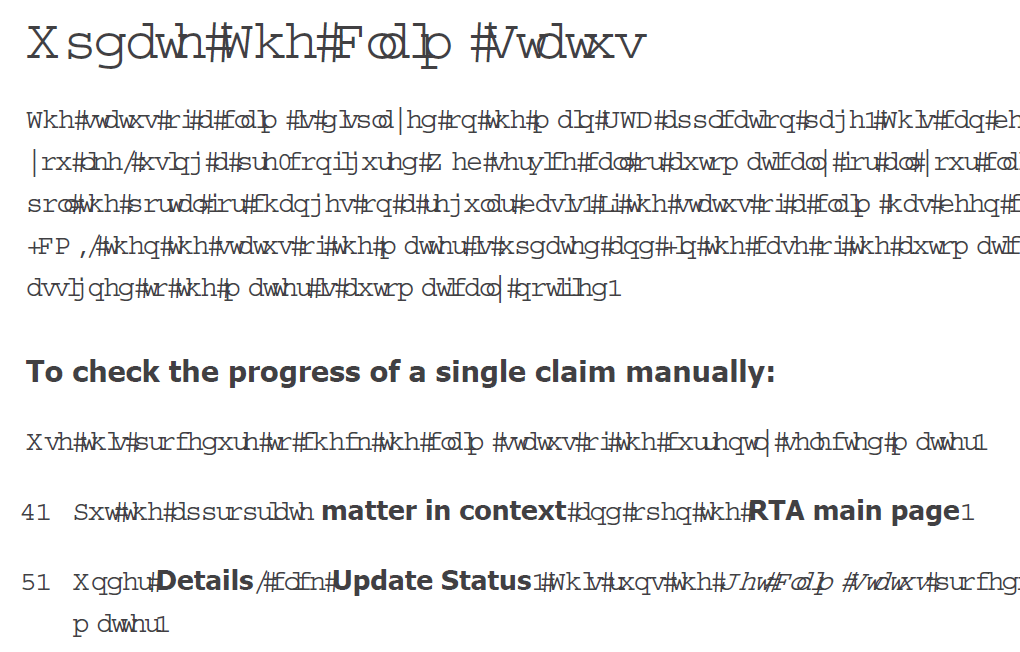
example.gif

This is a fresh install of Technical Communications Suite 3 on a new laptop and it's the first time I've produced a PDF this way.

Any help would be much appreciated.

Thanks

Jonathan

1.2K
Translate
Report
Community guidelines
Be kind and respectful, give credit to the original source of content, and search for duplicates before posting. Learn more
community guidelines

correct answers 1 Correct answer

Community Expert , Jul 06, 2012 Jul 06, 2012

What operating system is being used? If XP, then you probably need the MS Hotfix. Are you fully patched up on your TCS components?

Translate
Community Expert ,
Jul 06, 2012 Jul 06, 2012

What operating system is being used? If XP, then you probably need the MS Hotfix. Are you fully patched up on your TCS components?

Translate
Report
Community guidelines
Be kind and respectful, give credit to the original source of content, and search for duplicates before posting. Learn more
community guidelines
Participant ,
Jul 06, 2012 Jul 06, 2012

I'm running Windows 7 and I'm fully patched up. This method worked fine on my old desktop PC too.

Translate
Report
Community guidelines
Be kind and respectful, give credit to the original source of content, and search for duplicates before posting. Learn more
community guidelines
Participant ,
Jul 06, 2012 Jul 06, 2012
LATEST

Correction - RH is fully patched up, but Acrobat wasn't. I've updated, restarted, and all appears well now. Thanks Jeff.

Translate
Report
Community guidelines
Be kind and respectful, give credit to the original source of content, and search for duplicates before posting. Learn more
community guidelines
Resources
RoboHelp Documentation
Download Adobe RoboHelp