
November 23, 2011
Answered

is there any option to skim through the pages?

  • November 23, 2011
  • 2 replies
  • 1983 views

Hello,

currently I'm searching for an simple option to skim through the "pages" in html-help. I use RoboHelp 9 and first startet to create such an option by using arrows and linking them to the various pages. But this solution has some disadvantages: as I put those arrows - one for forward and one for backward  - via a table on the head of the pages, it is not possible to use a master page for this. (The arrows have to be linked to various pages and therefore a master page can't be used. This leads to the problem, that in the generated help the head of the pages varies in size and the pages seem to "jump" when you scroll through them.

Has anyone an idea how I could solve this problem? Or is there a simple scroll-option I could use but have not found yet?

Is it somehow possible to show in the TOC on which page you currently are? (In my solution the TOC only shows the last page you selected in the TOC but not the one, you opened via a link...)

Thank you for reading!

Gr33bo
This topic has been closed for replies.
Correct answer Captiv8r

I'm very sorry, I forgot that one.


Hi there

Browse Sequences in a CHM rely upon an additional file named HHActiveX.dll. This file must be present and registered with Windows. Oddly, your Browse Sequences aren't showing (I'm presuming on the machine where you compile the help). I say "Oddly", as the installation of RoboHelp normally also registers the DLL with Windows.

At any rate, it certainly won't hurt to re-register the DLL and see if that corrects the problem. Personally, I also recall that Version 8 had a similar issue on my own setup. I had real problems coaxing the Browse Sequences to show.

Registering the DLL may be different depending on your operating system. (32 bit VS 64 bit)

Click here for instructions

Cheers... Rick

Helpful and Handy Links

RoboHelp Wish Form/Bug Reporting Form

Begin learning RoboHelp HTML 7, 8 or 9 within the day!

Adobe Certified RoboHelp HTML Training

SorcerStone Blog

RoboHelp eBooks

2 replies

November 25, 2011

it works!

Thanks a lot to both of you!

Gr33bo

Peter Grainge
Community Expert
Community Expert
November 23, 2011

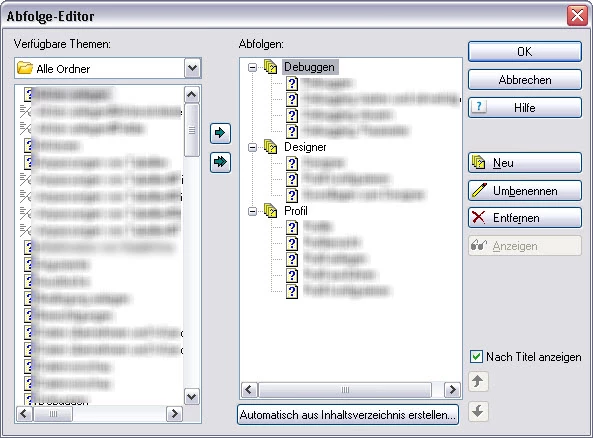
How about a Browse Sequence?

That enables a user to click an icon and go to whatever topic you have defined as Next in the sequence.

See the OLH.


See www.grainge.org for RoboHelp and Authoring tips

@petergrainge

Use the menu (bottom right) to mark the Best Answer or Highlight particularly useful replies. Found the answer elsewhere? Share it here.
November 23, 2011

seems to be a nice suggestion. But when I generate a HTML-help, I can't see where the browse sequence makes any difference to the HTML-Help I made before... are there any special buttons available? The manual doesn't tell...

Peter Grainge
Community Expert
Community Expert
November 23, 2011

You need to enable Browse Sequences in the Window Properties.


See www.grainge.org for RoboHelp and Authoring tips

@petergrainge

Use the menu (bottom right) to mark the Best Answer or Highlight particularly useful replies. Found the answer elsewhere? Share it here.