
Participant
December 29, 2010
Answered

Maintaining styles while upgrading a X5 project to RH8

  • December 29, 2010
  • 1 reply
  • 419 views

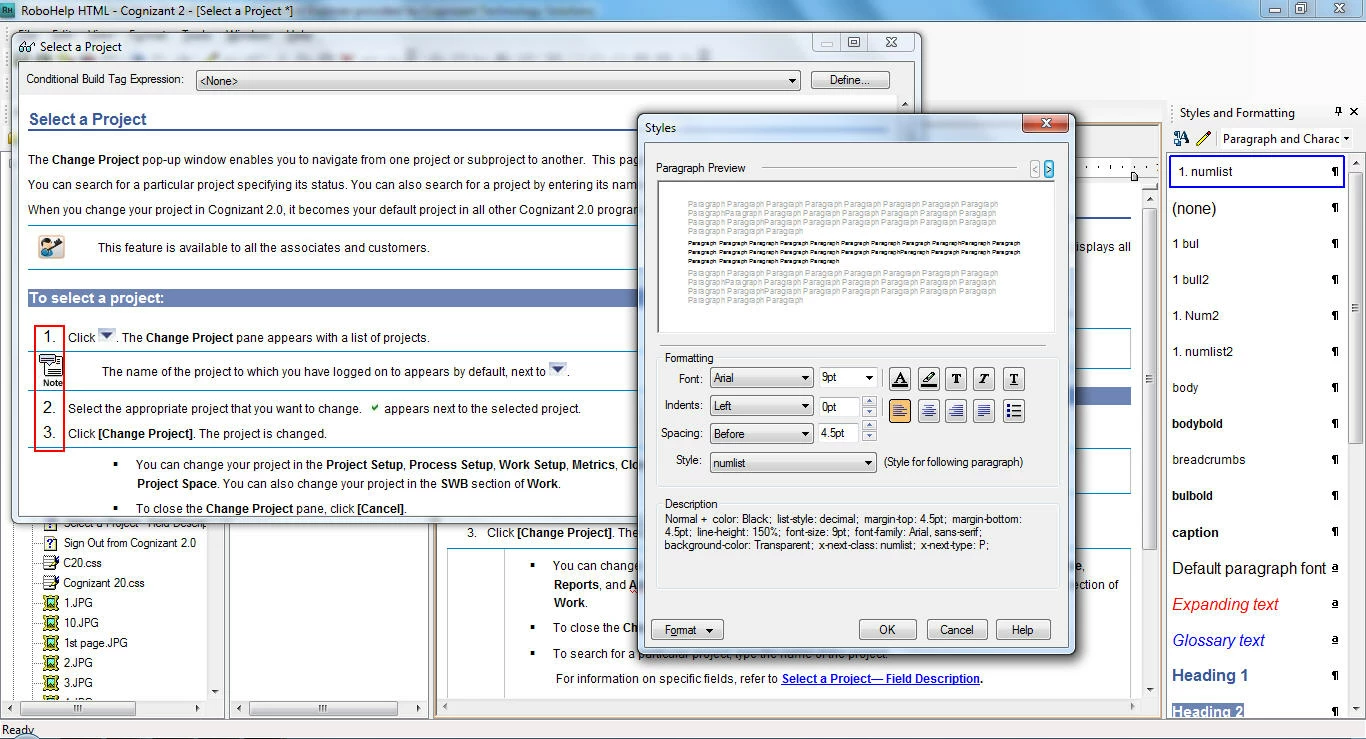
The numbered list style seems to have got distorted. The style was created in X5 but after the project has been upgraded, the numbers of the num list style appear bigger in font size in the generated output. We have tried changing the font size of the num list as well as normal but it still appears large.
This topic has been closed for replies.
Correct answer Peter Grainge

You are using a paragraph style as a list style. That was never correct but earlier versions of RoboHelp were more forgiving. RoboHelp 8 output is XHTML, which applies stricter rules.

See Item 25 at http://www.grainge.org/pages/authoring/rh8/using_rh8.htm for a detailed explanation. Also see the separate topic about using images in lists.

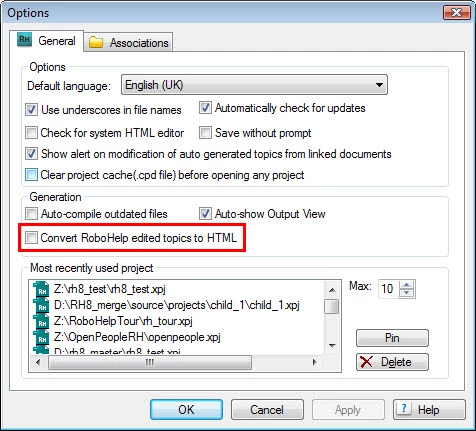
As a quick and dirty solution, you might find going to Tools > Options and selecting the Convert option will fix it. No guarantee.


See www.grainge.org for RoboHelp and Authoring tips

@petergrainge

1 reply

Peter Grainge
Community Expert
Peter GraingeCommunity ExpertCorrect answer
Community Expert
December 29, 2010

You are using a paragraph style as a list style. That was never correct but earlier versions of RoboHelp were more forgiving. RoboHelp 8 output is XHTML, which applies stricter rules.

See Item 25 at http://www.grainge.org/pages/authoring/rh8/using_rh8.htm for a detailed explanation. Also see the separate topic about using images in lists.

As a quick and dirty solution, you might find going to Tools > Options and selecting the Convert option will fix it. No guarantee.


See www.grainge.org for RoboHelp and Authoring tips

@petergrainge

Use the menu (bottom right) to mark the Best Answer or Highlight particularly useful replies. Found the answer elsewhere? Share it here.