
Known Participant
November 5, 2018
Question

Mini TOC Robohelp 2019

  • November 5, 2018
  • 1 reply
  • 1847 views

I've converted my RH17 project to RH19.

The mini TOC doesn't seem to work in 19. Is this something that Adobe is still working on?

  1. There doesn't seem to be an option to collapse, selecting "Show TOC in expanded form" doesn't do anything
  2. Why are the entries truncated?

Is there another way I can manage the mini-toc?

I've included screenshots.
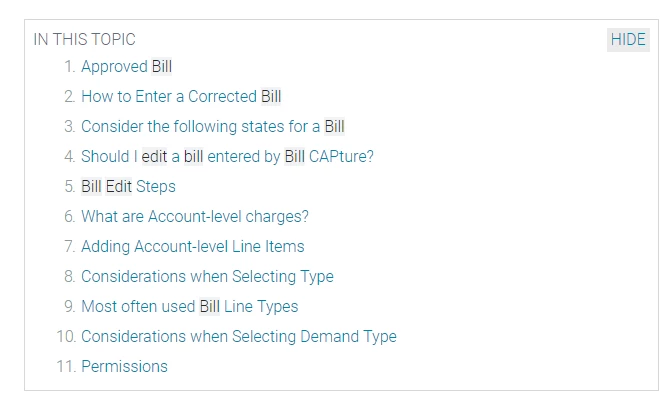
This topic has been closed for replies.

1 reply

Known Participant
November 5, 2018

Well now after applying update 2 it is worse. It is set to not display and there is no option to control this in the gui.

Known Participant
November 5, 2018

I have to delete the mini-toc and use the gui to insert a new one.

Still have the issue of the truncated lines.

roryj86911642
Inspiring
May 23, 2019

Also, I am unable to delete and recreate and I went into past updates and I am getting the same thing. I had no problems with the past release!!!


I just created a new project and same problem. Am I doing something wrong Peter? How did you get it to work? It is supposed to pickup headings (in my case heading2 - correct??)