Inspiring
October 7, 2013
Question

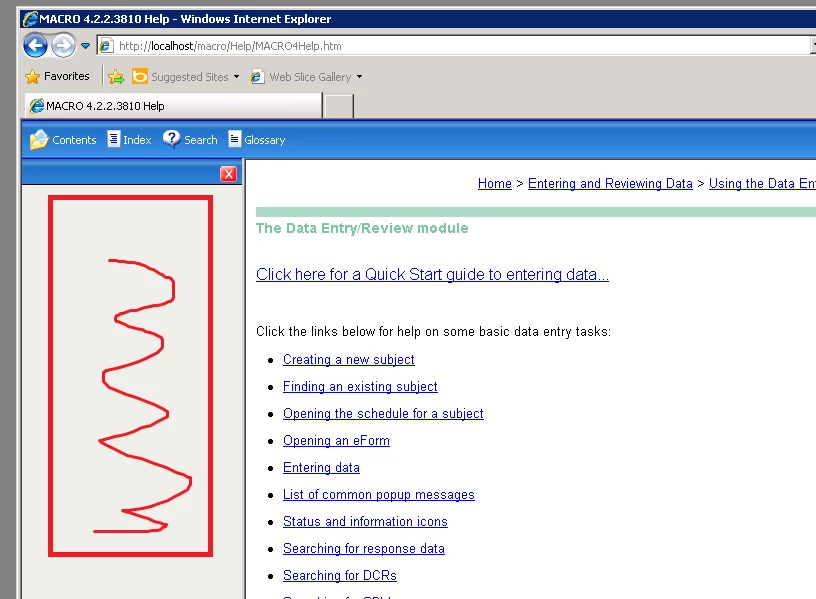
Nav pane displaying empty

  • October 7, 2013
  • 2 replies
  • 2107 views

Our testers have just informed me that  the navigation pane appears empty in my latest help project when viewed in IE 8, 9 and Firefox 17.

This is the first time my help has been built into the product since I upgraded to RH10 so I've been assuming it has something to do with that but I can't find any info on this particular issue so I'm not so sure. Nothing else has changed since my last version other than simple content changes.

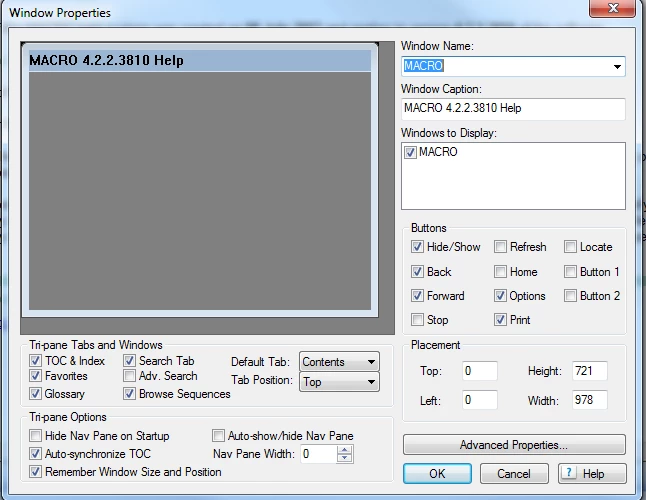
My window settings are shown below.

I'm hoping this is something really basic. Can anyone help?
This topic has been closed for replies.

2 replies

Flaven
Inspiring
November 4, 2013

This is occuring to me with Windows 8.1 -- is that your version?

Jeff_Coatsworth
Community Expert
Community Expert
November 4, 2013

You’re probably running IE11 – there are issues with IE10 & 11 with enhanced security disabling JavaScript – which WebHelp needs to run properly.

Jeff_Coatsworth
Community Expert
Community Expert
November 4, 2013

Oh, I didn't say there were no issues with other versions (search some of my comments for those buggers); it's just that the blank navigation panes were a new and thoroughly unpleasant surprise for me with the Windows 8.1 upgrade, which included IE11 and which Adobe has had as BETA and RTM for quite a few months.

Seeing as how Adobe still hasn't released a Word 2013-compliant version of RoboHelp after more than a year, I'm beginning to think Adobe is in the process of dumping RH altogether.

They are certainly not supporting it at this point.


As a beta tester I can assure you that they’re not.

Inspiring
October 7, 2013

I've just discovered that I had submitted an earlier version of help since the upgrade and that was fine. So it's definitely nothing to do with the upgrade to RH10.

It may be a dev issue but I want to rule out anything RH-based before I tell them that.

Jeff_Coatsworth
Community Expert
Community Expert
October 7, 2013

I'd be checking to see if your browser security hasn't been changed - you may need to ensure that JavaScript is enabled and add the location of your help files as a "Trusted Location" or on a "Safe" list of places. There's definitely an issue with the latest builds of Chrome busting WebHelp (see this thread - http://forums.adobe.com/message/5741382#5741382).