
Known Participant
May 12, 2015
Question

Output to pdf errors results in nothing created

  • May 12, 2015
  • 3 replies
  • 668 views

Hello, I'm using Robohelp 10 and Word 2010, both products are installed locally on a legal copy of Windows 7 Enterprise. Robohelp is current as I checked for updates yesterday. I have tried many different help projects ranging from 10-2000 topics with the same results. I have deleted the PSS files first, and see the same results.

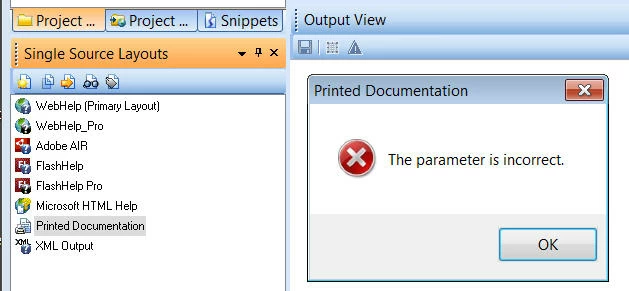
Starting Robohelp and double-clicking Printed Documentation results in this error message ( I also see the same message when generating WebHelp however the compile is always successful):
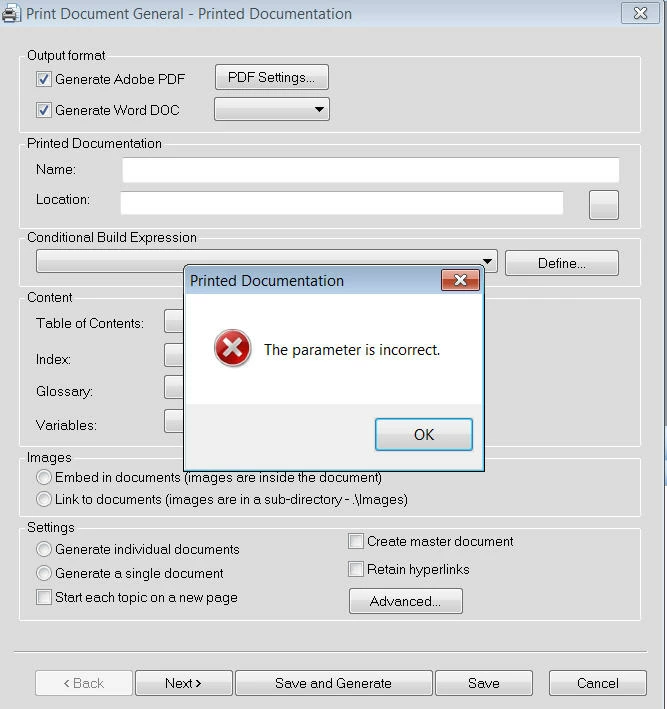
After clicking ok the Print Document General screen appears, the same message pops up, and all drop-down menus are blank:
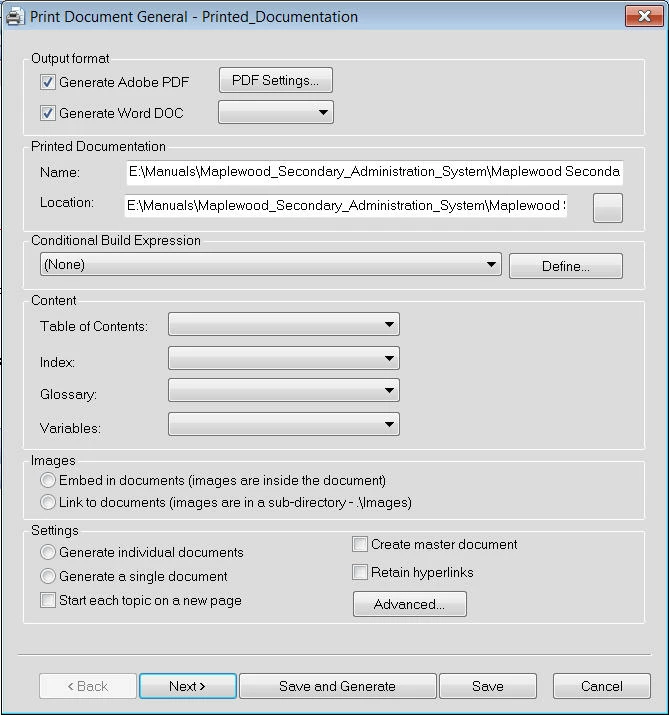
It is possible to continue clicking Next after manually entering the location and file name.
After arriving at the final screen, I am able to click Save and Generate with no further errors,
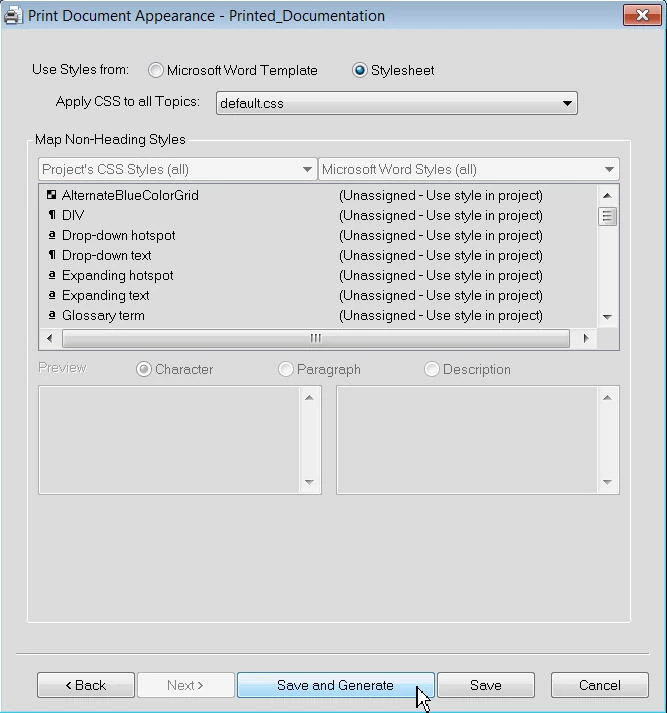
However nothing happens except the word Ready appears in the status bar.
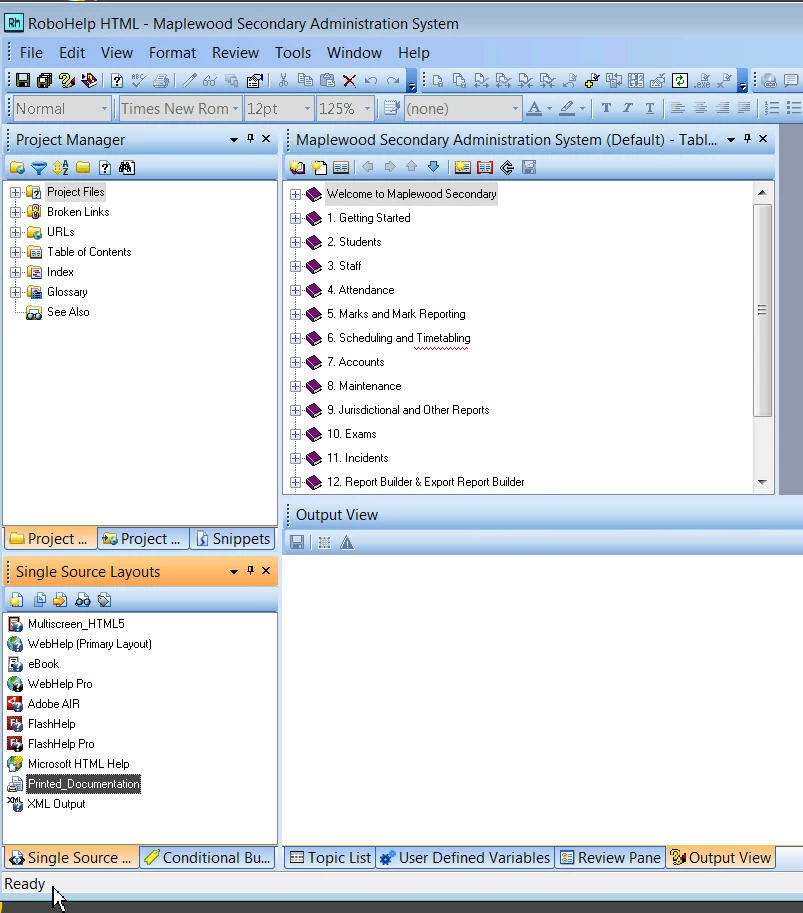
If anyone has encountered this before or knows where I might find a solution posted previously I would be very appreciative.

Thanks for your time,

Chad

This topic has been closed for replies.

3 replies

ChadMAuthor
Known Participant
May 29, 2015

Hi Peter,

Rebuilt the VM box installed RH10.

Applied 10.1 patch.

Still seeing the Invalid Parameter error and when trying to output to pdf it just sits.

Is there some other Adobe product needed to create the pdf that this box may be missing?

If not I will have to start the search for another product to output to pdf as I have no options left.

I could upgrade to 11 but will likely have the same problem.

Thanks

Chad

ChadMAuthor
Known Participant
June 1, 2015

Hi Peter,

Rebuilt VM installed RH11 trial. Same invalid parameter error. Still will not output pdf, just sits and says ready.

Do you think it may be a rights restriction somewhere?

Back to using version 10.1 it outputs as Review pdf only, but will not output from Printed Documentation pdf.

Peter Grainge
Community Expert
Community Expert
June 1, 2015

Have been away and will be in hospital Wednesday.

When did you download trial, recently? Did I ask if all patches applied?

Use the menu (bottom right) to mark the Best Answer or Highlight particularly useful replies. Found the answer elsewhere? Share it here.
ChadMAuthor
Known Participant
May 27, 2015

sorry i forgot to add after i applied the new whproxy.js patch.

Peter Grainge
Community Expert
Community Expert
May 12, 2015

It is more common to delete the CPD file and reopen the project.

Have you tried with one of the sample projects. Click Open on the RoboHelp Starter page and then click Samples in the ribbon on the left.

Also have you applied all the patches?


See www.grainge.org for RoboHelp and Authoring tips

@petergrainge

Use the menu (bottom right) to mark the Best Answer or Highlight particularly useful replies. Found the answer elsewhere? Share it here.
ChadMAuthor
Known Participant
May 13, 2015

Hi Peter,

Thank you for responding.

I will try deleting the cpd, and I will also try a sample project.

I checked for updates on Monday; is there somewhere else I should look for a patch or does that updates inquiry catch the patches as well.

Chad

ChadMAuthor
Known Participant
May 19, 2015

Sorry for the slow reply.

If you haven't already tried the reinstall, first I would try generating just the Word document. Untick the PDF option and try that.


See www.grainge.org for RoboHelp and Authoring tips

@petergrainge


Hi Peter,

Same scenario for Word or PDF. I'm out of ideas!

I see the same parameter error before I output to HTML help but it always works.

I guess maybe an uninstall an reinstall unless you have any other suggestions.

Thanks

Chad