
Inspiring
March 21, 2014
Question

Problem with glossary hotspots when glossary term next to text in angle brackets <>

  • March 21, 2014
  • 1 reply
  • 354 views

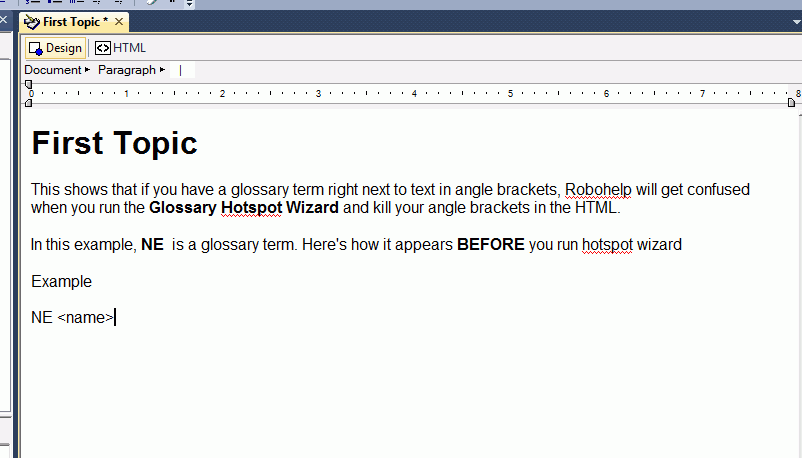
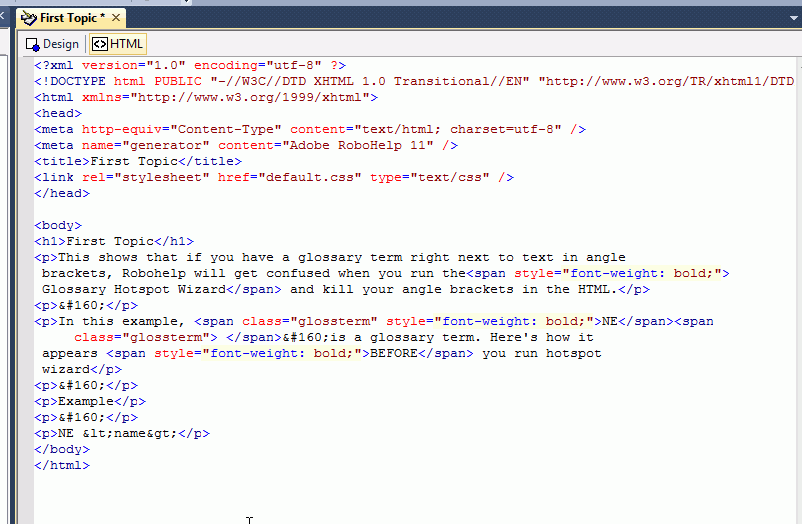
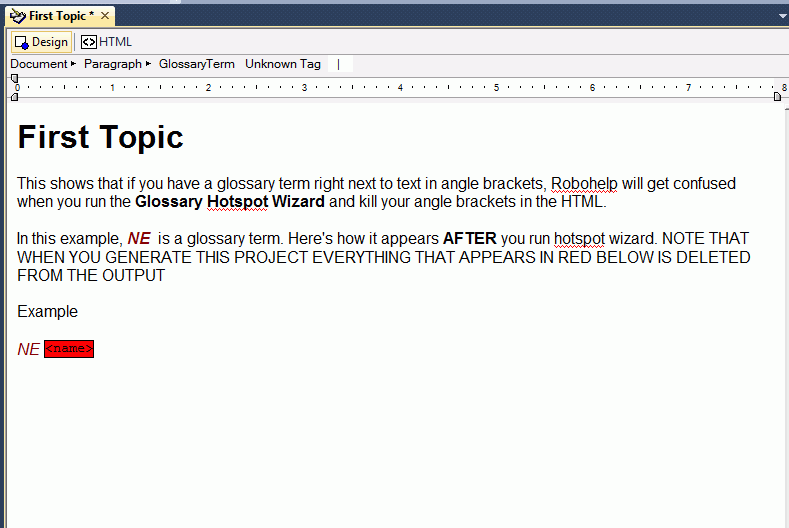
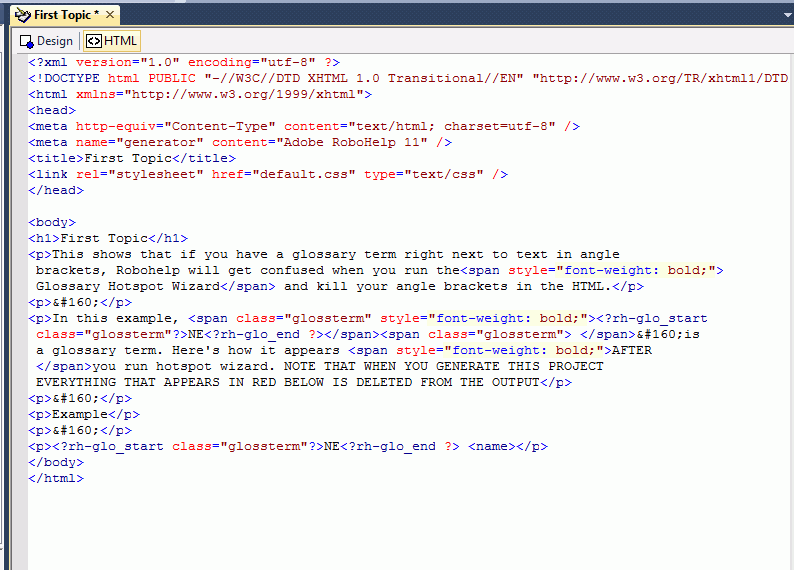
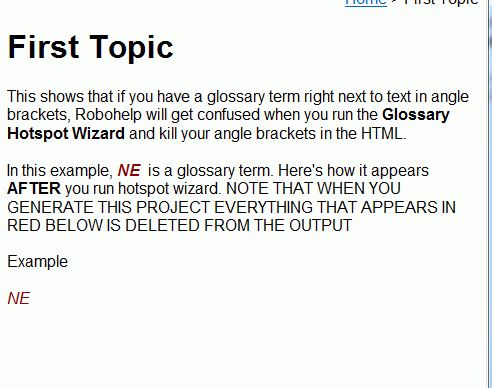
Has anyone observed this problem. If so, is there a way to fix this? If I have text in angle brackets <> right next to a glossary term, and I run the Robohelp Glossary hotspot wizard, Robohelp will get confused and delete that text in the generated output . I've shown this using some screen captures. The problem appears to be that Robohelp replaces the code for the text angle brackets, &lt; and &gt; with regular angle brackets <>.

Thanks.

BEFORE RUNNING HOTSPOT WIZARD:
CORRESPONDING HTML
AFTER RUNNING HOTSPOT WIZARD
CORRESPONDING HTML
GENERATED OUTPUT
This topic has been closed for replies.

1 reply

Captiv8r
Legend
March 21, 2014

Hi there

Yeah, that would appear to be a bug to me. Fortunately, in the editor the text is highlighted in red. So it's easy to just click on it and re-type it. (Yeah, I know we *SHOULDN'T* have to do that, but it's a workaround for the moment)

I'd suggest you report it to Adobe as a bug using the link below:

http://www.adobe.com/go/wish

Cheers... Rick

Inspiring
March 21, 2014

Hmm, ok thanks Rick. I think I will remove the glossary hotspots. My helpsets are thousands of pages, and I can't comb through it every time I run the glossary hotspot wizard. I will submit it as a bug and hope for a patch.