
December 12, 2013
Question

Remove Underline in Related and See Also Popup

  • December 12, 2013
  • 1 reply
  • 562 views

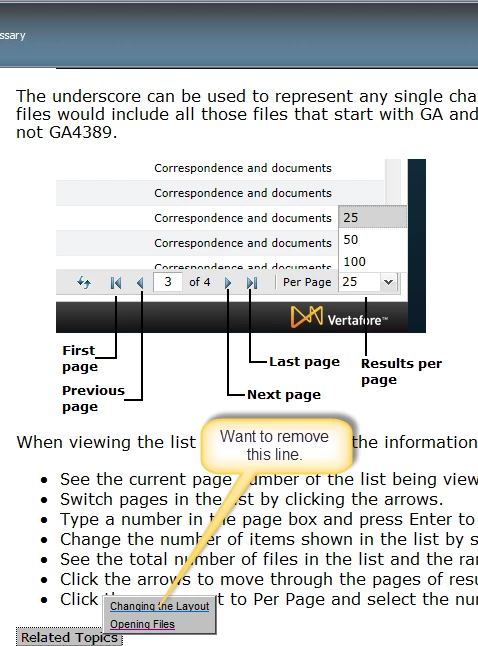
How can I remove the underline from the list items in the popup menus associated with Related Topics and See Also buttons as shown in the picture?

I am using RH 9.0.2. This project is being generated as WebHelp.

Thanks in advance for any help.
This topic has been closed for replies.

1 reply

Jeff_Coatsworth
Community Expert
Community Expert
December 12, 2013

Break out your JavaScript and CSS editing skills – those are hyperlinks to other topics.

December 12, 2013

@Jeff_Coatsworth,

Thanks for taking time to respond.

I suspected as much, i.e., the CSS would need to be modified.

The links don't appear as underlined in HTML Help (CHM). I would like the same appearance in my WebHelp project..

I don't have advanced skills with editing CSS so could you be more specific about what changes I need to make. If the changes don't require advanced skills, I might be able to accomplish the desired result.

It may also be worth noting that I only want to change the appearance of links in the popup menus. I do not want to change the appearance of hyperlinks that appear in body text.

Jeff_Coatsworth
Community Expert
Community Expert
December 12, 2013

Sorry, I don’t have skills that sort of way either – check with Willam – the danger, which you noted, is that you could mess up your “regular” hyperlinks.