
Participant
February 16, 2015
Question

Responsive HTML5 Output: How to auto adjust the screen resolution for all devices?

  • February 16, 2015
  • 1 reply
  • 3089 views

Responsive Layout HTML 5 output has to adjust the screen resolution and setting whereever the output is viewed ie. Desktop, Laptop, Tablet or Mobile.

But I can view the output of Desktop only in 95% zoom of the computer, in 100% zoom in desktop shows the output in the below format:

Desktop view:

    in 100% zoom: Its a bug, we need to fix it as like the second screen capture
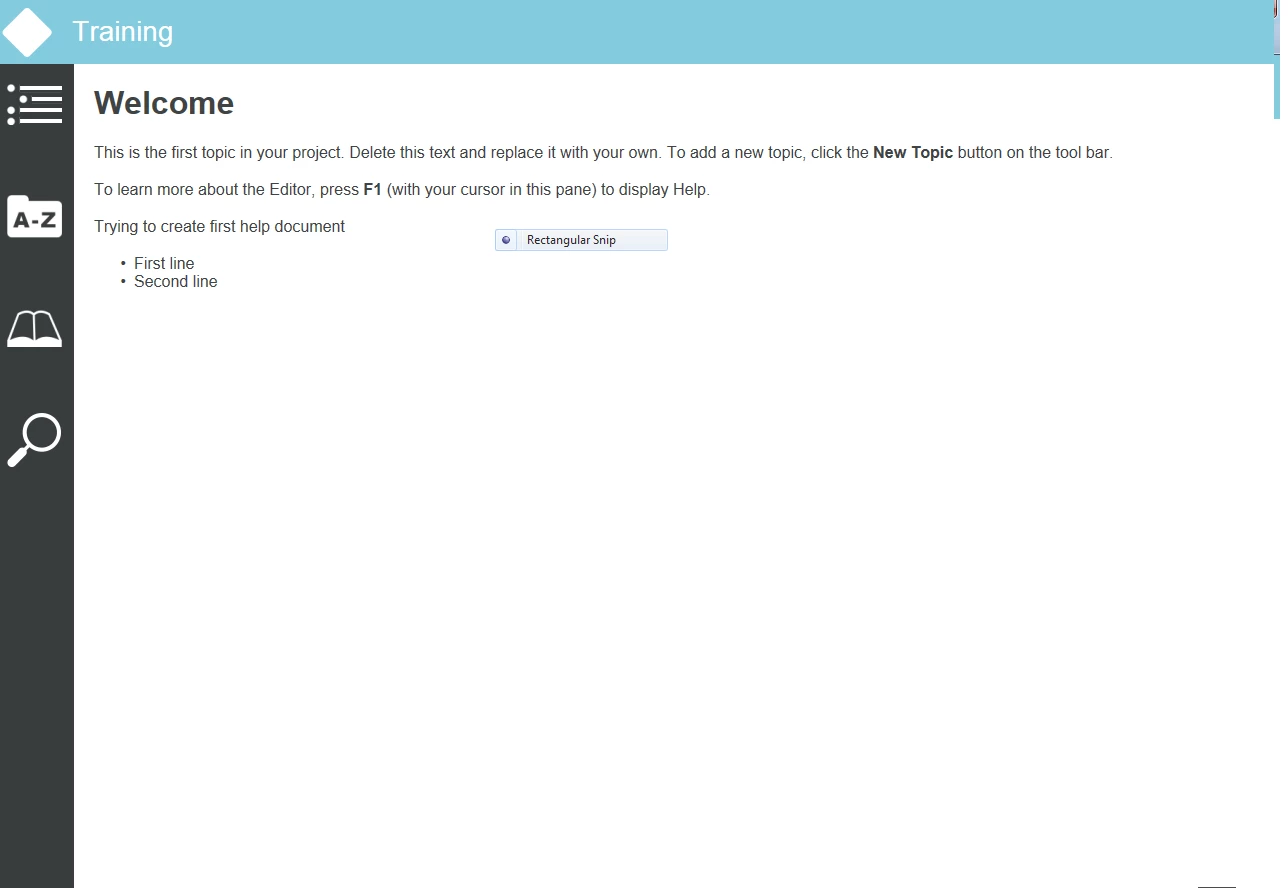
   in 95 % zoom on desktop:

We need solution for this since we cannot refer the User the browser type & fixed screen resolution,

so I need my output should auto adjust to all screens and browsers, kindly fix me as early as possible, since I have been at the final phase of the project

This topic has been closed for replies.

1 reply

Willam van Weelden
Inspiring
February 16, 2015

What do you mean by 'has to change the resolution'? Are you seeing the wrong outputs on devices? (That's what I can gather from the zoom levels.)

You can change the media queries to determine which devices see which version.

Participant
February 16, 2015

The output need to get adapt with the zoom level of the devices. Yes , the desktop view seems to be like tablet view in 100% zoom. May I know what is media queries where I have fix that on Robohelp? Kindly help me with fixing this issue...

Known Participant
May 13, 2015

What is your Windows DPI setting? The problem may have something to do with that.

Also, what happens if you use an unmodified layout. Will it work ok then?


I grabbed one of our CSS guys who helped me identify the problem through the browser. I think I've learned more CSS today than I ever thought I would. The problem is with layoutfix.min.css.

When I changed my media queries, layoutfix.min.css did not update. It contains the old values. I am having to manually replace it each time I generate help. Where does it live? Clearly, there must be a source to change.