
Inspiring
September 28, 2017
Answered

Responsive HTML5 Search Broken?

  • September 28, 2017
  • 2 replies
  • 3609 views

Hello again guys. I feel like I've been submitting a lot of bug defects lately. I found another problem in Robohelp 2017 Update 2 that seems really obvious, so much so that I'm wondering if it isn't something on my end. Could someone else test it out and tell me if the problem occurs for them as well? After generating Responsive HTML5 output (after reimporting the layout, as it is completely broken if you don't reimport the layout), the search feature does not work. It just hangs when you try to search. I've tried it in a few projects, including one of the sample projects:
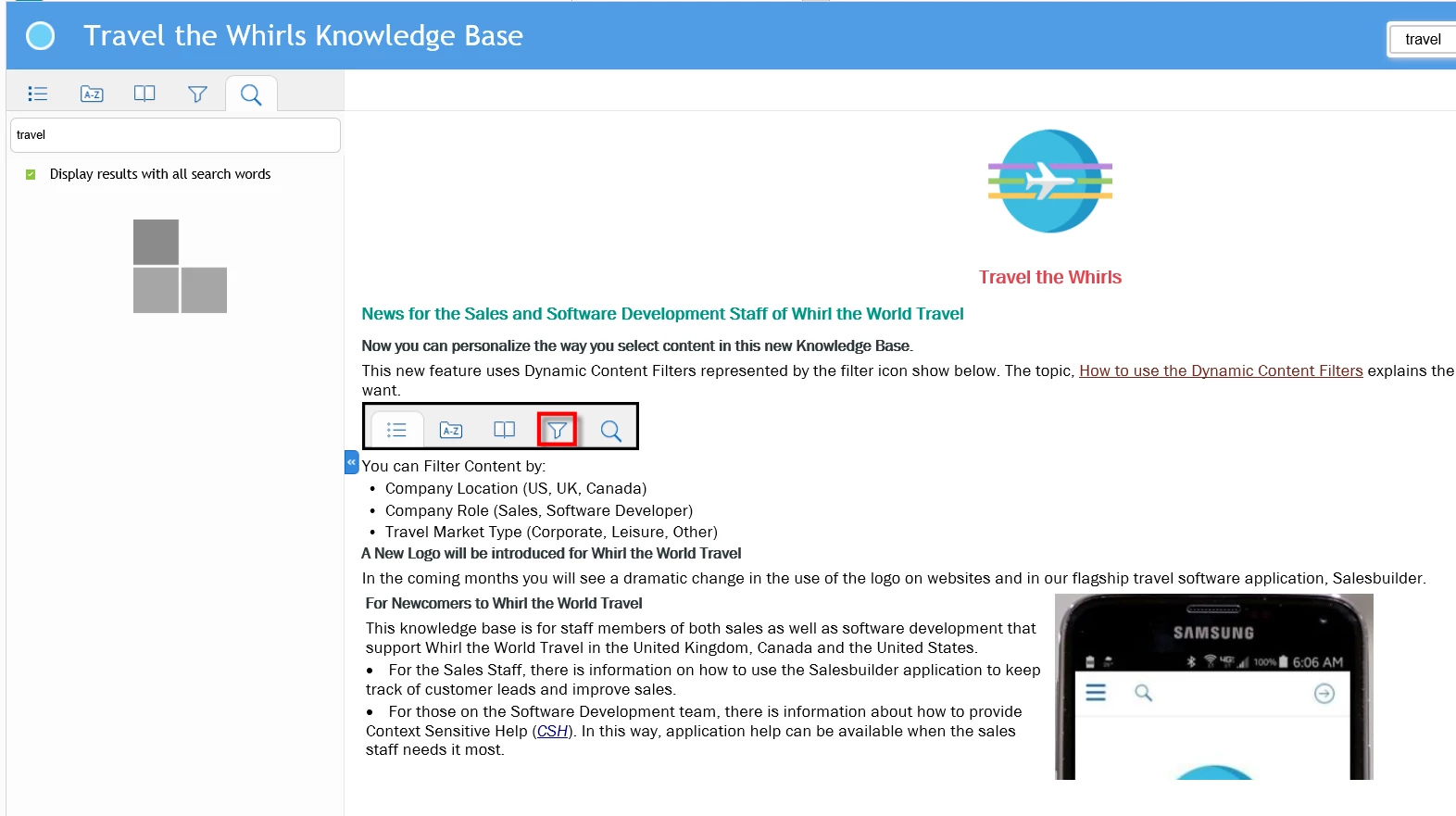
Does this work for anyone else?

Thanks.

This topic has been closed for replies.
Correct answer Peter Grainge

I found William's files and at first glance they seem to fix this issue. I haven't tested it thoroughly, but it looks promising.


I have cross referenced your bug report with Willam's. Please add a comment to https://tracker.adobe.com/#/view/RH-960 and your report when you have tested further.


See www.grainge.org for RoboHelp and Authoring information

@petergrainge

2 replies

CN13579Author
Inspiring
September 29, 2017

Bug report for anyone that wants to vote on it.

Tracker

Peter Grainge
Community Expert
Community Expert
September 30, 2017

If you had tried what I suggested my next post would have been to cross

check something else I am aware of. Had that proved to be the same issue I

could probably have offered a fix created by a known and respected forum

supporter and let you know it has been reported.

As it is, I can't confirm things so you will now have to await Adobe

investigating your bug report and issuing an update.

Use the menu (bottom right) to mark the Best Answer or Highlight particularly useful replies. Found the answer elsewhere? Share it here.
Known Participant
October 9, 2017

I also encountered this issue. I have copied Williams's updated javascript files and my project seems to be ok now in IE. However, I encountered a bit of a glitch with Robohelp after I did that. When I was producing the responsive HTML5 output, it would have issues with saving the files to the output folder. I think this was due to write permissions on subfolders in that folder. The error message in RH output view was "Unable to copy file <sourcefile> to <outputpath>: unexpected error". This only started occuring immediately after I updated the javascript files, and it affected Azure Blue and Indigo layouts. It would compile OK if I completely cleared the output folder.

It seems to be working ok now though (not sure what I did ), I just wanted to mention it on here in case someone else encounters it too, or if there was a different cause of the issue, or if there's a refinement that needs to be made to the javascript files.


Can you provide the location where these files need to go?

Is it in C:\Program Files (x86)\Adobe\Adobe RoboHelp 2017\RoboHTML\ResponsiveHelpExt\widgets\common\scripts?

Thanks,

JD

P.S. That is where I copied them and it seems to fix the problem. I did not experience any problems with clearing the output folder during subsequent output generation.

Peter Grainge
Community Expert
Community Expert
September 29, 2017

Have you selected the new layout in the dialog?

Then try deleting the old layout but export it first in case you want to

refer to it later.

Finally try the new layout in a test project just to confirm that works.

Use the menu (bottom right) to mark the Best Answer or Highlight particularly useful replies. Found the answer elsewhere? Share it here.
CN13579Author
Inspiring
September 29, 2017

I'm not sure why deleting the old one would be necessary, but I tried it anyways and I get the same result. Does the search feature work for you?

Peter Grainge
Community Expert
Community Expert
September 29, 2017

Not alone but I thought it would be worth a shot when I had the issue and

then the final paragraph I suggested to you worked.

Peter Grainge

www.grainge.org

@petergrainge

Use the menu (bottom right) to mark the Best Answer or Highlight particularly useful replies. Found the answer elsewhere? Share it here.