
maureen1524
Inspiring
February 1, 2018
Answered

RH10 Image folder not importing with HTML file

  • February 1, 2018
  • 1 reply
  • 1493 views

I have to save Word documents as HTML in order to get the styles to import correctly into RH10 (I also tested it on RH17 with the same result). Apparently our system security messes up Word imports, so I have to convert them to HTML first.

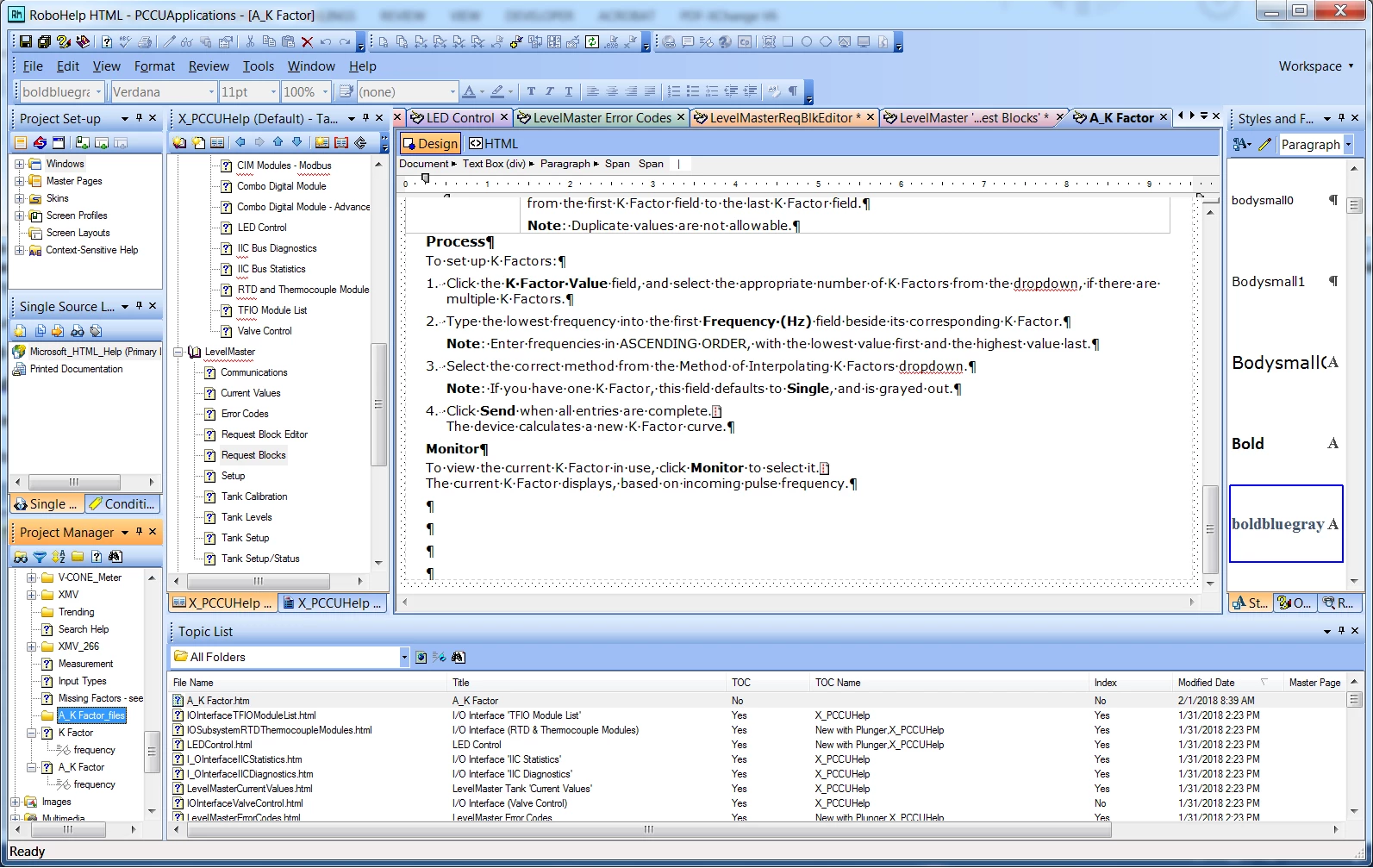
However, Robohelp only imports the HTML file itself, NOT the folder that contains the images. It creates an image folder in Robohelp, but it's empty. When I right-click the folder and attempt to import the images from the source folder, Robohelp doesn't "see" them. The images are .jpg and .png files.'' You can see from the image that the highlighted folder does not have a + sign.

Is it possible to import .html files from Word? I have no problem importing them from other Robohelp projects.
This topic has been closed for replies.
Correct answer maureen1524

I just figured it out. There are two options to save a Word document to HTML. The one that works - the images import with the document - is "Web Page, Filtered (*.htm, *html). (The regular Webpage option doesn't work.) Thanks

1 reply

maureen1524
maureen1524AuthorCorrect answer
Inspiring
February 1, 2018

I just figured it out. There are two options to save a Word document to HTML. The one that works - the images import with the document - is "Web Page, Filtered (*.htm, *html). (The regular Webpage option doesn't work.) Thanks

Jeff_Coatsworth
Community Expert
Community Expert
February 1, 2018

I'm still unsure of why you can't import Word docs straight in (subject to you setting up the RH styles to be translated into upon import).

Jeff_Coatsworth
Community Expert
Community Expert
February 1, 2018

Peter, apples and oranges. We're not talking about importing filtered webhelp. That's my workaround for the problem of importing .doc files. I don't work with printed documentation, so I have no access to those documents. My colleague does not create printed documents in Robohelp, so this has nothing to do with her, and I'm not sure how to interpret your reply regarding that.

Also, your site is vast and I'm at work, so I don't have time to browse and sift through. I've also moved past the troubleshooting and am now settling for workarounds. If you could please encapsulate a "quick fix" solution in your reply that would help. Copy/paste? Otherwise, no problem. I'm moving on. Thanks


I would suggest - http://www.grainge.org/pages/authoring/importing/importing_general.htm

and http://www.grainge.org/pages/authoring/importing/importing.htm