
Known Participant
February 11, 2010
Question

RH8 & Goggle Chrome Issues

  • February 11, 2010
  • 2 replies
  • 2290 views

Yes, I know that Chrome isn't yet a supported browser. However, my company's management has decided to recommend that customers use Google Chrome for the next version of pur product (due to its speed in rendering our application - IE and FF are much slower). So before raising the compatibility errors to management, I want to run them by the folks here and see if anyone has workarounds that I can propose. FYI - I've searched the Forums and read RoboWizard and Peter's material and haven't found anything that seems to address these particular issues.

I'm using RH 8.2.0.208 to produce window-level context-sensitive Help for a javascript application, using the standard RH API. Everything works great in IE and FF. Here are the issues I'm seeing in Chrome:

1. Issue with two browser windows on launch - When clicking the Help link in the app, two new browser windows open. The first remains blank and in front, and the second contains the called topic text and the Show link. Here's a picture:
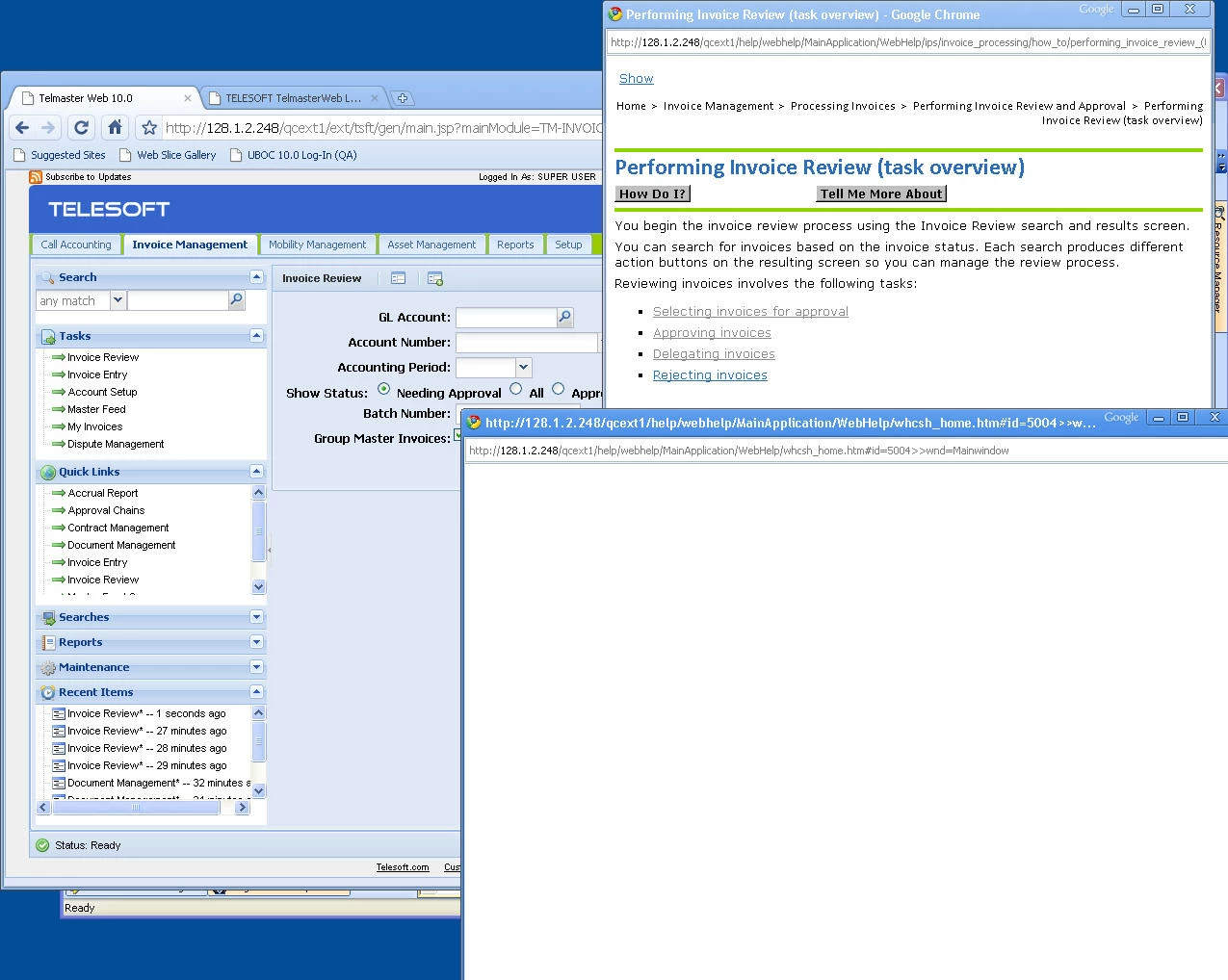
I can close the blank window and the second window with the Help remains open. I'd like to get rid off that blank window automatically, if possible.

2. Issue with See Also buttons - When the Help inititally opens, it displays just the topic itself and a Show link. At this point, the See Also buttons function normally.
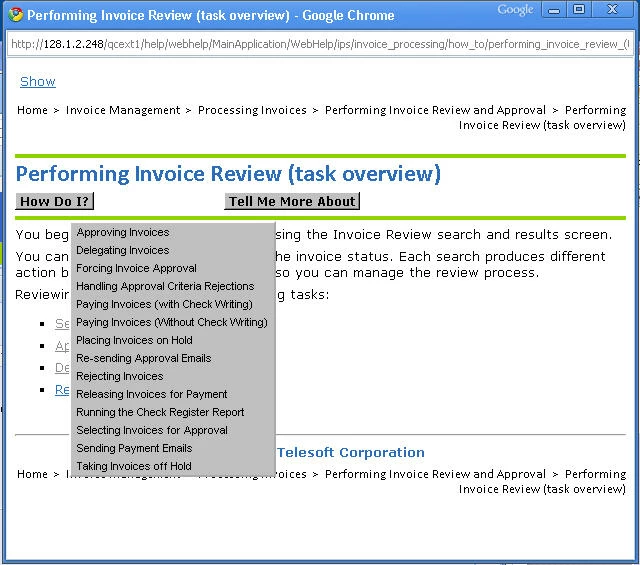
The problem occurs when I click the Show link to display the nav pane. Once the nav pane opens (it works fine BTW), the See Also buttons no longer work. I get a hand cursor but no result on clicking.
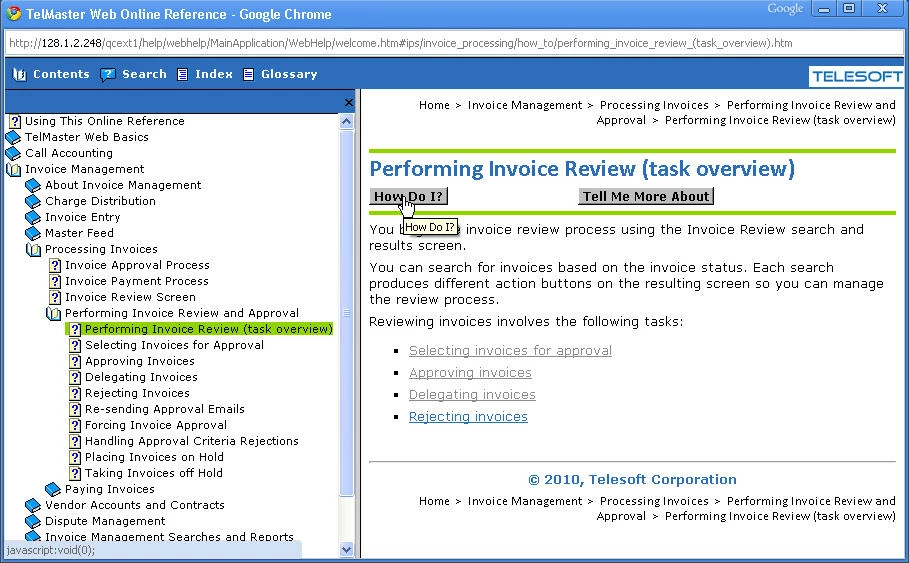
If I click the Hide Navigation Component control, the navigation pane does go away as expected. But the See Also links continue to not work and there is now no Show link for re-displaying the nav pane. However, if I right-click and select Back, I return to the topic only pane with a Show link and working See Also buttons.

My questions are:

1) Can I get rid of that blank window?

2) Can I fix the See Also lists so they work when the nav pane is open?

3) Can I force the Show link to reappear when the nav pane is closed?

Thanks so much for any help you can provide!

Kim

This topic has been closed for replies.

2 replies

February 17, 2010

You should probably show your management these browser statistics from w3schools: http://www.w3schools.com/browsers/browsers_stats.asp. Of course, I don't know which industry you work in, but IMHO, It is premature at this point to expect people to use Chrome as the primary browser for business applications.

Just my $0.02...

Thanks,
K

Jeff_Coatsworth
Community Expert
Community Expert
July 30, 2010

Sorry to rain on your parade, but a recent (June/July 2010) security update to Chrome has now shut down all WebHelp generated by RH, Flare, etc.

According to this bug report:

http://code.google.com/p/chromium/issues/detail?id=46167

Google is looking to fix the display issues for all local WebHelp flavours (RH, Flare, etc.) Let's hope they get this fixed soon ;>)

Captiv8r
Legend
July 30, 2010

Hi there

This issue likely affects WebHelp that is being displayed from the local PC, no? Things are fine when WebHelp is served from a web server?

Assuming that things are fine if Chrome is presenting WebHelp from a server, one could always install something like Server2Go if you wish to supply WebHelp for local setups.

http://www.server2go-web.de/

Setting it up isn't too difficult.

Cheers... Rick

Helpful and Handy Links

RoboHelp Wish Form/Bug Reporting Form

Begin learning RoboHelp HTML 7 or 8 moments from now - $24.95!

Adobe Certified RoboHelp HTML Training

SorcererStone Blog

RoboHelp eBooks

RoboColum_n_
Legend
February 12, 2010

Hi Kim.

I don't have the answers to your specific questions but I'm thinking that not many of us, if any, will. I think your management need to realise that Chrome is not yet supported with RH output. As such they need to realise that realising an application on an unsupported platform is highly risky. OK they will no doubt say, "It's just documentation. Why can't it support Chrome if our app does?" You or someone else needs to tell them that it is not how things work. If they release the app today and Microsoft release Windows 9 tomorrow, would they expect their application to work seemlessly?

Hope this helps.


  • Read the RoboColum(n) for a tips, tricks and musings on the Technical Communication Suite products.
  • Follow the RoboColum(n) on Twitter
Known Participant
February 12, 2010

Thanks, Colum. That's pretty much the speech I'm preparing to give. I'm seeing a lot of browser differences in how screens render in our new app, so I know the development folks will understand. The majority of our customers mandate IE and some use FF. The developers are using Chrome for development and, due to Chrome's speed in rendering the new app, Sales plans to use it for demos. So I need to provide guidance on things to avoid doing when demoing the Help. My plan is to script out a Help demo they can incorporate in their presentations. That's the sugar to help the bad news go down.

I can see that Rick (RoboWizard) has lots of tricks up his sleeve when forcing RH to "behave" , so was hoping he might have some suggestions/tweaks. It's really "early days" for Chrome, so I'll keep monitoring this forum for feedback as more folks start using it.

Thanks again!

Kim