Inspiring
May 3, 2013
Answered

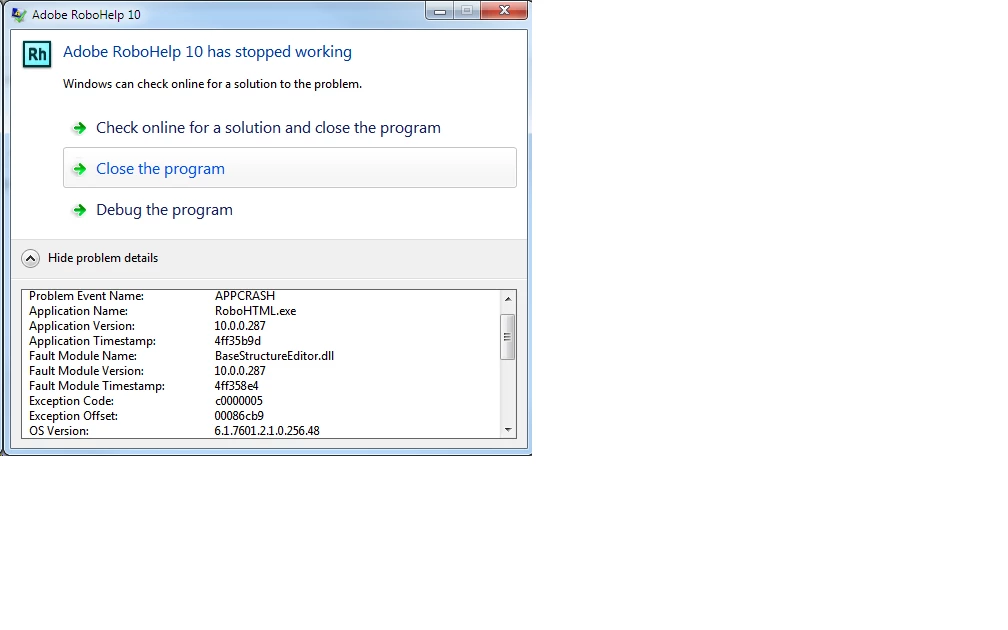
RoboHTML.exe exits with exception

  • May 3, 2013
  • 1 reply
  • 1979 views

I've just installed RoboHelp Office V10. Everything seems fine except for one problem. If I try to generate printed documentation, then RoBoHTML.exe exits with an exception.

I have Microsoft Office 2010 installed also.

Any idea who this should be reported to and how?

Anyone seen anything similar, and have a fix?

TIA

Mick Mathers

    This topic has been closed for replies.
    Correct answer Peter Grainge

    Yes, I can see the logo. I came across this link when reading the Adobe web site about activation problems, and during an online chat with Adobe techical staff.

    Yet the "Deactivate" menu option is still greyed.

    I tried to activate onlne connected to our corperate network with firewall and proxy with no success. Then I connected to a public network we provide for our customers. Still no success.

    The activation dialog said it couldn't connect to the internet on both senario. Reading more on the Adobe web site there was some wittering about clocks not being the same. There was no reason why this could be a problem, or how it should be resolved.

    Sorry for keeping on about this, but it gets me to a point where I bang my head on my desk.


    Re the Normal.dot side of things, search the forum as this has been covered with solutions that people have found. Sorry I cannot look right now.

    As to the activation, that is something that you will need to involve your IT people in. Adobe support for installation issues is free, make sure you follow the RoboHelp prompts to get a quicker response.


    See www.grainge.org for RoboHelp and Authoring tips

    @petergrainge

    1 reply

    Peter Grainge
    Community Expert
    Community Expert
    May 3, 2013

    First thing to do is try the same exercise with one of the supplied sample projects. Click Open on the RoboHelp Starter page and then click Samples in the ribbon on the left.

    You need to establish whether it is a project issue or an installation issue.


    See www.grainge.org for RoboHelp and Authoring tips

    @petergrainge

    Use the menu (bottom right) to mark the Best Answer or Highlight particularly useful replies. Found the answer elsewhere? Share it here.
    Inspiring
    May 3, 2013

    The first thing I did was try the salesbuilder sample. This execption occurs for that project.

    Mick Mathers

    Peter Grainge
    Community Expert
    Community Expert
    May 7, 2013

    Rh has been open for over an hour and the deactivate option on the help menu is still grey.

    I set the macro level in word to enable macros before installing Rh. I remembered the problem from previous versions of Rh.

    I'm not part of a secure government site, but we have a corperate firewall and proxy.

    I couldn't activate directly, and after adobe technical staff we unable to help, I used the reqeust / response code method. Do you know if there is a corresponding method for deactivating?

    Mick Mathers


    The problem I have seen always enables the option within a few minutes so clearly something else is wrong.

    According to Adobe's page on Activation, other causes are you have Volume Licensing, the product is part of a suite and you need to deactivate that, or you cannot connect. I had to get our IT guys to approve the link before Update would work. What I am not following is that unless you are a government department or similar, you have to activate online, no exceptions. What request / response code are you talking about as we have been through the activation issue before and there are NO exceptions.

    This is all getting away from the problem though of being able to print. Where does your Normal.dot template reside? We have seen issues when IT put it on a network drive.


    See www.grainge.org for RoboHelp and Authoring tips

    @petergrainge

    Use the menu (bottom right) to mark the Best Answer or Highlight particularly useful replies. Found the answer elsewhere? Share it here.