
Participant
July 5, 2017
Question

Script Error: Object doesn't support property or method

  • July 5, 2017
  • 1 reply
  • 9367 views

After deploying a new PC and installing RoboHelp 2017 I keep getting a multitude of script errors upon opening an existing project. This project opens on an older PC without the error but I have now tested on two different new PC's and keep getting same errors. IE 11 is the default browser.

the first script error is
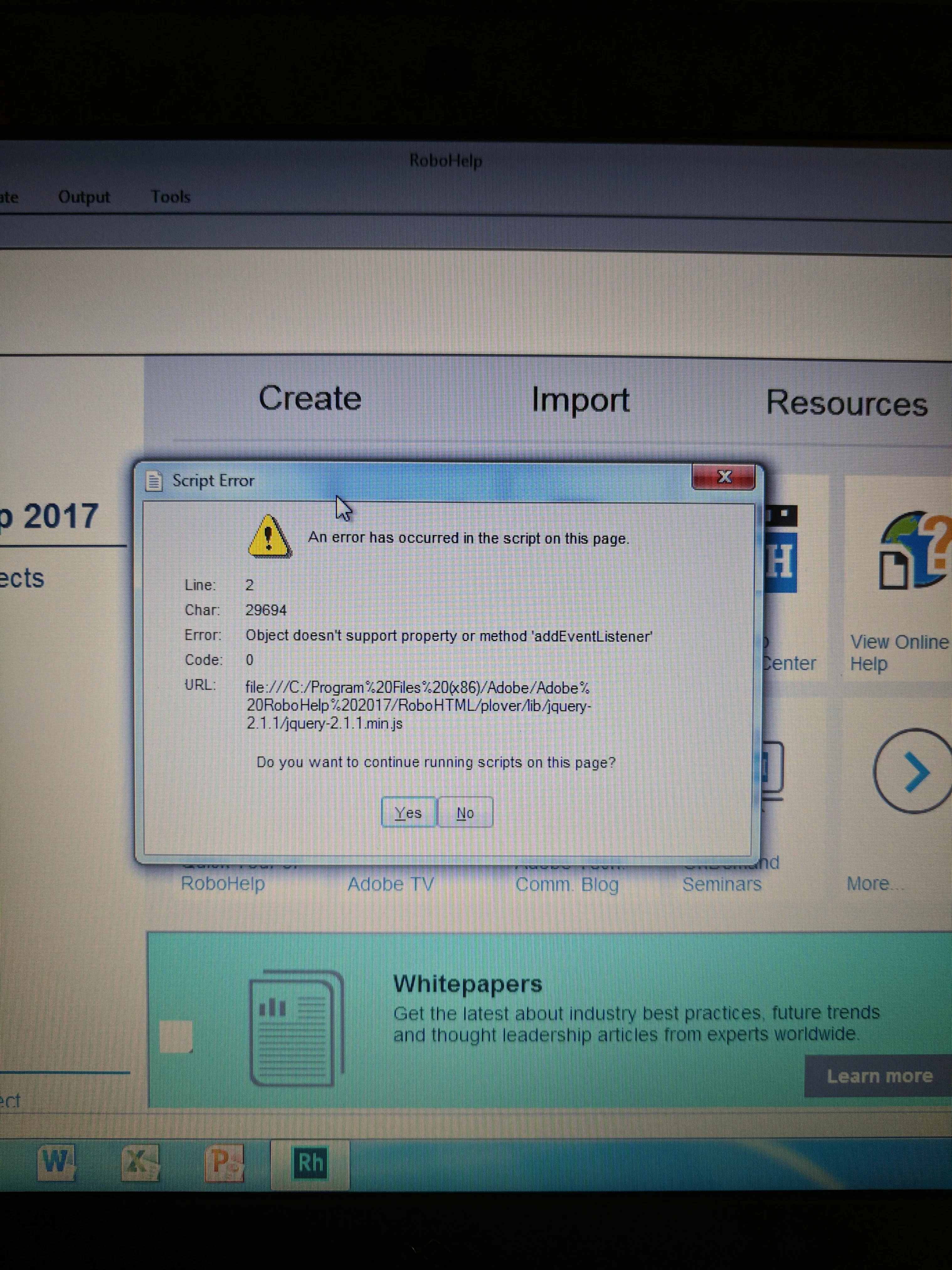
This topic has been closed for replies.

1 reply

Jeff_Coatsworth
Community Expert
Community Expert
July 5, 2017

You talking about the RH2017 project or the output you're creating from it? If it's the output, what flavour & have you applied all the RH patches?

STLRGA
Inspiring
August 16, 2017

Hello,

I am getting the exact same thing after upgrading to a new PC (Windows 10) and going from RoboHelp 10 to 2017 (with the 2017 patch). It is actually a series of three messages that all display in a row upon initial opening of any of my projects or sample projects. After the messages, the projects seem to be okay, but I have not done any outputs yet with the new version upgrade. Any help would be appreciated, I looked all over and could not find any kind of solution. I even took a look at my old PC with RoboHelp 10 for comparison and there was no such folder (RohoHelpHTML/plover/lib) as displayed in the messages. I am thinking this has to be related to the new responsive layouts, but there has got to be a fix for this?

Thank you!

STLRGA
Inspiring
August 24, 2017

I'm not sure if Run as Administrator is the same as having admin rights. I would ask IT to install using their admin logon. Then it should be OK for you without admin rights. That said, having admin rights will be needed for updating so that's best.

If they are reluctant, ask them to do it this way just to prove or disprove the point. After RoboHelp has been installed by someone with admin rights, it must be opened by them at least once.

So IT please uninstall, reboot, install with admin rights and run RoboHelp. Then see if it opens OK for you.


See www.grainge.org for RoboHelp and Authoring information

@petergrainge


Hello,

I tried the above recommendations, but unfortunately did not have any luck with that. Then I spent a FEW HOURS with Adobe Support and they tried every possible thing they could think of to eliminate those messages, including verification that all the permissions, etc. were set correctly. Still nothing worked, so I guess this can be noted as a known unresolved issue.

I was told the messages are related to the fact that this can happen if the computer is under a corporate enterprise network domain. Because of this, some system properties (primarily Internet Explorer) are controlled via a "locked down" group policy. These controlled properties are related to running scripts and manifesting as warning messages when a project is initially opened during a session. Adobe had me try testing a bunch of functionality, including Responsive HTML5 output and I am told this has no effect on how RoboHelp is performing.

Adobe is keeping their HelpDesk ticket open, so they may still get back to me. If so, I will post a follow-up here.

Regards.