
Setting up Robohelp 9 - Cannot Access Web Admin Page
We are performing a proof of concept with RoboHelp 9, and I'm trying to get it up and running to the point where we can upload content to the server.
I've been following the instructions from:
http://help.adobe.com/en_US/RoboHelp/9.0/RoboEngine/WS5b3ccc516d4fbf351e63e3d11c0aaa9fd7-7ff8.html
This is what I have done so far:
1. Installed Tomcat7 and verified that Tomcat is installed and running. Set the Java options.
2. Installed Robohelp 9, and pointed to the correct install of Java and Tomcat.
3. Configured Robohelp, using the application, and created a project called 'Design' using the Access/default option for logging.
4. Browsed to http://servername:8080/robohelp/admin and received a 404 Error:
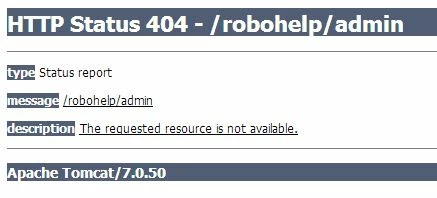
As I'm not very familar with web applications/servers, I'm wondering how I point the application to look at the correct folder. It doesn't seem like Tomcat is looking in the right location for the appplication.
Do I need to setup IIS to make this work?
 AdChoices