Inspiring
March 15, 2017
Answered

Shifted images

  • March 15, 2017
  • 2 replies
  • 2022 views

I explain the problem:

- 4 years ago I created a manual with FrameMaker (may be FM10, I don't remember) and created on-line help with RoboHelp.

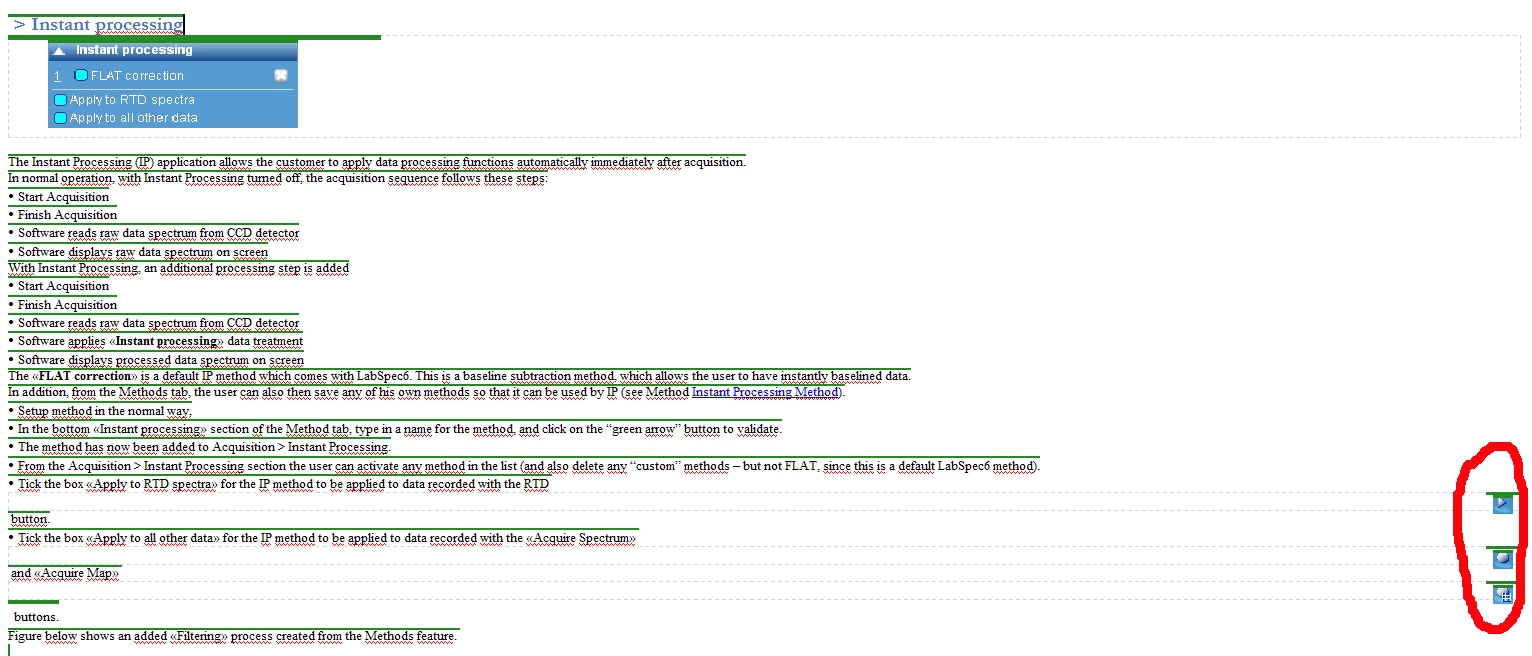
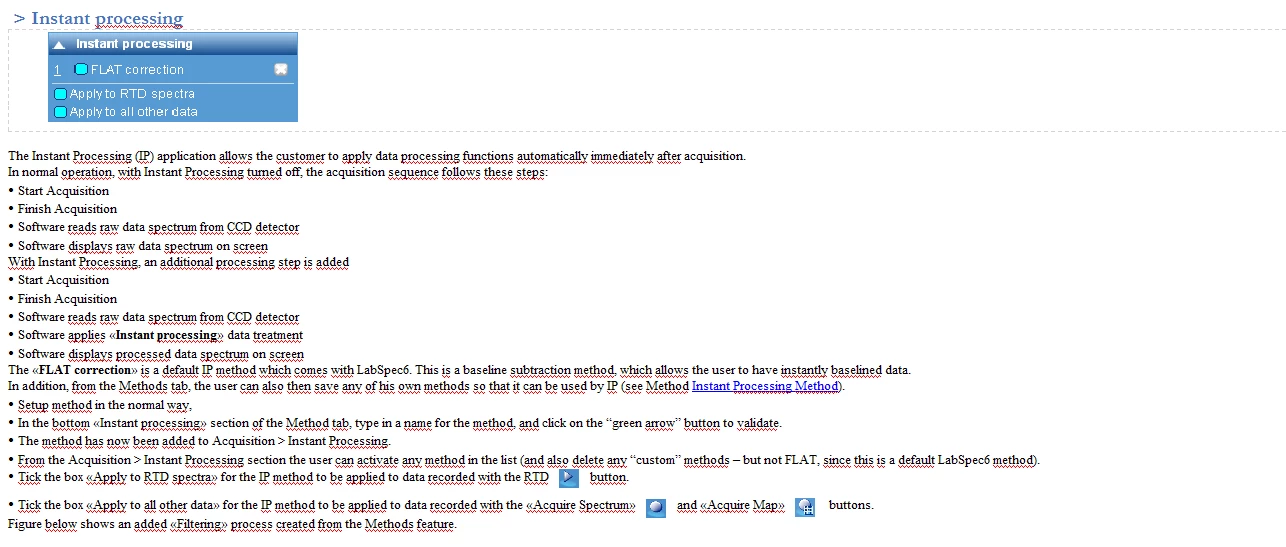
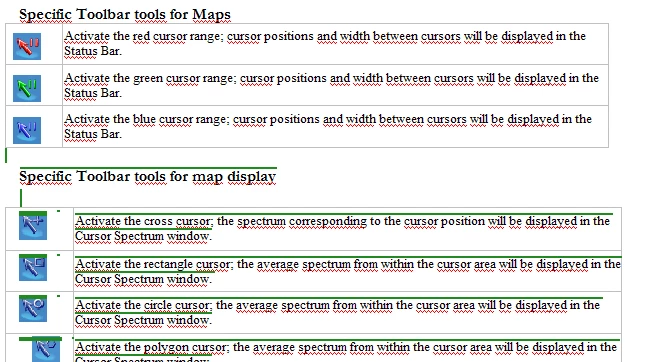
- 2 weeks ago, I needed to upgrade the manual and have added some parts with FrameMaker2015. Similarly, I imported this manual to RoboHelp2015 as a new project (I have changed my computer). The results was very strange: The new chapter located at the beginning of the manual was very fine and some old parts was fine too up to a specific line highlighted in green in the RoboHelp project. The figure1 shows the frontier: above the text and figures are not highlighted in green color and the text/figures are perfect: see figure2. All the manual below this frontier has some problems with images: they are shifted to the right, see figure 3. I have made the test by copying in fm the text with problem images to the beginning of the manual where no problem appears: in RH the results are the figure 2 and figure 3.

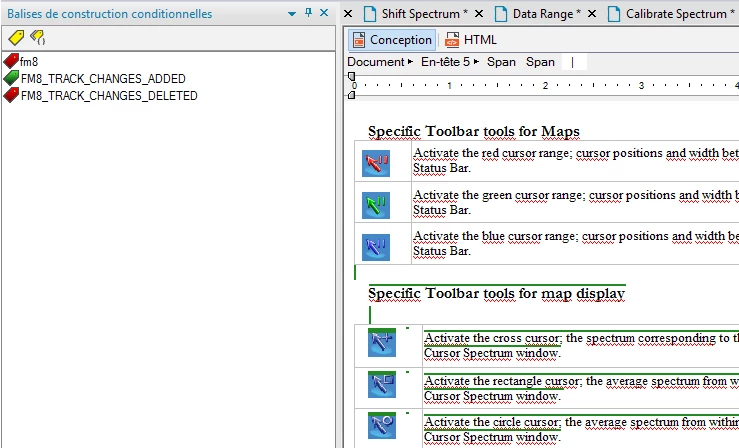
It seems that conditional tag are present, but I cannot remove them. More precisely: if I remove them in RH, each time I update the manual from FM, the conditional are back. In the FrameMaker manual, I have no code, no tag at this place (green frontier).

Yesterday, I upgraded to TCS2017 and I have exactly the same problems: no change.

Could you help me please
This topic has been closed for replies.
Correct answer NicPervy

Yes but, I cannot imagine do this on a 100 pages manual with many graphics, tables, paragraph labels ...


Luckily, I solved the problem like this:

  • From FrameMaker, I deleted the text/table (about 4 lines) where the transition with hidden conditioning tag activates problems in Robohelp.
  • From Framemaker, I recreated the delete text/table by hand.
  • From RoboHelp, I regenerated the document.

That's all and it works fine!!!!  All the document is perfect!

2 replies

veni79
Known Participant
March 15, 2017

Hi, Sorry this might seem obvious, but have you accepted all revision marks in the ENTIRE book (vs individual chapter).

if I were you, I would try linked FM book in RH ( vs imported)

I work with linked FM books and I always do all of the conditionalizing in FM  (vs RH). I want to avoid post-processing in RH, and have one set of source files that I can output in diff formats without any adjustments in RH (except for specifying the properties of the output once)

Jeff_Coatsworth
Community Expert
Community Expert
March 15, 2017

Importing is fine - you just have to decide at which end (the FM one or the RH one) you want to apply the conditioning when you generate help output.

Jeff_Coatsworth
Community Expert
Community Expert
March 16, 2017

Hi Jeff,

"Ok, so there are 2 issues here - the green conditioning that's appearing in the resulting RH topics & the mis-alignment of the in-line images, right?"

YES

I have made the following test: in FM if I copy the complete paragraph with the shifted image in the area above the "green conditioning area"AND if from RH I import the manual, the result is perfect: the images are not shifted and no conditioning green. The conclusion is that the "green conditioning" shifts the images to the right. Both are related I do not know how. I have made several tests with the same conclusion. See figure below:

"The conditioning is probably the result of using Track Changes in FM - that adds conditioning to your content. As Veni says, did you accept all revisions in the FM content first & update it before bringing it into RH?"

YES, there is no revisions codes in the manual as shown on the figure below. Two years ago I use the revision feature with the special pdf format and all the revision codes have been accepted and now no one is detected.

"The image alignment may be trickier - are they only messed up in lines that are bullet points or does it occur someplace else too?"

NO, the same shifted image problem occurs with all "in line anchored image" which are located on "green conditioning area". Moreother, in the example above the bullet paragraph is converted as a standard line as shown below:


You can't really tell if conditioning is in play in the FM source unless you can see what's reported on the bottom left corner of the screen (which your screenshot cuts off); why don't you show the same problem content page with the Show/Hide settings dialog displayed? That should show if there are conditions in the doc (I suspect so, since RH was reporting 3 - "fm8", "FM8_TRACK_CHANGES_ADDED" and "FM*_TRACK_CHANGES_DELETED")

Jeff_Coatsworth
Community Expert
Community Expert
March 15, 2017

Can you show a screenshot of the FM content where the issue is coming from in the resulting RH topic (it is the topic, right? not the output?)