
ae1992
Participant
July 22, 2016
Answered

ToC books not opening in Chrome

  • July 22, 2016
  • 14 replies
  • 13631 views

Hi all,

I am using RoboHelp 11 and RoboHelp Server 9.

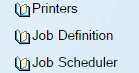
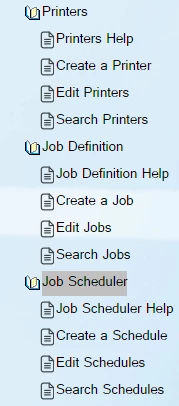
Some of my ToC books are not opening, but the rest are working just fine. I have these same books on a different project, and they're opening fine. Both projects are published on the same server but in different areas. They have been working just fine up until this point.
Thank you!

This topic has been closed for replies.
Correct answer Peter Grainge

The official fix is on Adobe's site at Cannot collapse the ToC of Webhelp output in Google Chrome


See www.grainge.org for free RoboHelp and Authoring information.

@petergrainge

14 replies

Inspiring
January 3, 2018

I have now had the same issue reported to me. I am using RH 2017 and the user is viewing through Chrome version 63.0.3239.108 (64 bit).

I have added my vote and comment to the Adobe Tracker.

Chris

Known Participant
December 17, 2017

Hi all,

Turns out I do have some Chrome users in the Help audience for this project, so ...

Workaround is to turn off WebHelp Settings > Navigation > Synchronize Table of Contents, or use Preferred Format: HTML.

Reduces functionality, but at least the output is not broken in Chrome.

I will add this info to the bug report as it seems the source of the problem is the syncing of the TOC.

Jeanne

Peter Grainge
Community Expert
Community Expert
December 18, 2017

Changing to pure HTML. which disables synchronization, works but I'm not finding turning off synchronization alone works.


See www.grainge.org for RoboHelp and Authoring information

@petergrainge

Use the menu (bottom right) to mark the Best Answer or Highlight particularly useful replies. Found the answer elsewhere? Share it here.
Known Participant
December 18, 2017

Worked for me using Chrome 63.0.3239.108 (Official Build) (64-bit).

Known Participant
December 15, 2017

Yeah, same here. After discovering this thread and learning the solution was outside of my own influence, I've spent the morning trying to let my internal and external audience know to either stick with using the search engine or open their hearts to Firefox.

If we voted on that bug, are we notified if something changes?

Peter Grainge
Community Expert
Community Expert
December 19, 2017

Re "are we notified if something changes?"

Not generally but with something like this once an update is released, it will likely be commented on in forum threads. Also you can go the Tracker bug base at any time to see its status.


See www.grainge.org for RoboHelp and Authoring information

@petergrainge

Use the menu (bottom right) to mark the Best Answer or Highlight particularly useful replies. Found the answer elsewhere? Share it here.
Jeff_Coatsworth
Community Expert
Community Expert
July 22, 2016

Have you applied all the browser security fixes that are listed on Willam's site (https://www.wvanweelden.eu/articles/robohelp-patches-and-updates?) & regenerated your help?

Inspiring
December 14, 2017

OK, I am now experiencing the same thing, as is another one of our trainers.  My version of Chrome was working fine.  They were on a newer version of Chrome.  I have now updated my version of Chrome to the latest version (currently 63.0.3239.84 (Official Build)(64-bit).  Now my TOC books are not opening either.  Anyone else experiencing the same thing?  Anyone know a resolution?  Thanks!

Known Participant
December 15, 2017

Hi Tim,

I can confirm: As of today, my RH 2017 webhelp output is doing the same thing - Chrome just updated, so I suspect this is the cause as I did not see this problem yesterday when I generated this project.

I also have output that I generated last year with RH 2015 (which worked fine in Chrome), but now, same thing, books in the TOC won't open. (Caveat - they open UNTIL you click on the topic, and then they stop opening. Reload gets them going again, but only until you click on the topic again.) I think something changed in Chrome that has now broken one of the RH routines.

Luckily, this is not a problem in IE11, which is what my client is using.

I doubt applying any of the patches will help, since this is a new problem.